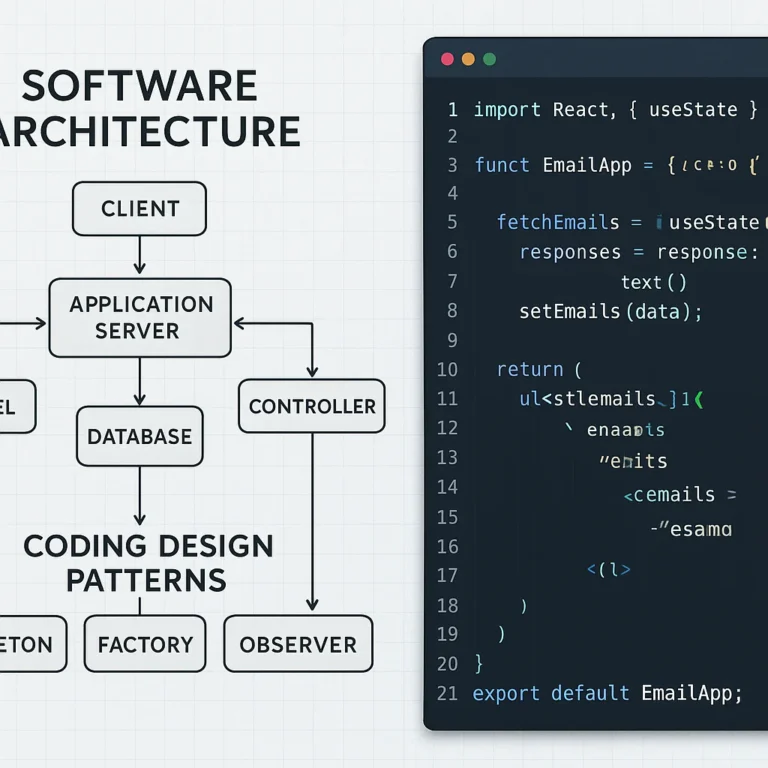
Support our educational content for free when you purchase through links on our site. Learn more
What Are the Benefits of Design Patterns in App Development? 🧩

Design patterns help app development teams build software that’s easier to maintain, test, extend, and understand—when the pattern fits the problem. They offer proven ways to handle recurring design challenges, but using more patterns doesn’t automatically make an app better.
We’ve seen a familiar scene on app teams: a small change to one screen unexpectedly touches the payment flow, storage layer, and half a dozen tests. Often, the trouble isn’t a lack of clever code; it’s unclear boundaries. A well-chosen pattern can make those boundaries easier to see—and the next change less nerve-racking.
Key Takeaways
- Design patterns are reusable approaches, not copy-and-paste code. Adapt them to your app, platform, and team.
- The biggest benefits are clearer responsibilities, easier testing, improved maintainability, and a shared vocabulary.
- Patterns can support flexibility and growth, but they don’t guarantee faster apps or scalable infrastructure.
- Choose a pattern to solve a real problem. Unecessary abstraction can make simple code harder to follow.
- Start small, test the result, and keep the design only if it reduces complexity.
Table of Contents
- ⚡️ Quick Tips and Facts
- 🧭 Design Patterns in App Development: The Basics
- What Is a Software Design Pattern?
- Design Patterns vs. Architecture, Principles, and Frameworks
- How Design Patterns Evolved in Software Engineering
- 🎯 What Are the Benefits of Using Design Patterns in App Development?
- 1. Reusable Solutions and Faster Development
- 2. Cleaner, More Maintainable Code
- 3. Easier Testing and Debuging
- 4. Better Team Communication and Shared Vocabulary
- 5. Greater Flexibility and Scalability
- 6. Lower Technical Debt and Fewer Costly Rewrites
- 7. More Consistent App Design and Behavior
- 🧩 The Main Types of Software Design Patterns
- Creational Patterns for Object and Dependency Creation
- Structural Patterns for Organizing Components
- Behavioral Patterns for Managing Communication and Actions
- 📱 Popular Design Patterns Used in App Development
- MVC, MVP, and MVM for User Interface Architecture
- Repository and Service Patterns for Data Access
- Factory, Builder, and Singleton Patterns
- Observer, Strategy, and Adapter Patterns
- Dependency Injection and Inversion of Control
- 🛠️ Choosing the Right Design Pattern for Your App
- Match the Pattern to the Problem
- Consider App Size, Team Skills, and Platform
- When a Simple Solution Is Better
- 🔍 Design Patterns Across App Types and Platforms
- Mobile App Design Patterns for iOS and Android
- Web App and Backend Design Patterns
- Cross-Platform and Enterprise Applications
- 🔐 Building Reliable Apps: Testing, Security, and Code Quality
- Using Patterns to Improve Testability
- Security and Safe Handling of App Data
- Code Reviews, Documentation, and Verification
- ⚠️ Common Design Pattern Mistakes to Avoid
- Overengineering and Pattern Overuse
- Applying a Pattern Without Understanding Its Trade-Offs
- Ignoring Performance and Framework Conventions
- 🚀 A Practical Process for Applying Design Patterns
- Identify Repeated Problems and Change Points
- Compare Options and Document the Decision
- Implement, Test, and Refactor Incrementally
- 📊 Design Patterns: Benefits, Trade-Offs, and Best Uses
- ✅ Conclusion
- 🔗 Recommended Links
- ❓ FAQ
- Do design patterns make app development faster?
- Are design patterns necessary for small apps?
- Which design pattern is best for mobile app development?
- What is the difference between a design pattern and an architecture pattern?
- Can design patterns improve app security and scalability?
- How many design patterns should an app use?
- 📚 Reference Links
Table of Contents
- ⚡️ Quick Tips and Facts
- 🧭 Design Patterns in App Development: The Basics
- What Is a Software Design Pattern?
- Design Patterns vs. Architecture, Principles, and Frameworks
- How Design Patterns Evolved in Software Engineering
- 🎯 What Are the Benefits of Using Design Patterns in App Development?
- 1. Reusable Solutions and Faster Development
- 2. Cleaner, More Maintainable Code
- 3. Easier Testing and Debuging
- 4. Better Team Communication and Shared Vocabulary
- 5. Greater Flexibility and Scalability
- 6. Lower Technical Debt and Fewer Costly Rewrites
- 7. More Consistent App Design and Behavior
- 🧩 The Main Types of Software Design Patterns
- Creational Patterns for Object and Dependency Creation
- Structural Patterns for Organizing Components
- Behavioral Patterns for Managing Communication and Actions
- 📱 Popular Design Patterns Used in App Development
- MVC, MVP, and MVM for User Interface Architecture
- Repository and Service Patterns for Data Access
- Factory, Builder, and Singleton Patterns
- Observer, Strategy, and Adapter Patterns
- Dependency Injection and Inversion of Control
- 🛠️ Choosing the Right Design Pattern for Your App
- Match the Pattern to the Problem
- Consider App Size, Team Skills, and Platform
- When a Simple Solution Is Better
- 🔍 Design Patterns Across App Types and Platforms
- Mobile App Design Patterns for iOS and Android
- Web App and Backend Design Patterns
- Cross-Platform and Enterprise Applications
- 🔐 Building Reliable Apps: Testing, Security, and Code Quality
- Using Patterns to Improve Testability
- Security and Safe Handling of App Data
- Code Reviews, Documentation, and Verification
- ⚠️ Common Design Pattern Mistakes to Avoid
- Overengineering and Pattern Overuse
- Applying a Pattern Without Understanding Its Trade-Offs
- Ignoring Performance and Framework Conventions
- 🚀 A Practical Process for Applying Design Patterns
- Identify Repeated Problems and Change Points
- Compare Options and Document the Decision
- Implement, Test, and Refactor Incrementally
- 📊 Design Patterns: Benefits, Trade-Offs, and Best Uses
- ✅ Conclusion
- 🔗 Recommended Links
- ❓ FAQ
- Do design patterns make app development faster?
- Are design patterns necessary for small apps?
- Which design pattern is best for mobile app development?
- What is the difference between a design pattern and an architecture pattern?
- Can design patterns improve app security and scalability?
- How many design patterns should an app use?
- 📚 Reference Links
⚡️ Quick Tips and Facts
Design patterns are reusable approaches to recurring software-design problems—not snippets of code you can paste in and forget. Our guide to coding design patterns explains the wider toolkit; here, we’ll focus on why these patterns matter when building apps and games.
| Quick fact | What it means for your app |
|---|---|
| Patterns describe solutions, not finished implementations | Adapt the idea to your language, framework, and constraints. |
| A pattern can improve maintainability | But only if it makes responsibilities and change points clearer. |
| Patterns support reuse | Reuse the design approach; don’t blindly duplicate code or architecture. |
| More patterns do not automatically mean better software | An unnecessary abstraction adds concepts, files, and places to debug. |
| Some patterns solve different levels of problems | MVC structures an application’s UI responsibilities; Factory structures object creation. |
| Measure performance instead of guessing | A pattern can introduce indirection or object allocations, so profile real workloads. |
The short answer
Design patterns can help you build apps that are easier to change, test, understand, and extend. They give teams a shared way to discuss recurring problems and provide structures that have worked in many contexts. They are most useful when a problem repeats or a part of your app is likely to change.
They are less useful when applied by reflex. If a five-line function becomes a “flexible enterprise strategy factory” with twelve files, the pattern may have won the architecture diagram and lost the app.
“Design patterns offer reusable solutions to typical problems,” as Stackify’s introduction to software design patterns puts it. That’s a useful summary—but the word typical matters. A pattern is a starting point, not a commandment.
🧭 Design Patterns in App Development: The Basics
What Is a Software Design Pattern?
A software design pattern is a named, reusable approach to a recurring design problem. It describes a general structure—such as which components collaborate and how responsibilities are divided—without prescribing one universal implementation.
Imagine an app has several screens that need to react when a user’s account status changes. One approach is to make every screen poll the account service. Another is to publish a change event and let interested screens subscribe. The second approach resembles the Observer pattern.
The pattern does not decide your exact event library, data model, or error behavior. Those are implementation choices. It gives the team a shared design idea to work from.
What a pattern is—and is not
- ✅ A proven design vocabulary: names common solutions so developers can discuss them efficiently.
- ✅ A learning tool: examples help newer developers recognize recurring structural problems.
- ❌ A code generator: a pattern doesn’t produce working, secure, production-ready code by itself.
- ❌ A guarantee of quality: a poorly applied pattern can make code harder to understand.
- ❌ A substitute for requirements: architecture should follow app needs, not the other way around.
The familiar catalog of object-oriented patterns is associated with Design Patterns: Elements of Reusable Object-Oriented Software, by Erich Gamma, Richard Helm, Ralph Johnson, and John Vlissides—the “Gang of Four.” The book’s patterns remain influential, but modern applications also rely on architectural patterns, functional techniques, framework conventions, and domain-specific approaches.
Design Patterns vs. Architecture, Principles, and Frameworks
People often use “pattern” to mean any reusable technical idea. It helps to separate the layers:
| Concept | Typical scope | Example | What it helps decide |
|---|---|---|---|
| Design pattern | A focused design problem | Adapter, Factory, Observer | How components collaborate |
| Architectural pattern | A system or major subsystem | Layered architecture, event-driven architecture | How broad parts of a system are organized |
| Design principle | A rule of thumb | Single Responsibility Principle, dependency inversion | How to evaluate design choices |
| Framework | Reusable software and conventions | React, .NET, Android Jetpack | Which tools and structures are available |
| Implementation technique | A concrete coding method | Async/await, dependency injection | How a behavior is expressed in code |
These concepts can work together. An app might use a layered architecture, apply the Repository pattern to data access, follow dependency-inversion principles, and use a framework’s built-in dependency-injection container.
The practical question is not “Which pattern is most impressive?” It is: What is changing, what must stay stable, and how can the design keep those boundaries clear?
How Design Patterns Evolved in Software Engineering
Patterns became a popular way to share reusable design knowledge across software teams. The Gang of Four catalog formalized many object-oriented patterns, including Factory, Adapter, Observer, and Strategy. Over time, software engineering developed patterns for larger systems, distributed services, mobile apps, web interfaces, and cloud infrastructure.
The original ideas remain useful, but their implementations have changed. A classic Singleton, for example, may be unnecessary when a modern application framework already manages service lifetimes. A hand-built Observer may be redundant when the platform provides reactive streams or event APIs.
This is why context matters. The right answer in a Java desktop application may not be the right answer in a SwiftUI app, a React web app, or a multiplayer game server. The pattern’s intent can survive even when the implementation changes.
For a quick visual overview, Fireship’s “10 Design Patterns Explained in 10 Minutes” introduces ten classic patterns with JavaScript and TypeScript examples. It’s a brisk primer; use it to recognize the vocabulary, then evaluate patterns against your actual requirements.
🎯 What Are the Benefits of Using Design Patterns in App Development?
Patterns can improve software development when they make common responsibilities easier to understand and modify. The benefits are not automatic: they depend on whether a pattern fits the problem and whether the team implements it consistently.
1. Reusable Solutions and Faster Development
When a team encounters a recurring problem, a familiar pattern can reduce design time. Developers can start from an established approach instead of debating every structural decision from scratch.
For example, a Factory can centralize the construction of different payment, notification, or storage providers. A new provider can then be added behind a common interface rather than being threaded through unrelated UI code.
That does not mean patterns always make coding faster. There may be an upfront cost to create interfaces, abstractions, or tests. The time benefit is more likely when the problem recurs, the app has multiple implementations, or the design is expected to change.
Our rule of thumb: use a pattern to avoid repeating a design decision, not just because a textbook names it.
2. Cleaner, More Maintainable Code
A useful pattern gives each part of an app a clearer responsibility. In an MVC-style design, for instance, UI rendering, input handling, and application data are not all tangled into one enormous screen class.
That separation can make changes more local:
- A UI redesign may not require rewriting the data layer.
- A new storage provider may not require changing business rules.
- A bug in one responsibility may be easier to isolate.
- New team members can follow the structure faster.
This is the maintainability win: the code communicates where a change belongs. If every feature change requires edits across a dozen unrelated components, the architecture may not be doing its job.
3. Easier Testing and Debuging
Patterns that separate business logic from external systems can make testing simpler. If a checkout service depends on an interface rather than directly constructing a live payment client, a test can supply a fake implementation and check the business behavior safely.
For example:
- Define a payment-provider interface.
- Inject either a real provider or a test double.
- Test the checkout rules without contacting a payment network.
- Add integration tests to verify the real provider separately.
This can shorten debugging loops because failures become easier to localize. But abstraction alone does not guarantee good tests: an app can have many interfaces and still lack meaningful test coverage.
4. Better Team Communication and Shared Vocabulary
Saying “use an Adapter here” is more concise than describing the same interface-translation idea from scratch—provided the team shares the meaning of the term.
Patterns also make design discussions more precise:
- “This is a Strategy: we need interchangeable pricing rules.”
- “The UI is observing state, but we need to consider lifecycle cleanup.”
- “The Repository boundary should keep database details out of the business logic.”
Stackify similarly describes patterns as a “widely-used language for developers.” Shared vocabulary can speed collaboration, but teams should still document local conventions. Two developers may use the same pattern name for different implementations.
5. Greater Flexibility and Scalability
Patterns can help an app accommodate new features when they isolate likely change points. A Strategy can support new sorting or pricing rules without a growing chain of conditionals. An Adapter can let an app work with a new external API while preserving its internal interface.
This is design flexibility, not a promise that the system will scale to millions of users. Runtime scalability also depends on databases, network behavior, caching, infrastructure, concurrency, and system architecture. A tidy object model does not rescue an overloaded server.
For more on the system side of the problem, see our back-end technologies coverage.
6. Lower Technical Debt and Fewer Costly Rewrites
Patterns can reduce technical debt when they prevent repeated, tightly coupled implementations. A well-chosen abstraction may make it cheaper to replace a provider, refactor a feature, or add tests.
But patterns can also create debt:
- Too many layers hide simple behavior.
- General-purpose abstractions become harder to evolve than the original feature.
- A pattern applied inconsistently confuses contributors.
- Premature flexibility can lock a team into needless complexity.
The goal is not “maximum abstraction.” It is a design where likely changes are affordable without making ordinary work cumbersome.
7. More Consistent App Design and Behavior
A shared pattern can help different teams or app modules handle similar problems consistently. If all data-access code follows the same Repository conventions, developers can predict where queries, caching, and error mapping belong.
Consistency is especially valuable in larger projects, but consistency should not be confused with uniformity at any cost. A feature with genuinely different requirements may deserve a different approach. A consistent codebase explains its exceptions.
🧩 The Main Types of Software Design Patterns
The classic object-oriented patterns are often grouped into three families. This classification is useful for learning, though modern application design includes many patterns beyond the original catalog.
| Pattern family | Main concern | Familiar examples |
|---|---|---|
| Creational | How objects or services are created | Factory, Builder, Singleton |
| Structural | How objects and components are composed | Adapter, Decorator, Facade |
| Behavioral | How objects communicate and distribute work | Observer, Strategy, Iterator |
Creational Patterns for Object and Dependency Creation
Creational patterns make object creation more flexible or controlled.
- Factory: centralizes a choice about which object to create.
- Builder: constructs complex objects step by step.
- Singleton: limits a type to one shared instance, when that lifetime is genuinely required.
- Prototype: creates objects by cloning an existing instance.
A Factory can be useful when the app selects between different implementations based on configuration. A Builder can help when constructing a valid object requires many optional settings. A Singleton deserves caution: global shared state can make tests, concurrency, and lifecycle behavior harder to reason about.
Structural Patterns for Organizing Components
Structural patterns describe how parts fit together.
- Adapter: makes one interface work with another.
- Decorator: adds behavior by wrapping an object.
- Facade: gives a simpler entry point to a complicated subsystem.
- Composite: treats individual objects and groups of objects in a similar way.
An Adapter is particularly useful when integrating a third-party SDK whose API does not match the app’s internal design. A Facade can hide a complicated group of operations behind a smaller interface, such as a single “load dashboard” service.
Behavioral Patterns for Managing Communication and Actions
Behavioral patterns organize interactions and responsibilities.
- Observer: notifies subscribers when a subject changes.
- Strategy: makes interchangeable algorithms selectable.
- Command: represents an action as an object, which can support queues, undo, or logging.
- Iterator: traverses a collection without exposing its internal structure.
- State: changes behavior according to an object’s current state.
For a game, a State pattern can make player behavior clearer across conditions such as idle, jumping, and attacking. For an app, Strategy can isolate different search ranking or shipping rules.
📱 Popular Design Patterns Used in App Development

The best pattern depends on the app’s framework and the problem being solved. A pattern name is not a badge of sophistication; it is a design decision with benefits and trade-offs.
MVC, MVP, and MVM for User Interface Architecture
These patterns help divide UI responsibilities, but their names and exact boundaries vary between frameworks.
| Approach | Typical separation | Potential benefit | Common caution |
|---|---|---|---|
| MVC | Model, View, Controller | Familiar separation of data, presentation, and input | Controllers can become overloaded |
| MVP | Model, View, Presenter | Presenter can be tested without much UI machinery | More interfaces and coordination may be needed |
| MVM | Model, View, ViewModel | Binding and observable state can keep UI synchronized | ViewModels can accumulate unrelated responsibilities |
The TOC uses “MVM,” but MVM (Model–View–ViewModel) is the more common name for the widely used UI pattern. Frameworks such as Android’s architecture guidance and Apple’s SwiftUI documentation have their own recommendations and conventions. Follow the platform’s current guidance rather than forcing a textbook diagram onto it.
A useful test is to ask whether the UI logic can be changed or tested without dragging unrelated data access and business rules along with it.
Repository and Service Patterns for Data Access
A Repository provides a boundary around data retrieval and persistence. It can help application logic avoid depending directly on a database, local file store, or remote API.
A Service commonly coordinates domain or application operations, such as processing an order or syncing account data. The term “service” is broad, so define what it means in your codebase instead of letting every class become a service by default.
Example: switching between cached and remote data
- The screen asks an application component for a profile.
- That component calls a repository interface.
- The repository checks local data and fetches remote data when needed.
- The UI receives a clear success, loading, or error state.
This can make testing and offline behavior easier. The drawback is that a Repository layer may merely mirror a simple database API without adding useful separation. If it adds no meaningful boundary, keep the design simpler.
For data-heavy apps, use patterns alongside sound data modeling and measurement; our data science articles cover related data-oriented concerns.
Factory, Builder, and Singleton Patterns
Factory: choose the right implementation
A Factory is valuable when construction logic is conditional or complex:
NotificationFactory
 ├─ EmailNotification
 ├─ PushNotification
 └─ SMSNotification
``

The app asks for a notification capability without duplicating provider-selection rules everywhere. A Factory becomes needless ceremony when there is only one obvious object and no likely variation.

#### Builder: assemble complex configuration

A Builder can make a configuration object easier to construct when it has numerous optional fields or validation rules. It is less attractive for a tiny object that can be created clearly with a constructor.

#### Singleton: one shared instance, with caution

A Singleton can be appropriate for a truly unique process-wide resource. However, global access can make dependencies invisible and complicate tests. Many frameworks already manage shared services, so a container-managed lifetime may be clearer than a hand-written Singleton.

### Observer, Strategy, and Adapter Patterns

#### Observer: react to changes

Observer supports event-driven systems. A data source can notify multiple subscribers when something changes, such as a player’s health, a user’s session, or an inventory count.

**Watch out for lifecycle leaks.** Subscribers that fail to unsubscribe can continue receiving events after a screen or object is gone.

#### Strategy: swap algorithms without rewriting callers

Strategy is useful when several behaviors share a common purpose but differ in implementation:

- Different tax or shipping calculations
- Search ranking rules
- Image compression methods
- Enemy movement or targeting logic

The caller uses a common interface, while the selected strategy supplies the behavior. If there are only two simple cases and they are unlikely to grow, a conditional may be easier to follow.

#### Adapter: connect mismatched interfaces

An Adapter translates between an external dependency and the interface your app expects. This can isolate vendor-specific details and make it easier to test or replace an integration.

For example, an app might wrap a third-party analytics SDK in an internal tracking interface. The rest of the app then depends on the app’s own vocabulary rather than the vendor’s API.

### Dependency Injection and Inversion of Control

**Dependency injection (DI)** means a component receives its collaborators rather than constructing all of them internally. This makes dependencies visible and can make test substitution easier.

```text
CheckoutService(paymentProvider, orderRepository)
``

The service can receive production implementations in the app and fakes in a unit test.

**Inversion of Control (IoC)** is the broader idea that control over object creation or execution is handed to a framework or container. DI is one way to achieve it.

DI is not automatically better everywhere. A large container configuration can obscure where objects come from. Prefer clear constructor injection and modest composition roots; use a DI framework when it actually reduces wiring complexity.

## 🛠️ Choosing the Right Design Pattern for Your App

### Match the Pattern to the Problem

Start with the pain point, not the pattern catalog. Ask:

1. **What is hard to change or test?**
2. **Which responsibilities are tangled?**
3. **What variation already exists—or is likely enough to justify a seam?**
4. **What is the simplest design that addresses it?**
5. **How will the team know the new structure helped?**

If the problem is “our providers have incompatible APIs,” consider an Adapter. If the problem is “we need to swap algorithms,” consider Strategy. If the problem is “a screen has too many responsibilities,” examine UI architecture and separation of concerns.

Stackify’s recommendation to identify the problem and constraints first is sound. It avoids the classic trap of finding a use for every pattern in the book.

### Consider App Size, Team Skills, and Platform

The right level of structure depends on the project.

| Consideration | Questions to ask |
|---|---|
| **App size** | Is this a small prototype or a multi-module product? |
| **Team** | Will contributors understand and maintain this pattern? |
| **Platform** | Does the framework already provide a standard approach? |
| **Change rate** | Is this part of the app changing often? |
| **Testing needs** | Does the pattern create a useful test seam? |
| **Performance** | Does added indirection or allocation matter for this workload? |
| **Team lifespan** | Will future maintainers understand why this structure exists? |

A small team can benefit from patterns, but usually needs fewer layers. A large organization may need stronger conventions to keep modules consistent. Neither “small means no patterns” nor “large means every pattern” is a reliable rule.

### When a Simple Solution Is Better

Use the simplest design that keeps current requirements understandable and supports credible near-term changes.

A conditional statement is not a design failure just because Strategy exists. One service class is not automatically a “God object.” A direct database call may be reasonable in a tiny, isolated utility. The key is to watch for **repeated complexity**, **high change cost**, and **responsibility creep**.

A good pattern should reduce the total mental effort of understanding and changing the code. If it adds more concepts than it removes, reconsider it.

## 🔍 Design Patterns Across App Types and Platforms

### Mobile App Design Patterns for iOS and Android

Mobile apps have lifecycle, navigation, offline, and device-resource concerns that shape their design. UI state may need to survive configuration changes, network requests may finish after a screen disappears, and local storage may work differently from remote services.

Useful considerations include:

- Keep UI state and business rules distinguishable.
- Use platform-supported lifecycle and state-management practices.
- Make network and storage dependencies replaceable in tests.
- Avoid long-lived observers that retain screens or activities.
- Handle offline and retry behavior at an intentional boundary.

For Android, consult the official [architecture recommendations](https://developer.android.com/topic/architecture). For Apple platforms, use the official [SwiftUI documentation](https://developer.apple.com/documentation/swiftui) and platform APIs as your starting point. Patterns should fit the platform, not fight its lifecycle.

### Web App and Backend Design Patterns

Web apps often combine client-side UI patterns with backend boundaries, APIs, data persistence, and distributed services. A Repository or Adapter can help isolate infrastructure details, while event-driven patterns may help coordinate asynchronous work.

However, avoid treating every backend as a microservices candidate. Microservices add deployment, networking, observability, and data-consistency costs. A modular monolith may offer cleaner boundaries with less operational overhead.

Patterns help organize software; they do not replace decisions about authentication, API design, storage, observability, and deployment. Explore our [back-end technologies coverage](https://stackinterface.com/category/back-end-technologies/) for those adjacent engineering topics.

### Cross-Platform and Enterprise Applications

Cross-platform apps may share business logic while adapting presentation and device integrations to each platform. Patterns can make that division more explicit, but excessive abstraction can flatten platform-specific behavior until the user experience feels awkward everywhere.

In enterprise systems, patterns help teams establish stable boundaries between modules and services. The trade-off is governance overhead: the larger the abstraction, the more important it is to keep documentation, ownership, and versioning clear.

A sensible approach is to share what genuinely belongs together—often domain rules or API contracts—while allowing platform-specific UI and integrations to remain idiomatic.

## 🔐 Building Reliable Apps: Testing, Security, and Code Quality

### Using Patterns to Improve Testability

Patterns can create test seams by separating business behavior from external systems. For example, an application can depend on a payment interface, while unit tests inject a fake provider.

A practical testing mix might include:

- **Unit tests** for isolated business rules and algorithms.
- **Integration tests** for repositories, APIs, databases, and framework wiring.
- **UI tests** for essential user journeys.
- **Contract tests** where independent services must agree on an API.

A pattern is not a test strategy. Test the behavior that matters, and avoid tests that merely confirm a class calls another class.

### Security and Safe Handling of App Data

Design patterns can help **organize** security responsibilities, but they do not make an app secure by themselves. An Adapter can isolate a vendor SDK; a Repository can centralize data access; dependency injection can make security-sensitive dependencies explicit. None of those automatically prevents injection attacks, insecure storage, or broken authorization.

Use platform and industry guidance. The [OWASP Mobile Application Security project](https://mas.owasp.org/) provides mobile security resources, while the [OWASP Application Security Verification Standard](https://owasp.org/www-project-application-security-verification-standard/) offers a structured basis for evaluating web application security controls.

Security reviews should consider:

- Authentication and authorization boundaries
- Secret and credential storage
- Input validation and output encoding
- Data in transit and at rest
- Logging and sensitive-data exposure
- Dependency updates and supply-chain risk

### Code Reviews, Documentation, and Verification

Patterns work best when the team can tell why they were chosen. In code reviews, ask whether the design improves cohesion, reduces coupling, or makes a real change easier. Ask what trade-offs the pattern adds.

Document decisions that are costly to reverse or likely to be misunderstood. A short architecture decision record can capture:

- The problem and constraints
- Alternatives considered
- The chosen approach
- Trade-offs and expected consequences

The competing [Capital One Tech article on microservices design patterns](https://medium.com/capital-one-tech/10-microservices-design-patterns-for-better-architecture-befa810ca44e) was summarized as showing a security-verification screen rather than accessible article content. We therefore can’t verify or quote its recommendations. That limitation is worth being explicit about: **a blocked source is not evidence for a technical claim**. For claims we can substantiate, use accessible technical documentation and sources such as [Stackify’s overview](https://stackify.com/introduction-to-design-patterns-in-software-development/).

Similarly, the provided [INFORMS article link](https://pubsonline.informs.org/doi/10.1287/inte.202.1138) showed a security-verification page in the supplied summary. Its title concerns software-development effort estimation, but the available page summary contains no verifiable results or claims about design patterns. We won’t attribute findings to it without access to its content.

## ⚠️ Common Design Pattern Mistakes to Avoid

### Overengineering and Pattern Overuse

A pattern can solve a real problem—or decorate a simple one. Overuse often produces:

- Interfaces with only one implementation and no plausible variation
- Excessive indirection between a screen and the data it displays
- Generic abstractions that are harder to understand than the original logic
- A large “framework within the app” maintained by a small team

A practical test: if explaining the pattern takes longer than explaining the feature, check whether the structure is earning its keep.

### Applying a Pattern Without Understanding Its Trade-Offs

Every pattern has costs. Observer can create lifecycle and event-order problems. Singleton can hide global state. Repository layers can duplicate a simple data API. MVC controllers can become overloaded. Strategy can create a family of classes where a small conditional would do.

Before adopting one, understand:

- Which problem it addresses
- Which new responsibilities it introduces
- How objects are created and destroyed
- How failures and asynchronous behavior are handled
- What it means for testing and debugging

### Ignoring Performance and Framework Conventions

Patterns usually affect clarity and flexibility more than raw speed, but implementation details matter. Extra allocations, repeated event subscriptions, unnecessary copying, and over-generalized dispatch can all matter in performance-sensitive code.

Measure with a profiler using realistic scenarios. For games, pay particular attention to hot loops, frame-time spikes, memory allocation, and object lifetimes. For mobile apps, also consider battery, startup time, and network use.

And check framework conventions before building your own version. A home-grown observable system may be redundant in a framework that already provides state observation. An app’s architecture should make platform behavior clearer—not create a parallel universe.

## 🚀 A Practical Process for Applying Design Patterns

### Identify Repeated Problems and Change Points

Start by examining real friction:

- Does the same decision appear in multiple places?
- Are business rules tangled with UI or infrastructure?
- Is a change to one provider forcing edits across unrelated modules?
- Are tests difficult because components construct their own dependencies?
- Are similar features being implemented inconsistently?

Write the problem in plain language before naming a pattern. “We need to swap the payment provider without changing checkout rules” is more useful than “we should use Factory.”

### Compare Options and Document the Decision

Consider at least two choices: a straightforward implementation and a pattern-based one. Compare them against the actual constraints.

| Evaluation question | Helpful signal |
|---|---|
| Does it reduce duplication or coupling? | A likely change isolated to one boundary |
| Does it make testing easier? | External dependencies can be replaced safely |
| Is it understandable to the team? | Developers can explain the structure without a tour |
| Does it fit platform conventions? | It uses existing framework capabilities appropriately |
| Is the added complexity justified? | The benefit outweighs extra types and indirection |

Document the decision when it will affect future contributors or be costly to reverse. Keep the explanation short and specific.

### Implement, Test, and Refactor Incrementally

Avoid redesigning an entire app because one pattern looks elegant.

1. **Choose a narrow feature or module.**
2. **Implement the smallest useful boundary.**
3. **Write tests around the behavior and relevant integration.**
4. **Review lifecycle, error handling, and performance implications.**
5. **Compare the result with the original pain point.**
6. **Expand the approach only if it proves useful.**

This incremental method limits risk. It also reveals whether the pattern solved the problem—or simply moved it into another folder.

## 📊 Design Patterns: Benefits, Trade-Offs, and Best Uses

| Pattern or approach | Main benefit | Trade-off or risk | Good fit when… |
|---|---|---|---|
| **MVC / MVP / MVM** | Separates UI responsibilities | Controllers or ViewModels can become overloaded | UI behavior and state need clearer boundaries |
| **Repository** | Isolates data access | Can become a thin, unnecessary wrapper | Multiple data sources or test seams matter |
| **Factory** | Centralizes object selection and construction | Can hide simple construction logic | Creation varies by configuration or context |
| **Builder** | Makes complex construction explicit | Adds ceremony for simple objects | Many optional fields or validation steps exist |
| **Singleton** | Provides one shared instance | Global state and hidden dependencies | A resource truly needs one controlled instance |
| **Observer** | Decouples event publishers from subscribers | Lifecycle leaks and hard-to-trace event flow | Multiple consumers react to state changes |
| **Strategy** | Makes algorithms interchangeable | Can over-fragment simple behavior | Rules vary independently or change often |
| **Adapter** | Isolates incompatible APIs | Adds a wrapper layer to maintain | External interfaces don’t match app needs |
| **Dependency Injection** | Makes dependencies explicit and replaceable | Configuration can become hard to trace | Testing or composition benefits justify it |

The table is a decision aid, not a shopping list. The best app may use several patterns, a few patterns, or none in a particular module. The best pattern is the one that makes the next reasonable change less painful without making today’s code harder to understand.