Support our educational content for free when you purchase through links on our site. Learn more
🧩 How Design Patterns Fit Large-Scale Architecture

Design patterns solve recurring problems inside architectural patterns, which organize the larger application. In large-scale applications, the two work together: architecture sets boundaries and communication rules; design patterns help teams implement those boundaries clearly and consistently.
How do design patterns relate to architectural patterns in large-scale applications? Think of architecture as the city plan and design patterns as practical building techniques. When our developers have seen a familiar pattern solve a small code problem, only to discover that the real challenge was a service boundary or a distributed failure, the lesson is clear: pick the pattern at the right scale.
A microservices system, for example, may use an API gateway to structure client traffic, a Circuit Breaker to contain failures, and the Strategy pattern inside a service to vary business rules. Each can help—but adding patterns without a concrete need can turn a clean design into a maze of abstractions.
Key Takeaways
- Architectural patterns shape system structure: They define major components, boundaries, and communication.
- Design patterns solve local design problems: They guide how objects, modules, or components collaborate.
- Large applications often combine both: Microservices may use Circuit Breakers between services and Strategy patterns inside them.
- Patterns bring trade-offs, not guarantees: Evaluate complexity, reliability, scalability, and operational costs before adopting one.
- Choose from requirements, not fashion: Start with a specific problem, use the smallest pattern that addresses it, and verify the result.
Table of Contents
- ⚡️ Quick Tips and Facts
- 🧭 Design Patterns vs. Architectural Patterns: The Essential Difference
- What Is a Design Pattern?
- What Is an Architectural Pattern?
- How the Two Pattern Types Work Together
- 📚 From Object-Oriented Recipes to Distributed-System Blueprints
- How Software Patterns Evolved
- Why Large-Scale Applications Need Both Levels of Design
- 🔍 A Practical Comparison of Design and Architectural Patterns
- Scope, Trade-Offs, and Typical Use Cases
- How to Tell Which Kind of Pattern You’re Looking At
- Is MVM an Architectural Pattern or a Design Pattern?
- 🏗️ Architectural Patterns for Large-Scale Applications
- Layered and N-Tier Architecture
- Microservices and Service-Oriented Architecture
- Event-Driven and Message-Based Architecture
- Hexagonal, Clean, and Onion Architecture
- Serverless, Pipe-and-Filter, and Other Architectural Styles
- 🧩 Design Patterns That Support Application Architecture
- Creational Patterns: Factory, Builder, and Dependency Injection
- Structural Patterns: Adapter, Facade, and Decorator
- Behavioral Patterns: Strategy, Observer, and Command
- Repository, Unit of Work, and Data Access Patterns
- 🔗 How Design Patterns Reinforce Architectural Decisions
- From System Boundaries to Code-Level Collaboration
- Combining Patterns Without Creating a Pattern Maze
- A Worked Example: Building an Order-Processing System
- 🛠️ Choosing the Right Pattern for Your Application
- Start with Requirements and Quality Attributes
- Match Patterns to Scale, Team Structure, and Constraints
- A Step-by-Step Pattern Selection Checklist
- ☁️ Patterns for Cloud-Native and Distributed Systems
- Resilience: Circuit Breaker, Retry, and Bulkhead
- Data Consistency: Saga, CQRS, and Event Sourcing
- API Gateways, Service Discovery, and Sidecars
- Scaling, Caching, and Load-Balancing Patterns
- 🤖 AI Agent Orchestration and Application Patterns
- Single-Agent, Multi-Agent, and Workflow Architectures
- Tool Use, Guardrails, and Human-in-the-Loop Design
- When AI Patterns Belong in the Architecture
- 🚧 Common Pattern Misuse and Architectural Antipatterns
- Overengineering and Pattern Overuse
- Distributed Monoliths and Accidental Complexity
- How to Refactor a Pattern That No Longer Fits
- ✅ Testing, Security, and Observability Across Pattern Layers
- Testing Pattern-Based Designs
- Security and Resilience by Design
- Observability for Large-Scale Applications
- 📖 Pattern Catalogs, Tools, and Further Learning
- Trusted Software Architecture References
- Architecture Decision Records and Pattern Documentation
- A Practical Roadmap for Applying Patterns
- 🎯 Conclusion
- 🔗 Recommended Links
- ❓ FAQ
- Can an architectural pattern contain several design patterns?
- Are design patterns only for object-oriented programming?
- Can a large application use more than one architectural pattern?
- Should teams choose patterns before writing code?
- Do design patterns improve performance or scalability automatically?
- 📑 Reference Links
⚡️ Quick Tips and Facts
Short version: Architectural patterns shape the system’s large-scale structure; design patterns solve recurring problems inside that structure. Large applications often use both, but neither is a substitute for understanding the problem first.
| Quick fact | What it means in practice |
|---|---|
| Different scope, shared purpose | Architecture patterns organize major components and their relationships. Design patterns guide collaboration among classes, objects, modules, or other smaller units. |
| Patterns are composable | A microservices system might use an API gateway architecturally, a circuit breaker between services, and a Strategy pattern inside a service. |
| Trade-offs come with the territory | Microservices can support independent deployment, but add network failure modes and operational overhead. A pattern is a decision with consequences, not a free upgrade. |
| Start with a real constraint | Choose a pattern because it addresses a concrete need—such as isolating failures, enabling plugins, or separating read-heavy workloads—not because it looks impressive on a diagram. |
| A modular monolith can be a sound choice | Clear internal boundaries can provide maintainability without requiring distributed deployment. Teams can split services later if evidence supports it. |
| There is no universal “best” pattern | Workload, team size, deployment environment, data consistency needs, security, and operational maturity all matter. |
Our developers’ practical rule: architecture sets the neighborhood; design patterns help build the individual houses. For a closer look at code-level techniques, see our guide to coding design patterns. We also recommend the Microsoft Azure Architecture Center’s pattern catalog and the microservices.io pattern catalog.
One question tends to surface once a team starts combining patterns: when does useful structure become unnecessary machinery? Keep that in mind as we distinguish the pattern levels.
🧭 Design Patterns vs. Architectural Patterns: The Essential Difference
Architectural patterns describe a system’s broad organization. Design patterns describe reusable solutions to recurring design problems within that organization. The line can get fuzzy, because some patterns—such as MVC, MVM, and hexagonal architecture—are described at different levels by different authors.
| Dimension | Architectural pattern | Design pattern |
|---|---|---|
| Typical scope | Application, subsystem, or distributed system | Component, module, object, or interaction |
| Main concern | System structure, boundaries, communication, deployment, and quality attributes | Object collaboration, responsibilities, extensibility, and code organization |
| Examples | Layered architecture, microservices, event-driven architecture | Adapter, Observer, Strategy, Factory |
| Typical decisions | Where services or layers live; how data is owned; how components communicate | How to create objects; how to adapt interfaces; how to vary behavior |
| Common trade-offs | Operational complexity, latency, coupling, consistency, deployment independence | Abstraction overhead, indirection, readability, flexibility versus simplicity |
These are useful distinctions, not laws of physics. A pattern’s classification can depend on its scope and the vocabulary an author uses. When someone labels a pattern “architectural,” ask what it organizes and at what scale.
What Is a Design Pattern?
A design pattern is a reusable description of a solution to a recurring software design problem. It is not a code snippet that you paste unchanged into every project. The classic catalog by Erich Gamma, Richard Helm, Ralph Johnson, and John Vlissides—the “Gang of Four”—groups object-oriented patterns into creational, structural, and behavioral categories.
For example, the Adapter pattern lets one interface work with another. A game may use an adapter to make an audio library fit a studio’s common sound interface. A web service might use one to wrap a third-party payment SDK behind an internal contract.
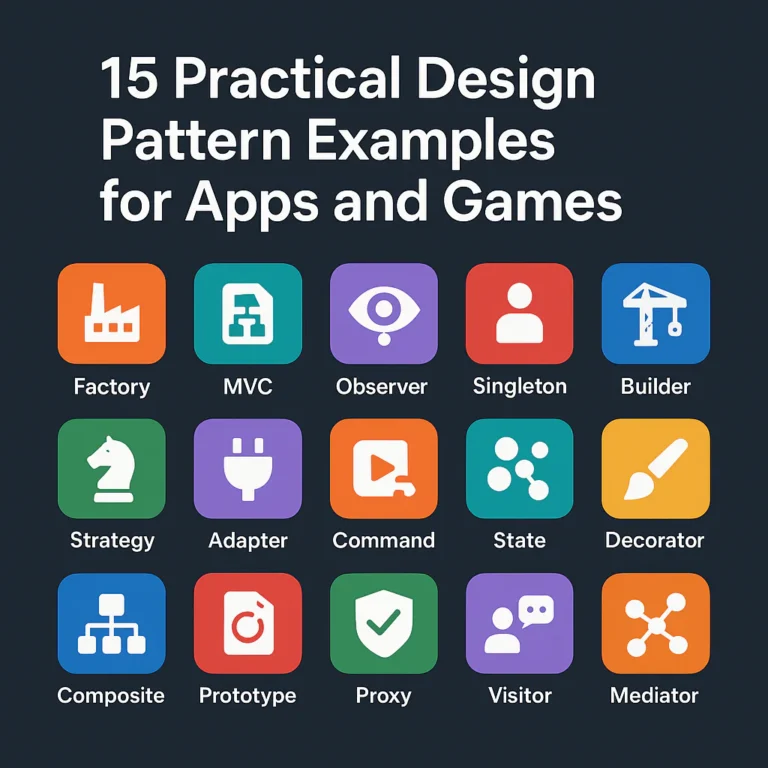
Common design patterns include:
- Factory: centralizes or varies object creation.
- Strategy: swaps algorithms or policies behind a common interface.
- Observer: notifies interested subscribers when something changes.
- Adapter: makes incompatible interfaces cooperate.
- Decorator: adds behavior without changing the wrapped component’s core type.
- Facade: offers a simpler interface to a more complex subsystem.
Patterns can improve communication: “use an adapter here” is often faster than explaining the whole structure from scratch. But pattern names are not magic dust. A small function may be clearer than a factory hierarchy.
For practical implementation guidance, the Refactoring.Guru design-pattern catalog gives visual explanations and examples. Our coding best practices category covers related maintainability topics.
What Is an Architectural Pattern?
An architectural pattern describes a broad arrangement of system components and the rules governing their relationships. It helps teams reason about such questions as:
- Is the application a single deployable unit or a set of services?
- Are responsibilities separated into layers?
- Do components call one another directly, or communicate through events?
- Where does data ownership sit?
- Can features be extended through plugins?
- What happens when a dependency is slow or unavailable?
Examples include:
- Layered architecture: separates responsibilities into tiers such as presentation, application logic, and data access.
- Microservices architecture: organizes the application as independently deployable services.
- Event-driven architecture: uses event production and consumption as a major communication model.
- Microkernel architecture: keeps a small core and extends it with plugins.
- Hexagonal architecture: places application logic behind ports, with external systems connected through adapters.
An architectural pattern is not a complete architecture blueprint. It gives a structural approach; the team still needs to design interfaces, data flows, deployment, security, and operational practices.
The ISO/IEC/IEEE 42010 standard defines concepts for describing software and systems architecture, while the SEI’s architecture resources explore architecture evaluation and practice.
How the Two Pattern Types Work Together
Think in layers of decision-making:
- Choose a system structure based on quality requirements and constraints.
- Define boundaries between the major components, services, or modules.
- Select communication and data patterns that fit those boundaries.
- Use code-level design patterns where they simplify recurring local problems.
- Verify the result through tests, observability, and operational experience.
A microservices architecture, for instance, does not itself tell you exactly how to implement a service’s retry policy. A Circuit Breaker may address repeated calls to a failing dependency. Inside that service, a Strategy pattern might select among pricing rules.
Microsoft’s architecture guidance captures the practical point: “A single pattern addresses one problem, but a workload usually faces several problems at once, so you often apply multiple patterns together.” That is why pattern selection should start with the problem and its trade-offs, not with a favorite technology. See Microsoft’s cloud design patterns.
📚 From Object-Oriented Recipes to Distributed-System Blueprints
Software patterns became popular as a way to describe solutions that teams could recognize and reuse. Over time, the term expanded from code-level techniques to system-wide arrangements and distributed-system practices.
How Software Patterns Evolved
The Gang of Four’s Design Patterns helped popularize a shared vocabulary for object-oriented design. Later, software architecture literature explored styles and patterns at larger scales, while cloud computing and distributed systems brought new concerns: partial failure, latency, service discovery, consistency, and deployment automation.
The result is a pattern family, not one tidy shelf:
| Pattern scale | Example | Typical question |
|---|---|---|
| Code-level | Factory, Adapter, Observer | How should these objects collaborate? |
| Application-level | MVC, MVM, layered architecture | How should the application divide responsibilities? |
| System-level | Microservices, event-driven architecture | How should major components be organized and communicate? |
| Distributed-system | Saga, Circuit Breaker, Outbox | How should the system handle cross-service work or failure? |
| Operations-level | Health checks, deployment strategies | How can teams operate and change the system safely? |
The categories overlap. For example, CQRS is often presented as an architectural pattern for separating reads and writes, but it also guides application design and data flow. Classify it by the decision it helps you make, rather than arguing over the label.
Why Large-Scale Applications Need Both Levels of Design
As applications grow, change becomes a system property. A design choice that is harmless in one module can affect deployment, data integrity, security, or on-call work across dozens of teams.
Architecture patterns help teams coordinate major decisions; design patterns help developers implement parts of those decisions consistently. Together, they can support:
- Separation of concerns: changes in one area are less likely to ripple through unrelated areas.
- Team boundaries: teams can own modules or services with clear contracts.
- Changeability: new behavior can be added without rewriting stable components.
- Reliability: failures can be contained, detected, and handled.
- Testability: dependencies can be isolated and behavior verified.
- Scalability: workloads can be distributed or scaled where demand requires it.
There is a catch. More structure means more concepts, boundaries, and decisions to maintain. A service split may improve independent deployment yet make a simple transaction harder. A plugin architecture may enable extensions yet require a stable public interface. The useful pattern is the one whose benefits justify its ongoing cost.
Our back-end technologies coverage explores the implementation and operational questions that often emerge once an architecture leaves the whiteboard.
🔍 A Practical Comparison of Design and Architectural Patterns
It is easy to get stuck debating labels. A more useful test is to ask what decision the pattern helps you make.
Scope, Trade-Offs, and Typical Use Cases
| Pattern | Common classification | Main problem it addresses | Typical cost or risk |
|---|---|---|---|
| Layered architecture | Architectural | Separating responsibilities into logical tiers | Extra indirection; layers can become rigid |
| Microservices | Architectural | Independent deployment and service ownership | Network, data consistency, and operations complexity |
| Event-driven architecture | Architectural style | Loose coupling between producers and consumers | Harder tracing, ordering, and debugging |
| Adapter | Design | Bridging incompatible interfaces | More wrappers and possible abstraction sprawl |
| Strategy | Design | Varying behavior without large conditional blocks | More types or configuration to manage |
| Observer | Design | Notifying subscribers about state changes | Hidden flow and lifecycle-management risks |
| Circuit Breaker | Distributed-system design pattern | Limiting repeated calls to a failing dependency | Incorrect thresholds can block healthy traffic |
| Saga | Distributed transaction pattern | Coordinating work across services without one shared transaction | Compensations and eventual consistency complicate behavior |
The Microsoft pattern catalog emphasizes selecting patterns for the problem they address. That advice is especially useful at scale: do not add a circuit breaker because your stack supports one; add it because a dependency failure can cause harmful cascading calls.
How to Tell Which Kind of Pattern You’re Looking At
Use this quick diagnostic:
- Does it structure the whole application or a major subsystem?
It is likely architectural. - Does it define how a few components or objects collaborate?
It is likely a design pattern. - Does it address an operational challenge across process or network boundaries?
It may be a distributed-system pattern. - Does the same name appear at multiple levels?
Describe the scope explicitly rather than relying on the label.
For example, Observer is usually a code-level design pattern. An event-driven architecture is a system-level communication approach. Both involve events or notifications, but they do not mean the same thing. One may be implemented inside a process; the other may connect services using a broker such as Apache Kafka or RabbitMQ.
Is MVM an Architectural Pattern or a Design Pattern?
The question is often phrased as “Is MVM an architectural or a design pattern?”—and sometimes “MVM” appears as a typo. The practical answer is MVM is commonly described as an application architecture pattern or UI architectural pattern, because it organizes responsibilities among the Model, View, and ViewModel. It is not the same kind of system-wide choice as microservices or event-driven architecture.
Classification varies by source and context. In a small screen, MVM can feel like a UI design pattern. Across a client application, it can establish a broader presentation architecture. The label matters less than the boundary it defines.
The supplied Stack Overflow discussion about MVM’s classification is a useful place to compare community terminology, but a page’s question alone does not establish a definitive standard. We recommend describing scope and responsibilities rather than treating “architectural” and “design” as mutually exclusive badges.
🏗️ Architectural Patterns for Large-Scale Applications
Choosing an architecture is a bet about how the system will change, fail, scale, and be maintained. There is no universal winner. Even a popular pattern can be a poor fit when its trade-offs collide with your team or workload.
Layered and N-Tier Architecture
Layered architecture groups responsibilities into logical layers. A common setup separates:
- Presentation: user interface and request handling.
- Application or business logic: use cases and domain rules.
- Persistence or data access: storage operations.
- Infrastructure: external services, messaging, and platform integrations.
A familiar benefit is that a user-interface change need not rewrite core business rules. A familiar failure mode is the layer cake bottleneck: every request must pass through rigid layers even when some boundaries add no value.
N-tier architecture often refers to physically separated tiers, such as web, application, and database servers. Logical layers are about code responsibilities; tiers are about deployment. Teams frequently use the terms interchangeably, but keeping the distinction clear helps when discussing security, latency, and scaling.
The Microsoft architecture styles guide covers layered and other common styles. In the first video’s perspective, the featured architecture video frames layered architecture as a foundation for separation, and points to Model-View-Presenter as a related UI pattern. That’s a useful illustration: an application-level presentation pattern can live inside a broader layered system.
Benefits
- Familiar structure for many teams.
- Clear separation when boundaries are designed thoughtfully.
- Straightforward deployment compared with distributed architectures.
Drawbacks
- Layers can become tightly coupled despite their names.
- Large changes may still cross every tier.
- Strict layering can create unnecessary pass-through code.
Microservices and Service-Oriented Architecture
Microservices organize an application as independently deployable services, usually aligned with business capabilities or subdomains. Services communicate through APIs or messaging and often own their data.
The microservices.io definition describes independently deployable, loosely coupled services. This architecture can support team autonomy and separate scaling, but it also creates runtime dependencies and makes cross-service transactions more difficult.
| Potential benefit | Potential drawback |
|---|---|
| Deploy a service without releasing the whole application | More deployments, monitoring, and operational work |
| Scale hot services independently | Network latency and partial failures |
| Let teams own clear business capabilities | Poor boundaries create distributed monoliths |
| Choose fit-for-purpose technologies selectively | Multiple stacks increase support burden |
| Isolate some failures and security boundaries | Data consistency often becomes eventual |
Service-oriented architecture (SOA) also organizes software around services, but the term covers a broader range of designs. Depending on the organization, SOA may use shared integration infrastructure or larger service boundaries. These labels are not perfectly standardized, so compare the actual service ownership, deployment, data, and communication model.
Netflix and Amazon are often cited as large-scale service examples. But copying their service count without their organizational context is a bit like buying a stadium’s scoreboard to improve your backyard game. The microservices.io overview also points to operational and consistency trade-offs; those deserve as much attention as the independence benefits.
Our recommendation: begin with a well-modularized application unless independent deployment, team ownership, scaling, or isolation requirements justify distributing it.
Event-Driven and Message-Based Architecture
In an event-driven architecture, producers publish events and consumers react to them. A “PaymentCaptured” event, for instance, may trigger receipt generation, analytics, and inventory updates without the payment service calling each consumer directly.
Benefits
- Producers need not know every consumer.
- Asynchronous queues can absorb bursts of work.
- New consumers can use existing events.
Drawbacks
- Event flows are harder to trace than direct calls.
- Delivery may be repeated, delayed, or out of order.
- Schema changes require compatibility planning.
- Debuging may need correlation IDs and distributed tracing.
A message broker such as Apache Kafka or RabbitMQ can provide infrastructure, but installing a broker does not automatically create a sound event-driven design. Teams still need to define event ownership, delivery guarantees, retries, idempotency, and retention.
The first video describes event-driven systems as loosely coupled components reacting to published events, and presents CQRS as a related approach. The connection is real, but CQRS is not required for every event-driven system, and publishing events does not automatically mean you have implemented CQRS.
Hexagonal, Clean, and Onion Architecture
Hexagonal architecture, also called ports-and-adapters architecture, keeps application logic independent of external technologies. The core exposes ports; adapters connect those ports to databases, user interfaces, message brokers, or third-party services.
Clean architecture and Onion architecture share a related goal: make the core business rules less dependent on frameworks and infrastructure. Their diagrams and terminology differ, but they commonly emphasize dependencies pointing inward toward domain or application logic.
These approaches are especially useful when:
- Business rules need thorough testing without live infrastructure.
- The application must support multiple interfaces or storage options.
- External providers may change.
- Developers want clear boundaries between domain logic and technical details.
They can also be overaplied. If every simple operation has six interfaces and four wrapper classes, the architecture may be serving the diagram rather than the product. Use ports and adapters where they protect a meaningful boundary, not as a tax on every function.
For more on architecture trade-offs, the SEI Software Architecture resources provide a foundation for evaluating architecture beyond aesthetics.
Serverless, Pipe-and-Filter, and Other Architectural Styles
Different workloads call for different shapes:
- Serverless: runs functions or managed services without teams managing conventional servers. It can simplify operations for event-driven or bursty workloads, but creates platform dependencies, cold-start considerations, and distributed tracing demands.
- Pipe-and-filter: processes data through a sequence of independent transformations. Useful for compilers, media processing, analytics, and ETL workflows; less suitable when steps need rich shared state.
- Microkernel (plug-in) architecture: keeps core functionality small and extends it with plug-ins. The Eclipse IDE is a well-known example; the first video highlights this extensibility model.
- Modular monolith: one deployable application with explicit internal module boundaries. It offers a middle path between an unstructured monolith and distributed services.
- Peer-to-peer: distributes responsibilities among nodes without relying on a single central service for every interaction. It can improve decentralization but complicates trust, discovery, and coordination.
Architecture is a response to needs, not a fashion show. For a game, a plug-in system may make sense for user-created content; for a small internal dashboard, it may be needless ceremony.
🧩 Design Patterns That Support Application Architecture
Architectural choices establish the broad constraints. Design patterns help developers implement behavior within those constraints. The strongest pattern is often the one the team barely notices because it makes the code easier to explain.
Creational Patterns: Factory, Builder, and Dependency Injection
Creational patterns help control how objects and components are created.
- Factory Method or Factory: hides object creation behind a function or type. Useful when the concrete implementation varies by configuration or environment.
- Builder: assembles complex objects step by step. Useful when an object has many optional settings or validation rules.
- Dependency Injection (DI): provides a component’s dependencies rather than making it construct them directly. DI is a technique and principle; a container is optional.
Example: a game’s achievement system can receive an IEventStore dependency. Tests supply an in-memory fake; production supplies a database-backed implementation. The architecture defines the boundary; dependency injection wires the implementation.
Watch out: a global service locator can hide dependencies. A factory can become a giant switch statement. A builder can make a simple object unnecessarily ceremonial.
Structural Patterns: Adapter, Facade, and Decorator
Structural patterns shape how components fit together:
- Adapter: translates one interface into another.
- Facade: simplifies access to a complex subsystem.
- Decorator: wraps an object to add behavior, such as logging or caching.
In a large application, adapters are useful at external-system boundaries. A payment provider’s SDK can be wrapped behind an internal payment interface, making the rest of the code less dependent on a vendor’s API. A facade can offer a simpler interface to a graphics or storage subsystem.
Benefit: external changes stay more localized.
Risk: excessive wrappers obscure what the system actually does.
For a game, a rendering facade can provide a consistent interface while different platforms use different graphics APIs. But do not create a universal graphics abstraction unless the project genuinely needs multiple back ends.
Behavioral Patterns: Strategy, Observer, and Command
Behavioral patterns manage interactions and changing behavior:
- Strategy: selects among interchangeable algorithms or policies.
- Observer: notifies subscribers when a subject changes.
- Command: packages an action as an object or message, which can be queued, logged, retried, or undone.
- State: changes behavior according to an object’s current state.
- Mediator: centralizes complex communication among collaborating components.
Game development example: a Strategy pattern can swap enemy movement tactics without a long conditional block. A Command pattern can represent player input, enabling replay, undo, remapping, or network transmission. An Observer can notify the UI when health changes.
Trade-off: these patterns can add indirection. A handful of clear conditionals may better than a class hierarchy with one subclass per trivial variation.
The Game Programming Patterns book is a free, detailed reference for applying these ideas in games.
Repository, Unit of Work, and Data Access Patterns
Data-access patterns help separate persistence operations from business logic:
- Repository: provides a collection-like interface for retrieving or saving domain objects.
- Unit of Work: coordinates changes that should be committed together within a transaction.
- Data Mapper: translates between domain objects and database records.
- Transaction Outbox: stores a business update and the message to publish in one local database transaction, then relays the message.
These patterns are not interchangeable. A Repository may help isolate persistence details, but it does not automatically solve distributed consistency. A Unit of Work can coordinate a local transaction, but it cannot make several independent databases behave like one ACID transaction.
The microservices.io Transactional Outbox description explains how the Outbox pattern addresses the “database updated, message not sent” failure window. It is useful when a service must publish events reliably after changing its own data.
🔗 How Design Patterns Reinforce Architectural Decisions
Patterns are most helpful when each one supports a clear decision at the right scale. They become confusing when teams treat every pattern name as an independent feature.
From System Boundaries to Code-Level Collaboration
Consider the chain:
Architecture → boundary → communication contract → implementation pattern
A service boundary may separate billing from orders. An API or event contract defines how the two interact. Inside the billing service, Strategy may select payment handling rules, Adapter may wrap a provider’s SDK, and Circuit Breaker may protect calls to an unreliable dependency.
| System decision | Supporting design or distributed pattern | Why it fits |
|---|---|---|
| Services communicate asynchronously | Message broker and idempotent consumer | Decouples timing and tolerates duplicate delivery |
| Service owns its data | Repository or Data Mapper | Encapsulates local persistence |
| External provider is replaceable | Adapter | Isolates provider-specific interfaces |
| A dependency can fail or slow down | Circuit Breaker and timeout | Limits repeated calls and resource exhaustion |
| A workflow spans several services | Saga | Coordinates local transactions and compensation |
This is the practical bridge between architecture and design: the larger decision creates local problems that smaller patterns can solve.
Combining Patterns Without Creating a Pattern Maze
Microsoft’s guidance says to focus on “why you should choose a specific pattern instead of how to implement it.” We agree. Before introducing a pattern, write down:
- The failure or limitation: What goes wrong today?
- The constraint: What can’t be changed?
- The expected benefit: What measurable improvement do we want?
- The cost: What new code, infrastructure, or operational burden appears?
- The exit signal: What evidence would tell us the pattern is no longer worthwhile?
Patterns often combine well:
- Retry + Circuit Breaker: retry brief, transient failures; stop calling when failure persists.
- Queue-Based Load Leveling + Competing Consumers: buffer bursts, then process work with multiple workers.
- Saga + Compensating Transaction: coordinate a multi-service workflow and provide corrective actions when later steps fail.
- API Gateway + aggregation: offer clients a stable entry point and combine responses where appropriate.
- Outbox + idempotent consumer: reliably publish local changes while safely handling duplicate messages.
They can also conflict. Unbounded retries plus a circuit breaker with poor thresholds can worsen an outage. Multiple caches can create stale-data surprises. Event sourcing plus CQRS can be powerful, but brings storage, projection, and operational complexity.
A Worked Example: Building an Order-Processing System
Imagine an online store where a customer places an order, payment is authorized, inventory is reserved, and a confirmation is sent.
Step 1: Start with requirements
Write down the nonegotiables:
- Orders must not be charged twice.
- A temporary inventory-service outage should not lose the order.
- Customers need a prompt response.
- Support staff need a reliable way to investigate failed orders.
Step 2: Choose a system structure
A modular monolith might be the right starting point for a small team. If independent scaling or team ownership becomes necessary, the order, inventory, and payment modules may later become services. The architecture should follow evidence, not aspirational diagrams.
Step 3: Define data ownership
If the system is split into services, each service owns its own data. Avoid direct database writes across service boundaries. That supports independent change, but means the workflow cannot rely one transaction spanning every service.
Step 4: Select workflow patterns
A Saga can coordinate local steps: create order, reserve inventory, authorize payment, and confirm. If payment fails after inventory is reserved, a compensating action can release the reservation. The exact order and compensation logic depend on business rules.
Step 5: Protect messaging
An Outbox can persist an order change and its outgoing event atomically in the order service’s database. Consumers should be idempotent, so processing the same event twice does not create duplicate effects.
Step 6: Add resilience and visibility
Use timeouts and carefully bounded retries for transient failures. A Circuit Breaker may protect a repeatedly failing dependency. Add correlation IDs, structured logs, metrics, and traces so an engineer can follow one order across components.
Step 7: Test the failure paths
Test duplicate events, delayed messages, service timeouts, compensation failures, and recovery. A happy-path demo is a charming beginning; failure testing tells you whether the architecture is ready for Tuesday.
The same logic applies to game back ends: a purchase, matchmaking session, or inventory update may span multiple services. But a real-time game loop usually has different latency needs from an asynchronous order workflow. Reuse the reasoning, not the design blindly.
🛠️ Choosing the Right Pattern for Your Application
A pattern should reduce a real risk or make a necessary change easier. If it only makes the architecture diagram busier, leave it out.
Start with Requirements and Quality Attributes
List the requirements that shape the architecture:
- Performance: latency, throughput, frame rate, or startup time.
- Scalability: how workload grows and which parts need to scale.
- Availability: what users can still do during partial failures.
- Security: trust boundaries, identity, data sensitivity, and attack surface.
- Maintainability: how easily teams can understand and change the system.
- Testability: whether behavior can be verified reliably.
- Cost and operations: infrastructure, on-call load, deployment, and support.
- Consistency: what data must be immediately consistent versus eventually consistent.
The Azure Well-Architected Framework organizes cloud design around reliability, security, cost optimization, operational excellence, and performance efficiency. Those goals often compete: stronger isolation can add latency; high availability can increase cost; more caching can complicate consistency.
Match Patterns to Scale, Team Structure, and Constraints
| Situation | Pattern to consider | Why—and what to verify |
|---|---|---|
| Small team, modest workload, fast iteration | Modular monolith | Keeps deployment simple; enforce module boundaries |
| Independent teams and release schedules | Microservices | Supports autonomy; verify operational maturity and service ownership |
| Bursty background work | Queue-based load leveling | Smooths traffic; decide how to handle delay and dead letters |
| Multiple consumers need the same business fact | Event-driven architecture | Reduces direct coupling; plan schemas and observability |
| External provider API changes or differs | Adapter | Localizes vendor-specific code; keep the internal interface meaningful |
| Several algorithms vary by context | Strategy | Avoids sprawling conditionals; ensure the variation is genuine |
| Plugin or user-extension ecosystem | Microkernel | Supports extension; define compatibility and sandboxing |
| Reads greatly outnumber writes or need different models | CQRS | Allows separate read/write models; account for eventual consistency and projections |
Ask the team questions, not just the framework:
- Can we deploy and monitor this structure well?
- Who owns each component?
- How will engineers debug a failed request?
- What happens if a dependency is slow?
- What is the simplest alternative?
- Can we measure whether the pattern paid off?
A Step-by-Step Pattern Selection Checklist
- Describe the problem without naming a pattern.
Example: “When the recommendation service slows down, checkout requests pile up.” - Identify the quality attribute at risk.
Here, availability and response time. - Map constraints and current failure modes.
Include traffic, data ownership, staff skills, and deployment limits. - Compare at least two plausible options.
A timeout may be enough; a Circuit Breaker may help if repeated failures cause cascading harm. - Write down trade-offs and operational consequences.
Include monitoring, recovery, testing, and future maintenance. - Prototype the risky part.
Measure behavior under realistic load or failure. - Document the decision.
An Architecture Decision Record (ADR) helps future developers understand why the pattern was selected. - Review after real use.
Keep, adjust, or remove patterns based on evidence.
For guidance on writing down those decisions, see Michael Nygard’s ADR format.
☁️ Patterns for Cloud-Native and Distributed Systems
Distributed systems add a particular twist: a request can fail even when the caller and calee are both functioning. Networks introduce delay, services restart, messages are duplicated, and dependencies may become unavailable. Patterns help manage those realities; they do not make them disappear.
Resilience: Circuit Breaker, Retry, and Bulkhead
- Retry: repeats an operation after a transient failure. Use bounded attempts, backoff, and jitter; retries can amplify load.
- Circuit Breaker: temporarily stops calls to a dependency after failures exceed a threshold, allowing recovery and protecting callers.
- Bulkhead: isolates resources so one failing workload does not consume everything.
- Timeout: limits how long a caller waits, helping prevent blocked resources.
These patterns must be tuned to the operation. Retrying a read may be safe; retrying a payment without an idempotency key can charge twice. A circuit breaker also needs a suitable failure signal and recovery strategy.
Microsoft’s Circuit Breaker pattern guidance describes its role in handling faults across services. A retry policy and a Circuit Breaker are not competing options: bounded retries can help with brief failures, while a breaker prevents endless attempts during sustained trouble.
Data Consistency: Saga, CQRS, and Event Sourcing
- Saga: coordinates a distributed workflow as a sequence of local transactions, with compensating actions where needed.
- CQRS (Command Query Responsibility Segregation): separates command handling from query models. It can help when read and write needs differ substantially.
- Event Sourcing: stores state changes as an event sequence rather than only keeping the latest state.
- Transactional Outbox: reliably relays events generated by a local data change.
These patterns can be combined, but each adds concepts and operational work. CQRS is not automatically a performance improvement, and event sourcing is not merely “using events.” Teams need to plan replay, schema evolution, projections, ordering, retention, and debugging.
A saga is not a distributed ACID transaction. Instead, it embraces local transactions and business-level compensation. If a step cannot be reversed—sending a physical package, for example—the compensating action may be a refund or customer-support workflow rather than literal rollback.
API Gateways, Service Discovery, and Sidecars
- API Gateway: provides a client-facing entry point for routing, aggregation, authentication, or other cross-cuting concerns.
- Service discovery: helps clients or infrastructure find available service instances.
- Sidecar: runs alongside an application component to provide supporting capabilities such as proxying, telemetry, or policy enforcement.
- Externalized configuration: separates environment-specific configuration from code.
Each has a boundary. A gateway that handles every business rule becomes a central bottleneck. A sidecar can standardize infrastructure behavior but adds another component to deploy and debug. Service discovery is useful in dynamic environments, but teams must understand health checks and stale registrations.
The Microsoft architecture patterns catalog includes gateway, discovery, and configuration patterns, with problem statements and implementation considerations.
Scaling, Caching, and Load-Balancing Patterns
Common scaling approaches include:
- Horizontal scaling: add more instances to share work.
- Load balancing: distribute requests among healthy instances.
- Caching: keep frequently used data closer to the caller or compute.
- Queue-based load leveling: buffer work so processing can catch up after bursts.
- Competing consumers: let multiple workers process queued messages.
- Sharding or partitioning: divide data or workload by key or region.
Each introduces decisions. Cache invalidation affects freshness; sharding can complicate queries; queues add delay; load balancing cannot make a slow dependency fast. For a game, a cache may help with static content or profile reads, but authoritative state such as competitive match results needs careful integrity controls.
A useful diagram is not “cache everywhere.” It is a data-flow map showing what is cached, where, for how long, and how stale data is handled.
🤖 AI Agent Orchestration and Application Patterns
AI features bring familiar architecture concerns plus new uncertainty: model outputs can vary, tool calls can fail, and a multi-step agent workflow may need validation before taking action. The architecture should make those risks visible.
Single-Agent, Multi-Agent, and Workflow Architectures
Common approaches include:
- Single-agent workflow: one agent uses tools to perform a bounded task.
- Sequential orchestration: steps run in a defined order, with results passed forward.
- Supervisor pattern: a coordinating agent or component delegates to specialized workers.
- Choreography: components respond to events without one central coordinator.
- Human-in-the-loop: a person reviews high-impact or ambiguous decisions.
A multi-agent design is not automatically smarter. If agents duplicate work, disagree, or pass verbose context around, the system may become slower and harder to debug. Begin with the smallest workflow that meets the requirement, then split responsibilities when there is a demonstrable benefit.
Microsoft’s Azure Architecture Center on AI agent design patterns discusses orchestration approaches for agentic systems. Traditional patterns such as Supervisor and Choreography offer useful foundations, but AI workloads also require handling nondeterministic outputs, dynamic planning, and validation.
Tool Use, Guardrails, and Human-in-the-Loop Design
Treat model output as untrusted input, especially when it can trigger a tool or change data.
Recommended controls include:
- Validate tool arguments against strict schemas.
- Apply authorization outside the model; do not let prompt text grant permissions.
- Limit tools to the minimum required capabilities.
- Use timeouts and bounded retries for model and tool calls.
- Record prompts, tool calls, model versions, and outcomes with appropriate privacy controls.
- Require human approval for high-impact actions.
- Test adversarial prompts and unexpected outputs.
An agent may propose a refund, but the payment service should enforce policy. An agent may request a deployment, but a release system should still verify permissions and approvals. Keep critical business invariants in deterministic code.
For related Stack Interface coverage, see AI in Software Development and Data Science.
When AI Patterns Belong in the Architecture
AI orchestration belongs in the architecture when it changes:
- System boundaries or ownership.
- Data access and privacy.
- Latency or availability requirements.
- Security and authorization paths.
- Cost and workload scaling.
- Auditability and human review.
- Failure recovery and user expectations.
If a model is a replaceable helper behind a well-defined interface, an adapter or provider abstraction may be enough. If agents coordinate tools and services across a workflow, orchestration, observability, and policy enforcement need explicit design.
The same principle applies as elsewhere: solve the real problem, keep the core rules deterministic where possible, and avoid building a multi-agent parliament when a single validated function will do.
🚧 Common Pattern Misuse and Architectural Antipatterns
Patterns can fail when teams apply them without matching them to a problem. A familiar name may create confidence while quietly adding complexity.
Overengineering and Pattern Overuse
Warning signs include:
- An interface for every class, even when no variation or testing boundary requires it.
- A factory that only creates one fixed type.
- A microservice per database table.
- Multiple layers that simply pass data unchanged.
- A plugin framework for features that will never be extended.
- CQRS or event sourcing without a clear read/write or audit requirement.
A useful test: Can a developer explain the problem this abstraction solves in one sentence? If not, simplify or document the reason before adding another layer.
Distributed Monoliths and Accidental Complexity
A distributed monolith has services deployed separately but still tightly coupled—for example, every release requires coordinated changes across several services. It pays the network and operations costs of microservices without earning meaningful independence.
Common symptoms:
- Shared databases with cross-service writes.
- Synchronous call chains that make one request depend on many services.
- Teams must deploy services in lockstep.
- A central service contains most business logic.
- No clear ownership of APIs or events.
- Local development requires a large production-like environment.
The microservices.io overview explains that microservices can improve autonomy and independent deployment, while also increasing operational complexity and making transactions more difficult. Both perspectives are true: the outcome depends on boundaries, team practices, and workload.
How to Refactor a Pattern That No Longer Fits
- Identify the friction with evidence.
Look at change lead time, incident patterns, defect rates, deployment coordination, or performance—not just team sentiment. - Trace the dependency and ownership boundaries.
Find where the current pattern creates coupling. - Choose a smaller experiment.
Replace one unnecessary abstraction or extract one coherent module before redesigning the whole system. - Preserve behavior with tests and telemetry.
Architecture changes should not rely on hope as the primary verification method. - Record the decision and the migration path.
Include rollback and compatibility steps. - Reassess after production use.
A pattern’s actual costs may only become visible under real load and team workflows.
Sometimes the right refactor is not “monolith to microservices.” It is unstructured monolith to modular monolith—a much smaller change with a surprisingly large payoff.
✅ Testing, Security, and Observability Across Pattern Layers
A pattern is only as useful as the team’s ability to verify and operate it. Boundaries should make testing and diagnosis easier, not leave engineers hunting through logs like detectives in a server room.
Testing Pattern-Based Designs
Use tests at multiple levels:
- Unit tests: verify local rules and algorithms.
- Component tests: verify a module or service with controlled dependencies.
- Contract tests: verify assumptions between service consumers and providers.
- Integration tests: verify interaction with databases, brokers, or external systems.
- End-to-end tests: verify critical user workflows across the system.
- Resilience tests: verify behavior under delay, failure, duplicate messages, or overload.
Patterns affect test design. An Adapter can make an external dependency easy to fake; a Saga needs tests for compensation and partial completion; event-driven systems need tests for idempotency and message evolution.
Avoid testing implementation details that the pattern was supposed to hide. Test observable behavior and contracts wherever possible.
Security and Resilience by Design
Security boundaries should align with architecture:
- Authenticate and authorize at well-defined boundaries.
- Keep secrets out of code and logs.
- Validate data at API, event, and tool boundaries.
- Apply least privilege to services and agents.
- Encrypt sensitive data in transit and at rest where required.
- Threat-model trust boundaries and cross-service communication.
- Avoid letting an API gateway become the only place where authorization is enforced.
The OWASP Application Security Verification Standard offers a structured reference for application security controls. For cloud systems, pair security controls with reliability design; a retry storm or unbounded queue can become a security and availability problem too.
Observability for Large-Scale Applications
Large applications need signals that connect behavior across boundaries:
- Logs: specific events and diagnostic context.
- Metrics: aggregated measures such as error rate, latency, and queue depth.
- Traces: the path of a request across components.
- Health checks: whether a component can serve traffic.
- Audit records: who performed sensitive actions and when.
- Deployment markers: which version or configuration was active.
Use correlation or trace IDs across service calls and messages. For asynchronous workflows, carry context through events. Avoid logging secrets or sensitive personal data.
The OpenTelemetry documentation provides vendor-neutral instrumentation concepts for traces, metrics, and logs. For game back ends, telemetry should also capture player-facing symptoms—matchmaking delays, session failures, inventory mismatches—not merely CPU usage.
📖 Pattern Catalogs, Tools, and Further Learning
A pattern catalog is a starting point, not a shopping list. Read the problem statement, implementation considerations, and trade-offs before adopting the solution.
Trusted Software Architecture References
Useful references include:
- Microsoft Azure Architecture Center patterns for cloud and distributed-system challenges.
- microservices.io for microservice architecture and related patterns.
- Refactoring.Guru for object-oriented design patterns and examples.
- SEI Software Architecture resources for architecture practice and evaluation.
- OWASP ASVS for application security verification.
- OpenTelemetry documentation for observability instrumentation.
- Game Programming Patterns for game-specific code and architecture ideas.
Catalog descriptions may use different classifications. Compare the problem, scale, assumptions, and trade-offs; do not assume a name means exactly the same thing in every reference.
Architecture Decision Records and Pattern Documentation
For each significant decision, document:
- Context: what requirement or constraint prompted the choice?
- Decision: what pattern or structure was selected?
- Alternatives: what else did the team consider?
- Consequences: what becomes easier, harder, or riskier?
- Validation: what signals will show whether the choice works?
An ADR should be short enough to read and detailed enough to explain the reasoning. It also helps new team members understand why a system has an outbox, a modular boundary, or a queue—rather than “because someone said so three years ago.”
The ADR GitHub site collects templates and practical guidance.
A Practical Roadmap for Applying Patterns
- Map the system: identify modules, services, data owners, and external dependencies.
- List quality goals: rank what matters most for this product.
- Find the sharp edges: locate failure, coupling, scaling, or change problems.
- Select the smallest relevant pattern: avoid solving hypothetical problems first.
- Prototype and test: include failure paths and realistic workloads.
- Document trade-offs: make the decision understandable to future maintainers.
- Observe production behavior: use telemetry, incidents, and delivery outcomes.
- Retire patterns that no longer earn their keep: architecture is allowed to evolve.
For developers building apps and games, the same roadmap works across a mobile client, game loop, matchmaking back end, content pipeline, or analytics service. The scale changes; the habit of matching structure to evidence does not.