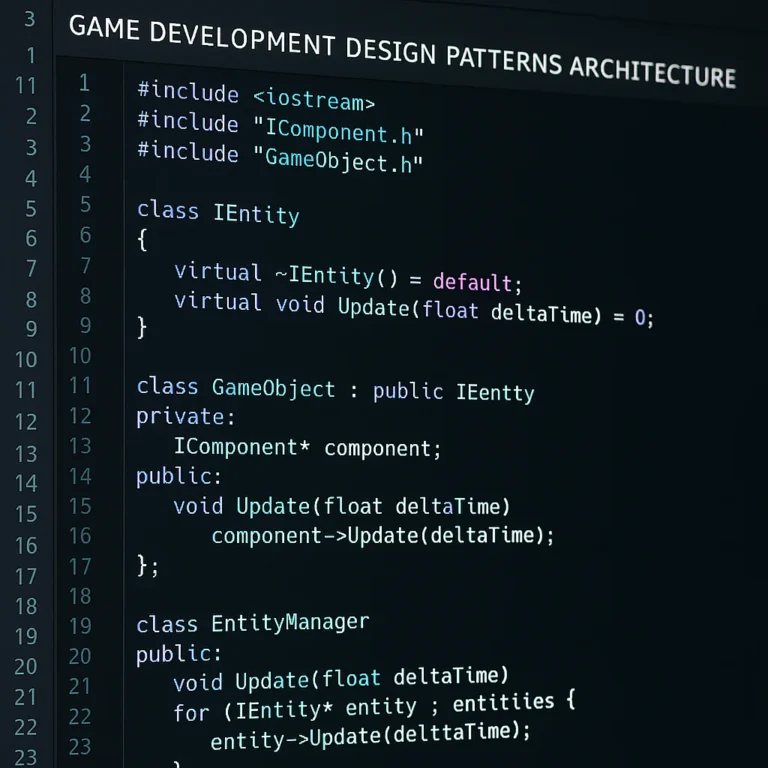
Support our educational content for free when you purchase through links on our site. Learn more
🛠️ 12 Patterns That Fix Game Code (2026 Guide)


Remember that moment when you tried to add a simple “double jump” to your game, only to realize it would require rewriting half your codebase? We’ve all been there. At Stack Interface™, we’ve watched countless promising projects crumble under the weight of spaghetti code, where every new feature feels like performing open-heart surgery on a patient who’s already running a marathon. The culprit? A lack of architectural foresight.
But here’s the good news: you don’t have to be a victim of your own code. Design patterns are the secret weapon that transforms fragile, unmaintainable scripts into robust, scalable engines. In this guide, we’re not just listing definitions; we’re diving deep into the 12 essential patterns that will save your game logic from disaster. From the State Pattern that tames complex character behaviors to the Object Pool that keeps your frame rate smooth, we’ll show you exactly how to apply these concepts to real-world scenarios. By the end of this article, you’ll understand not just what these patterns are, but why they are the difference between a hobby project and a professional-grade game engine.
Key Takeaways
- Separation of Concerns: Design patterns enforce a structure where game logic, physics, and UI are decoupled, making it possible to change one system without breaking the others.
- Scalability & Reusability: Patterns like Factory and Component allow you to reuse code across different entities, drastically reducing duplication and speeding up development.
- Easier Debuging: By isolating functionality into distinct classes (e.g., State Pattern), bugs become localized and easier to identify, turning hours of troubleshooting into minutes.
- Future-Proofing: Adopting these patterns early prevents the “technical debt” that forces developers to rewrite entire engines when a project grows.
- Performance Optimization: Specific patterns like Object Pool and Flyweight are critical for managing memory and preventing frame rate drops in resource-intensive games.
Table of Contents
- ⚡️ Quick Tips and Facts
- 📜 From Spaghetti Code to Structured Glory: A Brief History of Game Design Patterns
- 🧱 The Core Architecture: How Patterns Tame the Chaos of Game Logic
- 🏗️ 12 Essential Design Patterns That Will Save Your Game Code from Disaster
- 1. The Singleton Pattern: Managing Global State Without the Nightmare
- 2. The State Pattern: Handling Complex Character Behaviors with Grace
- 3. The Observer Pattern: Decoupling Systems for Seamless Communication
- 4. The Strategy Pattern: Swapping Algorithms on the Fly
- 5. The Command Pattern: Undoing Mistakes and Building Robust Input Systems
- 6. The Factory Pattern: Creating Objects Without Tight Coupling
- 7. The Flyweight Pattern: Optimizing Memory for Thousands of Entities
- 8. The Component Pattern: Building Flexible Entity-Component-System (ECS) Architectures
- 9. The Object Pool Pattern: Reusing Resources to Boost Performance
- 10. The Prototype Pattern: Cloning Complex Game Objects Efficiently
- 1. The Visitor Pattern: Adding New Operations Without Modifying Existing Classes
- 12. The Decorator Pattern: Dynamically Adding Features to Game Objects
- 🛠️ Refactoring Legacy Code: Practical Strategies for Modernizing Old Game Engines
- 🚀 Performance vs. Maintainability: Finding the Sweet Spot in Game Development
- 🐞 Debuging Nightmares: How Patterns Make Troubleshooting a Breeze
- 🎮 Real-World Case Studies: How AAA Studios Leverage Patterns for Scalability
- 🤖 Common Pitfalls: When Over-Engineering Kills Your Game Project
- 📚 Recommended Links
- ❓ FAQ: Your Burning Questions About Game Design Patterns Answered
- 🔗 Reference Links
⚡️ Quick Tips and Facts
Before we dive into the deep end of the code ocean, let’s get our feet wet with some hard truths and golden nugets that every game developer needs to know. If you’ve ever stared at a 2,0-line script and thought, “Who wrote this mess? Was it me? Oh no, it was me,” then you are exactly where we need you to be.
Here is the reality check:
- Spaghetti code is the silent killer of game projects. It’s not just ugly; it’s a maintenance nightmare that makes adding a simple “double jump” feature feel like performing open-heart surgery on a moving patient.
- Design patterns aren’t magic spells. They are proven solutions to common problems. Using them doesn’t mean you’re copying code; it means you’re standing on the shoulders of giants.
- Maintainability > Performance (initialy). While performance is king in the final build, a game that can’t be updated without breaking is a dead game. You can optimize later; you can’t refactor a project that’s too fragile touch.
- The “Singleton” trap. Everyone loves a Singleton until they realize their entire game logic is tightly coupled to a global variable. We’ll show you how to use it without losing your mind.
- SOLID principles are your best friends. If you ignore the Single Responsibility Principle, your classes will become bloated monsters that do everything and nothing well.
For a deeper dive into the philosophy behind these concepts, check out our comprehensive guide on coding design patterns right here at Stack Interface™.
📜 From Spaghetti Code to Structured Glory: A Brief History of Game Design Patterns

Let’s take a trip down memory lane, shall we? 🕰️
In the early days of game development (think 8-bit era), “architecture” was a fancy word for “how many bytes I could squeeze into the cartridge.” You wrote code, it worked, you shipped it. If it didn’t work, you rewrote it. Simple.
But as games grew from Pong to The Witcher 3, the code grew with them. Suddenly, a simple “Player” class wasn’t just handling movement; it was managing inventory, dialogue, AI pathfinding, physics, and saving game states. The result? Spaghetti code.
“It is no longer viable to just hack things and spaghetti around until something works.” — A weary Godot developer, echoing the sentiments of thousands.
The industry realized that without structure, scaling was impossible. Enter Design Patterns, a concept popularized by the “Gang of Four” (Erich Gamma, Richard Helm, Ralph Johnson, and John Vlissides) in their 194 book Design Patterns: Elements of Reusable Object-Oriented Software. While originally for general software, game developers quickly adapted them to solve specific chaos:
- The State Pattern to handle complex character animations.
- The Observer Pattern to decouple UI from game logic.
- The Object Pool to stop the garbage collector from choking the frame rate.
Today, modern engines like Unity and Unreal Engine bake these patterns into their very DNA. But understanding why they work is the difference between a junior dev and a software architect.
🧱 The Core Architecture: How Patterns Tame the Chaos of Game Logic
Imagine building a house. You could just pile bricks until something looks like a wall. Or, you could use blueprints, load-bearing walls, and electrical schematics. Game code is the same.
Design patterns improve maintainability by enforcing separation of concerns. This means your Game Logic (how the player moves) is separate from your Engine Logic (how the physics engine calculates collisions).
Why “Spaghetti” Happens
When you don’t use patterns, you end up with tight coupling.
- Scenario: You want to change how the player jumps.
- Without Patterns: You have to dig through the
PlayerController, thePhysicsManager, theInputHandler, and theAudioSystembecause they all reference each other directly. One change breaks three other things. - With Patterns: You change the
JumpStateobject. The rest of the system doesn’t even know a change happened.
The SOLID Foundation
Before we get to the specific patterns, we must mention the SOLID principles. These are the bedrock of maintainable code:
- Single Responsibility Principle (SRP): A class should have one, and only one, reason to change.
- Open-Closed Principle (OCP): Open for extension, closed for modification.
- Liskov Substitution Principle (LSP): Subclasses must be substitutable for their base classes.
- Interface Segregation Principle (ISP): Many specific interfaces are better than one general-purpose interface.
- Dependency Inversion Principle (DIP): Depend on abstractions, not concretions.
If you ignore these, even the best design pattern will crumble under pressure. For more on this, explore our insights on Coding Best Practices.
🏗️ 12 Essential Design Patterns That Will Save Your Game Code from Disaster
We’ve all been there. You’re three months into a project, and the code is a tangled mess. Here are the 12 patterns that will act as your life raft. We’ve ranked them by how often they save our bacon (and how often they cause headaches if misused).
1. The Singleton Pattern: Managing Global State Without the Nightmare
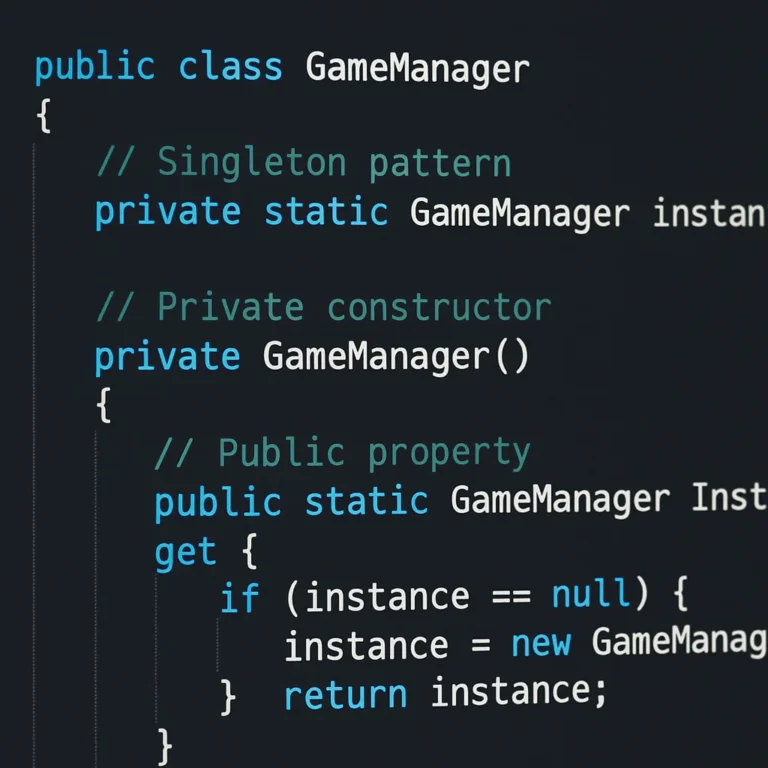
The Singleton ensures a class has only one instance and provides a global point of access to it.
- Use Case: Game Managers, Audio Managers, Save Systems.
- The Good: Easy access to global data. No need to pass references everywhere.
- The Bad: Can lead to tight coupling and makes unit testing a pain.
- The Verdict: Use sparingly! As the “first YouTube video” on this topic warns, overusing Singletons creates a “global namespace pollution” that makes refactoring a nightmare.
2. The State Pattern: Handling Complex Character Behaviors with Grace
Instead of a massive if/else or switch statement for every possible action (Idle, Run, Jump, Attack, Die), the State Pattern encapsulates each state into its own class.
- Use Case: Character controllers, AI behavior trees.
- The Good: Eliminates “spaghetti” conditionals. Adding a new state (e.g., “Crouch”) is as simple as creating a new class.
- The Bad: Can lead to a proliferation of small classes if not managed well.
- Real World: Unity‘s Animator Controller is essentially a visual implementation of the State Pattern.
3. The Observer Pattern: Decoupling Systems for Seamless Communication
This pattern defines a one-to-many dependency between objects. When one object changes state, all its dependents are notified.
- Use Case: Achievements, UI updates, Event systems.
- The Good: Perfect for decoupling. The
Playerdoesn’t need to know about theAchievementSystem. It just says “I scored a goal,” and the system listens. - The Bad: Can be hard to debug if you don’t know who is listening to what.
- Quote: “It’s like having a news broadcast system in our game. Anyone who’s interested can tune into a specific channel… and then react accordingly.”
4. The Strategy Pattern: Swapping Algorithms on the Fly
Defines a family of algorithms, encapsulates each one, and makes them interchangeable.
- Use Case: Different AI behaviors, movement mechanics, or weapon types.
- The Good: You can swap a
ChaseStrategyfor aFleeStrategyat runtime without changing the AI class. - The Bad: Increases the number of classes in your project.
5. The Command Pattern: Undoing Mistakes and Building Robust Input Systems
Encapsulates a request as an object, thereby letting you parameterize clients with queues, requests, and operations.
- Use Case: Input handling, Undo/Redo systems, Macro recording.
- The Good: Decouples the sender (Input) from the receiver (Game Logic). Makes implementing “Undo” trivial.
- The Bad: Can be overkill for simple games.
6. The Factory Pattern: Creating Objects Without Tight Coupling
Defines an interface for creating objects, but lets subclasses decide which class to instantiate.
- Use Case: Spawning enemies, creating different weapon types.
- The Good: Centralizes object creation logic. If you change how an enemy is created, you only change the Factory, not the spawner.
- The Bad: Can add unnecessary abstraction for simple object creation.
7. The Flyweight Pattern: Optimizing Memory for Thousands of Entities
Uses sharing to support large numbers of fine-grained objects efficiently.
- Use Case: Rendering thousands of trees, particles, or bullets.
- The Good: Drastically reduces memory usage by storing common data (like texture or mesh) once and sharing it.
- The Bad: Adds complexity to the code. Only use if you actually have a performance bottleneck.
8. The Component Pattern: Building Flexible Entity-Component-System (ECS) Architectures
Composes objects into tree structures to represent part-whole hierarchies. In games, this often manifests as ECS.
- Use Case: Modern game engines (Unity DOTS, Unreal’s Gameplay Ability System).
- The Good: Extreme flexibility. You can add a
HealthComponentto any entity without changing the base class. - The Bad: Can be confusing for developers used to traditional inheritance.
9. The Object Pool Pattern: Reusing Resources to Boost Performance
Reuses objects that are expensive to create rather than destroying and recreating them.
- Use Case: Bulets, particles, enemies.
- The Good: Prevents Garbage Collection (GC) spikes that cause frame rate drops.
- The Bad: Requires manual management of the pool (reseting objects, tracking active/inactive states).
10. The Prototype Pattern: Cloning Complex Game Objects Efficiently
Specifies the kinds of objects to create using a protypical instance, and creates new objects by copying this prototype.
- Use Case: Spawning complex enemy variations, saving/loading game states.
- The Good: Faster than instantiating from scratch if the object has complex initialization logic.
- The Bad: Deep copying can be tricky and error-prone.
1. The Visitor Pattern: Adding New Operations Without Modifying Existing Classes
Represents an operation to be performed on the elements of an object structure.
- Use Case: Adding new features to a complex hierarchy (e.g., calculating damage, rendering, saving) without changing the classes themselves.
- The Good: Adheres to the Open-Closed Principle. You can add a new “Visitor” (e.g.,
DamageCalculator) without touching theEnemyorPlayerclasses. - The Bad: Hard to understand for beginners.
12. The Decorator Pattern: Dynamically Adding Features to Game Objects
Attaches additional responsibilities to an object dynamically.
- Use Case: Power-ups, armor upgrades, modifying player stats.
- The Good: More flexible than subclassing. You can stack multiple decorators (e.g.,
SpeedBoost+FireResistance). - The Bad: Can lead to a “decorator soup” that is hard to debug.
🛠️ Refactoring Legacy Code: Practical Strategies for Modernizing Old Game Engines
So, you’ve inherited a codebase that looks like it was written by a caffeinated racoon. Where do you start?
- Don’t Rewrite Everything. The “Big Bang” rewrite is the fastest way to kill a project.
- Identify the “Smells”. Look for long methods, massive classes, and duplicated code.
- Apply the Strangler Fig Pattern. Gradually replace old functionality with new, pattern-based code. Wrap the old code in a new interface and slowly migrate logic.
- Write Tests First. Before you touch a line of legacy code, write a test that verifies its current behavior. If the test passes after your refactor, you haven’t broken anything.
For more on this, check out our deep dive into Back-End Technologies where we discuss refactoring strategies for large-scale systems.
🚀 Performance vs. Maintainability: Finding the Sweet Spot in Game Development
This is the eternal debate. Performance or Maintainability?
- The Purist: “Code must be clean! Use patterns everywhere!”
- The Pragmatist: “It runs at 60fps! Who cares if it’s messy?”
The Truth: You need both, but at different times.
- Early Development: Prioritize Maintainability. Use patterns to make it easy to iterate. If you can’t add a feature in an hour, your architecture is failing.
- Late Development (Optimization): Prioritize Performance. This is where you might break patterns (e.g., inlining code, removing virtual calls) only where profiling shows a bottleneck.
Pro Tip: Never optimize prematurely. As Donald Knuth said, “Premature optimization is the root of all evil.”
🐞 Debuging Nightmares: How Patterns Make Troubleshooting a Breeze
Imagine a bug where the player’s health drops to zero when they just walk into a wall.
- Without Patterns: You search through 50 files, looking for where
healthis modified. You find 15 places. Which one is the culprit? - With Patterns: You know that health is managed by the
HealthComponent. You look there. You find the bug. Done.
Patterns create boundaries. When code is modular, bugs are isolated. When code is spaghetti, bugs are everywhere.
🎮 Real-World Case Studies: How AAA Studios Leverage Patterns for Scalability
Let’s look at how the big boys do it.
- Unity’s ECS: A massive adoption of the Component Pattern and Data-Oriented Design. This allows games like Hades to handle thousands of entities efficiently.
- Unreal Engine: Uses the Observer Pattern heavily in its Event Dispatchers and the State Pattern in its Animation Blueprints.
- Roblox: The community has embraced the MVC (Model-View-Controller) pattern to separate game logic from the Roblox engine logic, as noted in community forums. This allows for cleaner, more testable code.
“The core idea is that you’re separating your game logic from Roblox logic, so everything ends up being cleaner.” — Roblox DevForum
🤖 Common Pitfalls: When Over-Engineering Kills Your Game Project
We’ve seen it happen. A solo developer spends three months building a “perfect” architecture with 50 design patterns, only to realize they have no time to make the actual game.
The Anti-Patterns:
- Patternitis: Using a pattern where a simple function would suffice.
- Premature Abstraction: Creating interfaces for things that only have one implementation.
- The “God Object”: A Singleton that does everything.
The Fix: Follow the YAGNI principle (You Ain’t Gonna Need It). Only introduce a pattern when you have a specific problem it solves.
Conclusion

We started this journey with a question: How do coding design patterns improve the maintainability of game code?
The answer is clear: They bring order to chaos. By enforcing separation of concerns, decoupling systems, and providing proven solutions to common problems, design patterns transform a fragile, unmaintainable mess into a robust, scalable architecture.
Whether you are using the State Pattern to manage a complex character controller or the Observer Pattern to decouple your UI, these tools are essential for any serious game developer. They allow you to focus on creating fun rather than fighting your own code.
Our Recommendation:
Don’t try to learn all 12 patterns overnight. Start with the State, Observer, and Factory patterns. Apply them to your next project, and watch how much easier it becomes to add new features. And remember, as the “first YouTube video” on this topic wisely stated: “We’re all about working smarter, not harder.”
If you’re ready to level up your code, check out these resources:
👉 CHECK PRICE on:
- Game Programming Patterns (Book): Amazon | Official Site
- Unity Learn (Design Patterns Course): Unity Official
- Unreal Engine Documentation: Unreal Engine
📚 Recommended Links
- Game Programming Patterns: The definitive guide by Robert Nystrom. Read Online
- Design Patterns: Elements of Reusable Object-Oriented Software: The classic “Gang of Four” book. Buy on Amazon
- SOLID Principles: A deep dive into the foundation of good code. Read on Stack Interface
- Unity Design Patterns Tutorial: Unity Learn
- Roblox MVC Guide: Roblox DevForum
❓ FAQ: Your Burning Questions About Game Design Patterns Answered

What are the most common design patterns used in game development?
The most ubiquitous patterns include the State Pattern (for character behavior), Observer Pattern (for event handling), Singleton (for managers), Object Pool (for performance), and Factory (for object creation). These address the most frequent challenges in game logic and performance.
Read more about “🚀 15 Essential Coding Design Patterns for App Dev (2026)”
How do design patterns help reduce code duplication in games?
Design patterns encourage abstraction and reusability. For example, the Strategy Pattern allows you to define a family of algorithms and swap them out without rewriting the core logic. Instead of copying and pasting code for every enemy type, you create a base class and extend it, adhering to the DRY (Don’t Repeat Yourself) principle.
Read more about “🥞 Stack Interface vs Queues, Lists & Trees: 10 Key Differences (2026)”
Which design pattern is best for managing game state?
The State Pattern is the gold standard for managing game state. It encapsulates each state (e.g., Idle, Run, Jump) into its own class, eliminating complex if/else chains and making it easy to add new states or modify existing ones without breaking the system.
Can design patterns improve the scalability of game engines?
Absolutely. Patterns like Component and Entity-Component-System (ECS) allow engines to scale to thousands of entities by separating data from behavior. This modularity ensures that as the game grows, the codebase remains manageable and performant.
Read more about “🏗️ 23 Design Patterns in Software Engineering: The Ultimate Guide (2026)”
How do design patterns facilitate team collaboration in game projects?
By enforcing a standardized structure, design patterns make code predictable. When a new developer joins the team, they can quickly understand the architecture because the patterns are industry-standard. This reduces onboarding time and minimizes the risk of “breaking” someone else’s code.
Read more about “🎮 Top 12 Most Popular Game Engines for Indie Devs (2026)”
What are the performance trade-offs of using design patterns in games?
While patterns improve maintainability, they can introduce overhead. For instance, virtual function calls in polymorphism can be slightly slower than direct function calls, and excessive object creation (even with pools) can impact memory. However, modern CPUs and engines handle this overhead efficiently, and the trade-off is usually worth the gain in maintainability.
Read more about “🚀 Top 15 AI Tools & Frameworks for App & Game Dev (2026)”
How do design patterns make refactoring game code easier?
Patterns create lose coupling and high cohesion. When code is modular, you can change one part (e.g., the input system) without affecting others (e.g., the physics system). This isolation makes refactoring safe and predictable, reducing the fear of introducing new bugs.
Why do some developers argue against using design patterns?
Some developers argue that patterns can lead to over-enginering, especially in small projects or prototypes. If a simple function solves the problem, introducing a complex pattern is unnecessary. The key is to apply patterns strategically, only when the problem warrants the solution.
🔗 Reference Links
- Game Programming Patterns: http://www.gameprogrammingpatterns.com/
- Gang of Four Book: Design Patterns: Elements of Reusable Object-Oriented Software
- Unity Documentation: Unity Learn
- Unreal Engine Docs: Unreal Engine Documentation
- Roblox DevForum: Tips on Avoiding Spaghetti Code
- Godot Forum: Code Architecture Resources
- Design Patterns: A Guide I Wish I Had When I Started Out: LevelUp GitConnected
- Stack Interface – Coding Best Practices: Coding Best Practices
- Stack Interface – AI in Software Development: AI in Software Development
- Stack Interface – Back-End Technologies: Back-End Technologies