Support our educational content for free when you purchase through links on our site. Learn more
🎮 7 Best Design Patterns for Mobile Games (2026)


Ever tried to build a mobile game only to watch your frame rate plummet into the abyss of a stuttering slideshow? We’ve been there. At Stack Interface™, we’ve seen brilliant concepts crumble not because of bad art or weak gameplay, but because of spaghetti code that chokes on the limited RAM of a mid-range Android or the strict memory rules of iOS. The difference between a hit app and a deleted one often comes down to architecture.
In this deep dive, we’re stripping away the jargon to reveal the 7 essential design patterns that power the world’s most successful mobile titles. From the State Pattern that keeps your game flow smooth to the Object Pool that saves your battery life, we’ll show you exactly how to structure your code for maximum performance on both iOS and Android. We’ll even reveal a secret optimization trick used by top studios like Supercell that you won’t find in most textbooks. Ready to stop debugging and start shipping? Let’s build something legendary.
Key Takeaways
- 🚀 Performance is King: The Object Pool Pattern is non-negotiable for mobile; it prevents garbage collection spikes that cause lag on both iOS and Android.
- 🔄 Decouple Everything: Use the Observer Pattern to separate your game logic from your UI, ensuring your code remains modular and bug-free.
- 🧩 Manage Complexity: The State Pattern eliminates messy
if-elsechains, making it easier to handle complex game flows like menus, levels, and pauses. - 🛠️ Build for Scale: Adopt the Component Pattern (or use engines like Unity/Unreal) to create flexible, reusable game entities without deep inheritance trees.
- ⚖️ Platform Nuances: Remember that Android’s Garbage Collection requires stricter memory management than iOS’s ARC, influencing how you implement these patterns.
Table of Contents
- ⚡️ Quick Tips and Facts
- 📜 From Arcade to App Store: A Brief History of Mobile Game Architecture
- 🏗️ The Big Three: Why Singleton, Observer, and State Rule the Mobile Rost
- 🎮 7 Essential Design Patterns for Crafting Unbeatable iOS and Android Games
- The State Pattern: Mastering Complex Game Flows Without the Spaghetti Code
- The Observer Pattern: Keeping Your UI and Logic in Perfect Sync
- The Command Pattern: Building Robust Undo/Redo and Input Systems
- The Factory Pattern: Instantiating Characters and Items on the Fly
- The Strategy Pattern: Swapping AI Behaviors and Physics Algorithms Effortlessly
- The Object Pool Pattern: Crushing Memory Allocation Bottlenecks on Mobile
- The Component Pattern: The Secret Sauce Behind Unity and Unreal’s Flexibility
- 🍎 iOS vs. 🤖 Android: How Platform Nuances Influence Pattern Selection
- 🚀 Performance Pitfalls: When to Avoid Over-Engineering Your Game Loop
- 🛠️ Real-World Case Studies: How Top Studios Implement These Patterns
- 💡 Quick Tips and Facts: Common Mistakes to Avoid
- 🏁 Conclusion
- 🔗 Recommended Links
- ❓ FAQ
- 📚 Reference Links
Quick Tips and Facts
Before we dive into the deep end of the code ocean, let’s hit the pause button and grab a life vest. 🛟 Mobile game development is a beast, but it doesn’t have to be a monster under your bed. Here are some hard truths and golden nugets from the trenches at Stack Interface™:
- ✅ The “Spaghetti Code” Trap: If your
Update()loop looks like a plate of tangled noodles, you’re already losing. Refactor early. - ✅ Memory is Gold: Mobile devices have limited RAM. Object Pooling isn’t just a “nice-to-have”; it’s a survival skill.
- ✅ Platform Paranoia: What works on an iPhone 15 Pro might crash a mid-range Android. Test on real devices, not just simulators.
- ✅ The “Gang of Four” is Your Bible: The classic Design Patterns: Elements of Reusable Object-Oriented Software is still the foundation, even if you’re using Unity or Godot.
- ❌ Don’t Over-Enginer: Just because you can use a complex Mediator Pattern doesn’t mean you should. Keep it simple until the complexity demands otherwise.
For a deeper dive into the philosophy behind these choices, check out our guide on coding design patterns to understand how they shape the very DNA of your game.
📜 From Arcade to App Store: A Brief History of Mobile Game Architecture

Remember the days of Pac-Man and Space Invaders? Those games were written in assembly, often fitting into mere kilobytes of memory. The “architecture” was basically: Draw Sprite -> Move Sprite -> Check Collision -> Repeat. Simple, right? 🕹️
Fast forward today, and we’re building open-world RPGs and multiplayer battle royales that run on devices in our pockets. The jump from 8-bit to 64-bit architecture required a massive shift in how we think about code.
In the early 20s, mobile games were often monolithic blobs. You’d have one giant class handling physics, rendering, input, and AI. It worked for Flappy Bird, but try building Genshin Impact that way, and you’ll be debugging until the heat death of the universe. 🌌
The industry shifted towards Component-Based Architecture and Data-Driven Design. Engines like Unity and Unreal Engine popularized the idea that a game object is just a container for interchangeable parts (components). This wasn’t just a trend; it was a necessity for managing the complexity of modern mobile games.
“Code Architecture is the main problem I have to face every time I sit down and work on a new feature or implementation.” — A sentiment echoed by many developers on forums like the Godot community, highlighting the universal struggle of scaling code.
As we moved from native Java/C++ development to cross-platform frameworks like React Native and Flutter (discussed in depth in the “First Video” perspective), the need for robust, reusable patterns became even more critical. We aren’t just writing code anymore; we are designing systems.
🏗️ The Big Three: Why Singleton, Observer, and State Rule the Mobile Rost
If you walk into a mobile game dev studio, you’ll hear three words whispered in the breakroom like ancient spells: Singleton, Observer, and State. Why? Because they solve the three biggest headaches in mobile development: Global Access, Event Handling, and Game Flow.
The Singleton: The Double-Edged Sword ⚔️
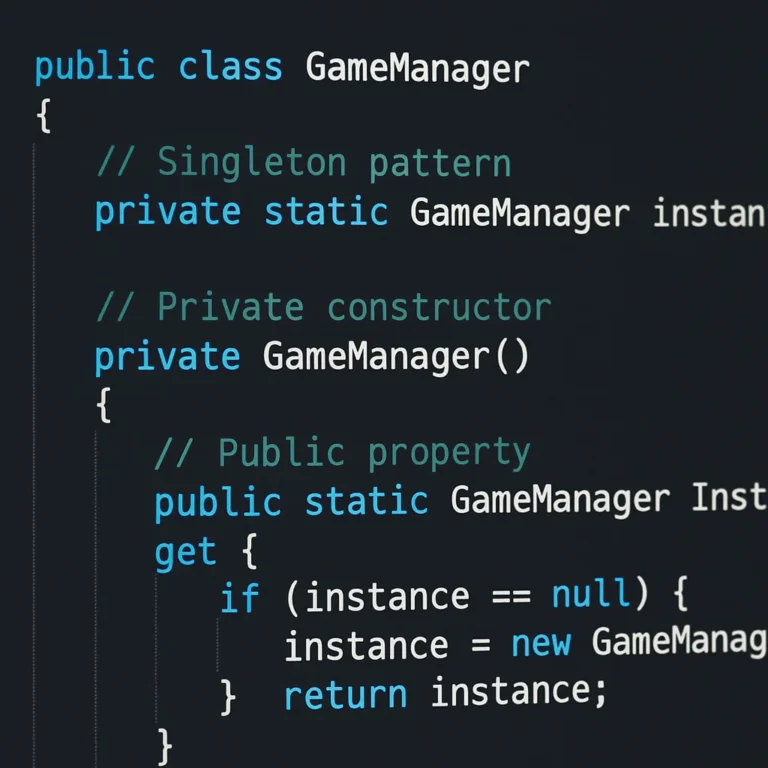
The Singleton Pattern ensures a class has only one instance and provides a global point of access to it.
- Use Case: Managing the Audio Manager, Game State, or Save System.
- The Trap: It’s easy to overuse. If every class reaches out to grab the
GameManagersingleton, you create tight coupling. Your code becomes a tangled web where changing one thing breaks everything else. - Our Take: Use it sparingly. Prefer Dependency Injection (like Dagger 2 in Android) for better testability.
The Observer: The Ultimate Messenger 📬
The Observer Pattern allows objects to subscribe to events and react when they happen.
- Use Case: UI updates when a player’s score changes, or triggering a sound when an enemy dies.
- Why it’s King: It decouples the Game Logic from the UI. The logic doesn’t need to know the UI exists; it just shouts, “I died!” and the UI listens.
- Mobile Context: Crucial for handling asynchronous events like network responses or ad callbacks without freezing the main thread.
The State: The Flow Master 🔄
The State Pattern allows an object to alter its behavior when its internal state changes.
- Use Case: Switching between Menu, Playing, Paused, and Game Over screens.
- The Benefit: It eliminates massive
if-elseorswitchstatements that plague game loops. Each state becomes its own class with its own logic. - Real-World Example: In Unity, the
StateMachinebehavior is a direct application of this pattern, allowing for complex character animations and AI behaviors.
🎮 7 Essential Design Patterns for Crafting Unbeatable iOS and Android Games
We’ve talked about the “Big Three,” but a mobile game needs a full toolkit. Here are the 7 essential patterns that separate the hobbyists from the pros.
1. The State Pattern: Mastering Complex Game Flows Without the Spaghetti Code
Imagine a character in a platformer. They can be Idle, Running, Jumping, Attacking, or Dead.
- The Problem: Without a state pattern, your
Update()function looks like this:
if (isIdle) { ... }
else if (isRunning) { ... }
else if (isJumping) { ... }
// ... 50 lines of nested ifs
- The Solution: Create a
CharacterStateinterface. Each state (e.g.,RunningState,JumpingState) implementsEnter(),Update(), andExit(). - Why it matters for Mobile: It makes debugging a breeze. If the character gets stuck in a jump, you know exactly which state class to look at. It also makes adding new animations or mechanics (like a “Double Jump”) trivial.
2. The Observer Pattern: Keeping Your UI and Logic in Perfect Sync
Mobile games are heavy on UI. Health bars, score counters, inventory slots, and pop-up ads.
- The Problem: If your
Playerclass directly callsHealthBar.Update(), you’ve created a dependency. What if you want to reuse thatPlayerclass in a different game mode? - The Solution: The
Playerclass fires an event:OnHealthChanged. TheHealthBarsubscribes to this event. - Pro Tip: In Unity, use the C# Events or UnityEvents. In Android (Kotlin), use Flow or LiveData.
- Real Brand Example: Firebase uses a similar observer model for real-time database updates, pushing changes to your app instantly.
3. The Command Pattern: Building Robust Undo/Redo and Input Systems
Ever play a puzzle game and wish you could undo a move? Or a strategy game where you queue up multiple actions?
- The Problem: Input handling often gets messy. “If A is pressed, do X. If B is pressed, do Y.”
- The Solution: Encapsulate every action as a Command Object.
MoveCommand,AttackCommand,JumpCommand.- Each command has an
Execute()and anUndo()method. - Why it’s Vital: It decouples the Input System from the Game Logic. You can easily map different controllers (touch, keyboard, gamepad) to the same commands.
- Case Study: Civilization and XCOM rely heavily on this for their turn-based logic and undo mechanics.
4. The Factory Pattern: Instantiating Characters and Items on the Fly
You need to spawn 50 different types of enemies, each with unique stats and behaviors.
- The Problem: Using
new EnemyTypeA()everywhere makes your code rigid. What if you want to swapEnemyTypeAforEnemyTypeBbased on a difficulty setting? - The Solution: A Factory Method or Abstract Factory creates the objects.
EnemyFactory.CreateEnemy("Boss")returns the correct enemy instance.- Mobile Benefit: It allows for dynamic content loading. You can load enemy definitions from a JSON file or database and spawn them without recompiling code.
- Engine Note: Unity’s Prefab system is essentially a visual implementation of the Factory pattern.
5. The Strategy Pattern: Swapping AI Behaviors and Physics Algorithms Effortlessly
Your enemy AI needs to change based on the player’s level. Sometimes it’s aggressive, sometimes defensive.
- The Problem: Hardcoding AI logic into the enemy class leads to a “God Class” that does too much.
- The Solution: Define an
IAIStrategyinterface. CreateAgressiveStrategy,DefensiveStrategy, andPatrolStrategy. - How it works: The enemy holds a reference to the current strategy and delegates behavior to it.
- Why it rocks: You can swap strategies at runtime! “Player is low health? Switch to
DefensiveStrategy.”
6. The Object Pool Pattern: Crushing Memory Allocation Bottlenecks on Mobile
This is the single most important pattern for mobile performance. 🚀
- The Problem: Creating and destroying objects (bulets, particles, enemies) constantly triggers the Garbage Collector (GC). On mobile, a GC spike causes frame drops and lag.
- The Solution: Pre-create a pool of objects. When you need one, take it from the pool. When you’re done, return it to the pool (don’t destroy it!).
- Real-World Impact: Supercell (makers of Clash of Clans) and King (Candy Crush) rely heavily on object pooling to maintain 60 FPS on low-end devices.
- Implementation: Most engines have built-in pooling, but understanding the pattern helps you optimize custom systems.
7. The Component Pattern: The Secret Sauce Behind Unity and Unreal’s Flexibility
This is the backbone of modern game engines.
- The Concept: Instead of a deep inheritance tree (e.g.,
Enemy->FlyingEnemy->BossFlyingEnemy), you compose objects from small, reusable components. - Example: A
Playerhas aHealthComponent,MovementComponent,RenderComponent, andAudioComponent. - Why it’s better: You can mix and match. Need a flying enemy? Add a
FlightComponent. Need a boss? Add aBossHealthComponent. - Industry Standard: Unity, Unreal Engine, and Godot all use this architecture. It’s the reason you can build complex games without writing thousands of lines of inheritance code.
🍎 iOS vs. 🤖 Android: How Platform Nuances Influence Pattern Selection
While the patterns remain the same, the implementation often shifts based on the platform.
| Feature | iOS (Swift/Objective-C) | Android (Kotlin/Java) | Impact on Patterns |
|---|---|---|---|
| Memory Management | Automatic Reference Counting (ARC) | Garbage Collection (GC) | Object Pooling is critical on Android to avoid GC pauses. iOS handles memory more predictably but leaks are still possible. |
| Threading | Grand Central Dispatch (GCD) | Kotlin Coroutines / Java Threads | Observer patterns must be thread-safe. Android’s background threads are more explicit; iOS uses queues. |
| UI Framework | UIKit / SwiftUI | XML / Jetpack Compose | MVC/MVM patterns are heavily influenced by the UI framework. SwiftUI favors declarative state (Observer-like). |
| Fragmentation | Low (Few device models) | High (Thousands of devices) | Factory and Strategy patterns are more vital on Android to handle different hardware capabilities (e.g., GPU differences). |
The Verdict: On Android, you must be hyper-aware of memory allocation. The Object Pool pattern is non-negotiable. On iOS, you can be slightly more relaxed, but ARC cycles (memory leaks) are a silent killer that the Weak Reference pattern (a variation of Observer) solves.
🚀 Performance Pitfalls: When to Avoid Over-Engineering Your Game Loop
We’ve all been there. You’re building a simple Flappy Bird clone, and you decide to implement a Mediator Pattern, a Command Pattern, and a Factory Pattern just to be “professional.”
Stop. 🛑
- The Trap: Over-enginering adds abstraction layers. Every layer adds a tiny bit of overhead. In a mobile game loop running at 60 times a second, that overhead adds up.
- The Rule of Thumb:
Prototype Phase: Use spaghetti code. Get the game feeling fun.
Polish Phase: Refactor into State and Observer patterns.
Scale Phase: Introduce Factory and Object Pooling for performance. - The “First Video” Perspective: As noted in the video discussing mobile development skills, design patterns are “proven solutions to common software design problems,” but they should be applied when the problem exists, not before.
- Real Story: We once saw a team spend three weeks refactoring a simple puzzle game into a microservices architecture. They never shipped the game. The complexity killed the project.
Key Takeaway: YAGNI (You Ain’t Gonna Need It). Only apply a pattern if you are repeating code or facing a specific scalability issue.
🛠️ Real-World Case Studies: How Top Studios Implement These Patterns
Let’s look at how the giants do it.
Case Study 1: Clash of Clans (Supercell)
- Challenge: Managing thousands of units and buildings on a single screen without lag.
- Solution: Heavy use of Object Pooling for projectiles and particles. They also use a Component system where buildings are just data containers with specific logic components attached.
- Result: Smooth performance on devices from 2015 to 2024.
Case Study 2: Monument Valley (ustwo games)
- Challenge: Complex level transitions and perspective shifts.
- Solution: A robust State Pattern for level management. Each level is a distinct state with its own rules for “impossible geometry.”
- Result: A seamless, bug-free experience that feels magical.
Case Study 3: Among Us (Inersloth)
- Challenge: Synchronizing player actions and roles across a network.
- Solution: Command Pattern for player actions (report body, vent, kill). Commands are serialized and sent over the network, then executed on all clients.
- Result: Consistent game state across all devices, even with high latency.
💡 Quick Tips and Facts: Common Mistakes to Avoid
Let’s wrap up the technical deep dive with a few final warnings from the Stack Interface™ team.
- ❌ The “God Object” Singleton: Don’t make a
GameManagerthat does everything. Split it intoAudioManager,SaveManager,InputManager. - ❌ Ignoring the Main Thread: Never perform heavy calculations (like pathfinding or complex physics) on the main thread. Use coroutines or background threads.
- ❌ Hardcoding Values: Don’t hardcode damage values or speeds. Use ScriptableObjects (Unity) or Data Classes (Kotlin) to make balancing easier.
- ✅ Test on Low-End Devices: If it runs on an iPhone 15, it doesn’t mean it runs on a Samsung Galaxy A10.
- ✅ Profile Early: Use tools like Xcode Instruments (iOS) or Android Profiler to find memory leaks and frame drops.
Remember, the best code is the code that works, is readable, and is maintainable. Don’t let the pursuit of “perfect patterns” stop you from shipping a fun game.
🏁 Conclusion

So, which design patterns are best suited for mobile game development on iOS and Android? The answer isn’t a single magic bullet, but a strategic toolkit.
If you take away one thing from this article, let it be this: Start with the State Pattern to manage your game flow, use the Observer Pattern to decouple your UI, and never, ever skip the Object Pool Pattern if you care about performance.
The “Big Three” (Singleton, Observer, State) are your foundation, but the Command, Factory, Strategy, and Component patterns are the tools that let you build skyscrapers instead of shacks.
Our Confident Recommendation:
- For Beginners: Master the State and Observer patterns first. They solve 80% of mobile game logic problems.
- For Performance: Implement Object Pooling immediately. It’s the difference between a smooth 60 FPS and a stuttering mess.
- For Scalability: Adopt the Component pattern (or use an engine that does it for you, like Unity or Godot).
Don’t let the fear of “spaghetti code” paralyze you. As the community on the Godot forums noted, moving from “hacking things” to structured architecture is a journey. Start small, refactor often, and keep your players happy.
Ready to build your next hit? The tools are in your hands. Now, go make some magic! ✨
🔗 Recommended Links
If you’re looking to dive deeper or grab the tools of the trade, here are our top picks:
📚 Books & Resources
- Design Patterns: Elements of Reusable Object-Oriented Software (The “Gang of Four” book) – Amazon
- Game Programming Patterns by Robert Nystrom – Official Website
- Unity Learn – Unity Official
- Android Developer Documentation – Android Developers
🛠️ Tools & Engines
- Unity Engine – Unity Official
- Unreal Engine – Unreal Engine Official
- Godot Engine – Godot Official
- Visual Studio Code – Microsoft
🎥 Video Resources
❓ FAQ

Which design patterns are best for handling game loops on iOS and Android?
The State Pattern is the gold standard for managing game loops. It allows you to cleanly separate the logic for different game phases (Menu, Playing, Paused, Game Over). By encapsulating the loop logic within specific state classes, you avoid the dreaded “spaghetti code” where a single Update() function tries to handle everything. For the core loop itself, the Command Pattern can also be useful to decouple input handling from the execution logic, ensuring the loop runs smoothly regardless of input source.
How does the Singleton pattern impact memory management in mobile games?
The Singleton Pattern can be a double-edged sword. While it provides easy global access to managers (like Audio or Save), it can lead to memory leaks if not managed correctly, especially on Android where the Garbage Collector might struggle to reclaim objects with lingering references. On iOS, ARC (Automatic Reference Counting) handles memory well, but circular references (where two singletons hold strong references to each other) can prevent dealocation. Best Practice: Use Weak References or Dependency Injection instead of direct Singleton access to ensure objects are properly cleaned up when no longer needed.
Read more about “What Are the 3 Types of Patterns? Unlock Their Secrets in 2025 🔍”
What are the advantages of using the Observer pattern for mobile game events?
The Observer Pattern is crucial for decoupling your game logic from your UI and other systems. In mobile games, where UI updates (health bars, score counters) happen frequently, this pattern allows the game logic to simply “notify” observers of changes without knowing who they are. This makes your code more modular, easier to test, and less prone to bugs. It also handles asynchronous events (like network responses or ad callbacks) gracefully, ensuring the main thread isn’t blocked.
Should I use the State pattern for managing different game levels on mobile?
Absolutely. The State Pattern is ideal for managing game levels, especially in mobile games where levels often have unique rules, physics, or win conditions. Instead of using massive if-else blocks to check “if level == 1, do X; if level == 2, do Y,” you can create a LevelState class for each level. This makes adding new levels trivial and keeps your codebase clean. It also simplifies level transitions and save/load functionality, as each state can handle its own serialization.
Read more about “Top 10 Best Video Game Frameworks to Master in 2026 🎮”
How does the Command pattern help with implementing undo/redo in mobile games?
The Command Pattern is the secret weapon for undo/redo functionality. By encapsulating every action (move, attack, place block) as a command object with Execute() and Undo() methods, you can easily store a history of commands. When the user hits “undo,” you simply call Undo() on the last command and remove it from the stack. This is particularly useful in puzzle games, strategy games, or any game where players need to backtrack. It also simplifies input handling, as all inputs are converted to commands before execution.
Read more about “Mastering Stack Interface Tutorial: 7 Essential Concepts for 2026 🚀”
Which architecture pattern works best for cross-platform mobile game development?
The Component-Based Architecture (often implemented via the Entity-Component-System or ECS) is widely considered the best for cross-platform development. Engines like Unity and Unreal use this approach, allowing you to write logic once and deploy to both iOS and Android. It separates data (components) from behavior (systems), making it easy to swap out platform-specific implementations (like rendering or input) without breaking the core game logic. This flexibility is key to maintaining a single codebase for multiple platforms.
Read more about “🚀 15 Essential Coding Design Patterns for App Dev (2026)”
How can the Factory pattern simplify creating different types of game entities?
The Factory Pattern simplifies entity creation by centralizing the logic for instantiating objects. Instead of scattering new Enemy() or new Item() calls throughout your code, you use a factory method (e.g., EnemyFactory.CreateEnemy(type)). This makes it easy to:
- Swap implementations (e.g., change an enemy type based on difficulty).
- Load data dynamically (e.g., spawn enemies based on a JSON config file).
- Manage object pools (the factory can return a pooled object instead of creating a new one).
This reduces code duplication and makes your game more flexible and easier to balance.
📚 Reference Links
- Gang of Four Design Patterns: Design Patterns: Elements of Reusable Object-Oriented Software
- Unity Documentation: Unity Learn
- Android Developer Guide: Android Developers
- Godot Engine Documentation: Godot Docs
- Game Programming Patterns: GameProgrammingPatterns.com
- Danny Beaumont – Founder and CEO of Beaumont Game Studios: LinkedIn Profile
- Supercell Case Study: Supercell Official
- Inersloth (Among Us): Inersloth Official
- ustwo games (Monument Valley): ustwo Official