Support our educational content for free when you purchase through links on our site. Learn more
🚫 12 Times to Skip Design Patterns in Apps and Games

Avoid design patterns when they add more complexity than they remove. If you’re asking, “When should I avoid using design patterns in my app or game project?”, the short answer is: skip them when the problem is small, the need is hypothetical, or straightforward code is easier to understand, test, and change.
We’ve seen a simple gameplay action take a scenic route through a factory, resolver, command, and event bus—only to end up doing the same thing a clear function could handle. That extra architecture wasn’t buying flexibility; it was making debugging feel like a treasure hunt without the treasure. Patterns can be valuable, but they should earn their place by solving a real problem.
Key Takeaways
- Start with the simplest clear solution. Add a pattern when real duplication, change, testing needs, or complexity justifies it.
- Don’t build for imaginary requirements. “We might need it someday” is weaker evidence than a problem your project already has.
- Watch for hidden costs. Extra layers can make code harder to trace, test, maintain, and onboard.
- Profile performance claims. An abstraction may matter in a hot game loop, but measurement—not the pattern’s name—should guide optimization.
- Respect your engine and team. Unity, Unreal Engine, and Godot each have native workflows; choose structures your team can confidently maintain.
- Refactor when evidence arrives. Keeping code simple now doesn’t prevent you from introducing a suitable pattern later.
Table of Contents
- ⚡️ Quick Tips and Facts
- 🧭 When Should You Avoid Design Patterns in an App or Game Project?
- The short answer: solve the problem you actually have
- A practical decision checklist
- 📜 How Software Design Patterns Evolved—and What They’re For
- Patterns are reusable ideas, not rules
- Design patterns vs. architecture, idioms, and frameworks
- 🚫 12 Situations Where Design Patterns Can Do More Harm Than Good
- 1. The problem is small, simple, or unlikely to change
- 2. You’re adding a pattern before the requirement exists
- 3. A straightforward function or data structure is enough
- 4. The pattern conflicts with your language or engine
- 5. The abstraction hides essential behavior
- 6. The pattern adds indirection to a performance-critical path
- 7. The design must change rapidly during protyping
- 8. Your team can’t explain or maintain the pattern
- 9. A framework or platform already solves the problem
- 10. The pattern creates more coupling than it removes
- 11. You’re optimizing for hypothetical reuse
- 12. Testing, debugging, or deployment becomes harder
- 💸 The Hidden Costs: When Design Patterns Become Technical Debt
- More files, interfaces, and indirection
- Abstraction leaks and tangled dependencies
- The cost of teaching and onboarding
- 🏗️ Over-Engineering Traps: Spoting a Solution Looking for a Problem
- YAGNI, premature generalization, and speculative flexibility
- Warning signs your architecture is too elaborate
- When a simple refactor is better than a pattern
- 🐢 Performance and Memory Pitfalls in Apps and Games
- Abstraction overhead in hot paths and game loops
- Allocation, garbage collection, and cache behavior
- How to profile before blaming a pattern
- 🧩 Maintenance, Debuging, and Testing Costs
- Tracing behavior through layers of indirection
- When inheritance and pattern hierarchies become brittle
- How patterns can complicate unit and integration tests
- 🤝 Team Fit: When an Architecture Outpaces Its Developers
- Junior developer onboarding and shared vocabulary
- Code review friction and inconsistent pattern use
- Choosing designs your team can confidently maintain
- 🎮 Game Development: Patterns That Can Fight Real-Time Engines
- Why MVC may not fit every game architecture
- Engine-native workflows in Unity, Unreal Engine, and Godot
- Entity-component systems, scenes, signals, and event buses
- When a pattern helps gameplay code—and when it gets in the way
- 🔄 Flexibility vs. Rigidity: Leting Requirements Lead
- Patterns that support experimentation
- Patterns that make product changes expensive
- Designing for known change without predicting everything
- 🔍 Popular Patterns: When to Skip Them
- Singleton
- Factory and Abstract Factory
- Observer and event bus
- Strategy
- Repository and dependency injection
- Model–View–Controller and Model–View–ViewModel
- Inheritance-heavy patterns
- 🧪 Real-World Lessons: Recognizing Pattern Overuse in Production
- What common architecture failures teach us
- How to evaluate case studies without blaming one pattern
- ✅ When to Use Patterns vs. When to Keep It Simple
- A pattern selection decision tree
- Evidence that a pattern is earning its keep
- When to refactor toward a pattern later
- 🛠️ Best Practices for Using Design Patterns Without Bloat
- Start with the simplest working design
- Measure complexity, performance, and change frequency
- Document the reason, not just the pattern name
- Keep escape hatches and migration paths
- 🧠 Conclusion
- 🔗 Recommended Links
- ❓ FAQ
- Are design patterns always a good idea?
- Can design patterns hurt app performance?
- Should beginners avoid design patterns?
- Is using a design pattern the same as over-enginering?
- When should I remove a pattern from existing code?
- Are design patterns useful in game development?
- 📚 Reference Links
Table of Contents
- ⚡️ Quick Tips and Facts
- 🧭 When Should You Avoid Design Patterns in an App or Game Project?
- The short answer: solve the problem you actually have
- A practical decision checklist
- 📜 How Software Design Patterns Evolved—and What They’re For
- Patterns are reusable ideas, not rules
- Design patterns vs. architecture, idioms, and frameworks
- 🚫 12 Situations Where Design Patterns Can Do More Harm Than Good
- 1. The problem is small, simple, or unlikely to change
- 2. You’re adding a pattern before the requirement exists
- 3. A straightforward function or data structure is enough
- 4. The pattern conflicts with your language or engine
- 5. The abstraction hides essential behavior
- 6. The pattern adds indirection to a performance-critical path
- 7. The design must change rapidly during protyping
- 8. Your team can’t explain or maintain the pattern
- 9. A framework or platform already solves the problem
- 10. The pattern creates more coupling than it removes
- 11. You’re optimizing for hypothetical reuse
- 12. Testing, debugging, or deployment becomes harder
- 💸 The Hidden Costs: When Design Patterns Become Technical Debt
- More files, interfaces, and indirection
- Abstraction leaks and tangled dependencies
- The cost of teaching and onboarding
- 🏗️ Over-Engineering Traps: Spoting a Solution Looking for a Problem
- YAGNI, premature generalization, and speculative flexibility
- Warning signs your architecture is too elaborate
- When a simple refactor is better than a pattern
- 🐢 Performance and Memory Pitfalls in Apps and Games
- Abstraction overhead in hot paths and game loops
- Allocation, garbage collection, and cache behavior
- How to profile before blaming a pattern
- 🧩 Maintenance, Debuging, and Testing Costs
- Tracing behavior through layers of indirection
- When inheritance and pattern hierarchies become brittle
- How patterns can complicate unit and integration tests
- 🤝 Team Fit: When an Architecture Outpaces Its Developers
- Junior developer onboarding and shared vocabulary
- Code review friction and inconsistent pattern use
- Choosing designs your team can confidently maintain
- 🎮 Game Development: Patterns That Can Fight Real-Time Engines
- Why MVC may not fit every game architecture
- Engine-native workflows in Unity, Unreal Engine, and Godot
- Entity-component systems, scenes, signals, and event buses
- When a pattern helps gameplay code—and when it gets in the way
- 🔄 Flexibility vs. Rigidity: Leting Requirements Lead
- Patterns that support experimentation
- Patterns that make product changes expensive
- Designing for known change without predicting everything
- 🔍 Popular Patterns: When to Skip Them
- Singleton
- Factory and Abstract Factory
- Observer and event bus
- Strategy
- Repository and dependency injection
- Model–View–Controller and Model–View–ViewModel
- Inheritance-heavy patterns
- 🧪 Real-World Lessons: Recognizing Pattern Overuse in Production
- What common architecture failures teach us
- How to evaluate case studies without blaming one pattern
- ✅ When to Use Patterns vs. When to Keep It Simple
- A pattern selection decision tree
- Evidence that a pattern is earning its keep
- When to refactor toward a pattern later
- 🛠️ Best Practices for Using Design Patterns Without Bloat
- Start with the simplest working design
- Measure complexity, performance, and change frequency
- Document the reason, not just the pattern name
- Keep escape hatches and migration paths
- 🧠 Conclusion
- 🔗 Recommended Links
- ❓ FAQ
- Are design patterns always a good idea?
- Can design patterns hurt app performance?
- Should beginners avoid design patterns?
- Is using a design pattern the same as over-enginering?
- When should I remove a pattern from existing code?
- Are design patterns useful in game development?
- 📚 Reference Links
⚡️ Quick Tips and Facts
Avoid a design pattern when it adds more concepts, indirection, or maintenance work than the problem requires. Patterns are useful tools, not construction rules: start with the simplest design that makes the current behavior clear, then introduce structure when repeated change, complexity, testing needs, or measured performance problems justify it.
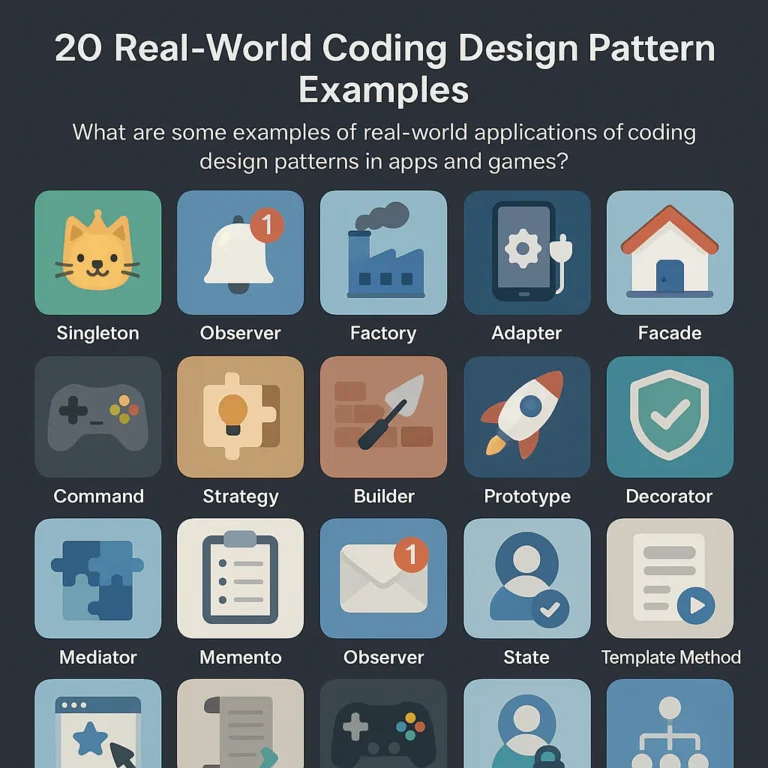
For a practical overview of common pattern names, see our guide to coding design patterns. The key distinction is that knowing a pattern exists doesn’t mean your project needs it.
| Quick check | A pattern may be unnecessary when… | Better first move |
|---|---|---|
| Problem size | The feature is small and has one obvious behavior | Use a clear function, module, or direct call |
| Requirements | The supposed variation is only hypothetical | Implement the real requirement; refactor if it changes |
| Repetition | There is one implementation and no recurring duplication | Keep the design concrete |
| Performance | The code runs in a hot path and the abstraction has not been profiled | Measure before adding or removing layers |
| Debuging | A simple behavior requires tracing several objects or events | Make control flow more explicit |
| Team fit | The team cannot explain who owns state or how execution flows | Choose a design everyone can maintain |
| Framework fit | The engine or platform already provides the capability | Follow its established lifecycle and idioms |
A useful rule of thumb from our developers: direct code → small refactor → targeted pattern → broader architecture. That order leaves room to learn what the software actually needs instead of building a velvet-lined mansion for a feature that turns out to be a closet.
A few fast facts:
- Patterns do not guarantee good design. They describe reusable approaches; context determines whether they help.
- Simplicity is not the same as lack of structure. A well-named function or small module can be a deliberate design choice.
- Performance overhead depends on implementation and frequency. An extra virtual call in a rarely used settings screen is not automatically a crisis; repeated work in a game’s per-frame update deserves closer scrutiny.
- “We may need this someday” is weak evidence. Repeated change, actual duplication, difficult testing, or measured bottlenecks are stronger reasons.
- Removing a pattern can be a valid refactor. Keep it only while it reduces the total cost of building, understanding, testing, and changing the system.
🧭 When Should You Avoid Design Patterns in an App or Game Project?
The short answer: solve the problem you actually have
Avoid a pattern when it does not solve a demonstrated problem or when its costs outweigh its benefits. That sounds simple, but “future-proofing” has a way of disguising guesses as requirements.
Consider a small app with one settings screen and one storage implementation. A repository interface, multiple factories, a service locator, and several layers of dependency injection might make the architecture look impressively prepared for six future storage backends. If those backends do not exist—and may never exist—you have paid complexity up front for flexibility you cannot yet use.
The opposite can also be true. If several payment providers, save formats, or gameplay behaviors already need to be swapped reliably, a focused pattern can make change safer and more readable. The pattern is not the problem; a mismatch between problem and solution is.
Our practical test is to ask:
- What problem exists in the code today?
- What specific cost will this pattern reduce?
- Will another developer understand the behavior more quickly afterward?
- Does the pattern fit the framework and performance requirements?
- Can we show that the benefit is worth the extra moving parts?
This is also the main tension in discussions of design-pattern drawbacks. Some developers emphasize reusable structure; others warn against abstraction before evidence. Both are right in different contexts: reuse is valuable when it addresses real repetition or change, not when it is merely imagined.
A practical decision checklist
Use this checklist before adding a pattern to an application, game, or backend service:
| Question | If the answer is “no” |
|---|---|
| Is the current implementation difficult to change, test, extend, or understand? | Keep it simple for now |
| Is that difficulty recurring rather than a one-off inconvenience? | Fix the immediate issue first |
| Does the pattern reduce concrete duplication or isolate a known variation? | Avoid speculative abstraction |
| Does it make the main behavior easier to trace? | Prefer a clearer, more direct design |
| Does it respect the engine, framework, and language conventions? | Use the native mechanism where practical |
| Have performance concerns been measured? | Profile before making performance claims |
| Can the team maintain the pattern without relying on its original author? | Reduce its complexity or choose a familiar approach |
A “yes” to every question is not mandatory. This isn’t a courtroom. But if the pattern’s strongest defense is “it’s the standard way,” ask standard for which problem, language, engine, and team? That question often saves a surprising amount of architecture.
📜 How Software Design Patterns Evolved—and What They’re For
Patterns are reusable ideas, not rules
Software design patterns are named approaches to recurring design problems. The best-known catalog, Design Patterns: Elements of Reusable Object-Oriented Software, was published by Erich Gamma, Richard Helm, Ralph Johnson, and John Vlissides. Its patterns offer shared vocabulary for problems such as object creation, behavior, and relationships between types; they do not prescribe a mandatory architecture for every app.
That distinction matters. A pattern is a possible answer, not proof that the problem exists. “We need a Strategy” should mean “we have behavior that must vary in a way this structure makes easier,” not “the Strategy pattern appeared in a tutorial, so let’s make a home for it.”
The first featured video, Fireship’s 10 Design Patterns Explained in 10 Minutes, is a handy, fast introduction to pattern names and examples. Use it to recognize the tools, then evaluate whether any tool belongs in your project. A quick tour of a toolbox is useful; it is not a promise to use every screwdriver.
Design patterns vs. architecture, idioms, and frameworks
These terms are related, but they operate at different scales:
| Term | Typical scope | Example |
|---|---|---|
| Design pattern | A recurring solution to a design problem | Strategy for interchangeable behavior |
| Programming idiom | A conventional way of writing code in a language | Python context managers or Rust ownership patterns |
| Architecture | The broader organization and boundaries of a system | Layered architecture or a modular monolith |
| Framework | A platform that supplies structure and lifecycle conventions | Unity, Unreal Engine, Godot, ASP.NET Core |
A common source of unnecessary complexity is stacking solutions at every level: a framework provides a lifecycle, an app adds a custom lifecycle manager, a pattern introduces another event router, and then a service locator hides which component owns the behavior. Each piece might be defensible alone; together, they can turn a simple feature into a scavenger hunt.
For more on readable and maintainable implementation choices, explore Stack Interface’s Coding Best Practices. For app architecture, the best design is rarely “the most patterns.” It is the design that makes important behavior and change boundaries easy to see.
🚫 12 Situations Where Design Patterns Can Do More Harm Than Good
1. The problem is small, simple, or unlikely to change
A one-off settings toggle, straightforward CRUD operation, or small gameplay rule usually benefits more from readable direct code than from a framework of interfaces. If the logic fits in a short, named function and nobody has to copy-paste it into several places, keep the function.
Small code is not automatically bad code. The goal is not to minimize line count at all costs; it is to avoid extra concepts without a matching benefit.
2. You’re adding a pattern before the requirement exists
A design that supports imagined future variants can be harder to use today. If an app currently sends notifications through one known provider, an elaborate provider-selection system may be premature. If a game has one weapon type, a deep hierarchy for every weapon family in the universe may be early architecture cosplay.
Requirements often change in unexpected directions. A system designed for hypothetical variation can be rigid in exactly the way real change later requires.
3. A straightforward function or data structure is enough
Some patterns are just ways to organize behavior that a function already expresses clearly. If a Strategy object merely wraps one function that never varies, the abstraction may add files and indirection without improving the design.
At Stack Interface™, we have seen a string-conversion feature routed through factory, resolver, provider, command, and strategy objects. Replacing that chain with a clear function made the path easier to read and debug. The useful question was not “Can we apply a pattern?” but “What does the extra layer buy us?”
4. The pattern conflicts with your language or engine
A pattern borrowed from another ecosystem may fight the conventions of your actual tools. A custom observer layer can duplicate a framework’s signal system; an elaborate object hierarchy can work against an engine built around composition.
Prefer established conventions when they already solve the same problem. That does not mean frameworks are always right—it means a custom alternative should justify its additional lifecycle, documentation, and maintenance burden.
5. The abstraction hides essential behavior
Abstraction helps when it hides volatile or unimportant details. It hurts when it hides the main idea.
If a routine action like saving a file requires jumping through a resolver, provider, command, manager, and event bus before you find the actual write, the design may have hidden the feature’s behavior rather than clarified it. A useful abstraction should make the caller’s intent easier to understand, not force every reader to reconstruct a secret map.
6. The pattern adds indirection to a performance-critical path
In a hot path—such as physics, rendering preparation, animation, or a large entity update—frequent dispatch and scattered data access can matter. But the word “pattern” alone does not prove a performance problem. Measure the actual workload before blaming or banning an abstraction.
At 60 frames per second, a frame budget is roughly 16.67 milliseconds for all the work the game must do. A small cost repeated across thousands of entities may deserve investigation; one extra call in an infrequently used menu may not.
7. The design must change rapidly during protyping
Prototypes and game jams exist to answer uncertain questions: Is the mechanic fun? Does the onboarding flow make sense? Does a particular interaction feel right? Over-structuring code before those answers exist can make experimentation slower.
Keep prototype code honest and intentionally limited. When a mechanic survives testing and its responsibilities stabilize, refactor the parts that are now understood. You do not need to preserve every prototype shortcut forever—but you also do not need a production-scale architecture to test a hunch.
8. Your team can’t explain or maintain the pattern
A sophisticated architecture that only one developer understands creates a knowledge bottleneck. New contributors must learn not only what the feature does, but also the project-specific rules for registration, event ownership, state updates, object lifetimes, and dependency flow.
Ask a teammate unfamiliar with the feature to trace a normal behavior. If they need the original author to explain every hop, simplify the design or improve its documentation.
9. A framework or platform already solves the problem
Before building a custom navigation, lifecycle, state, event, or persistence layer, check what the framework already offers. Duplicating built-in capabilities can leave the project with two sources of truth and two sets of lifecycle rules.
The framework’s solution may still be unsuitable. If you replace it, make the reason explicit: perhaps a platform limitation, testing constraint, or performance requirement. “We wanted our own version” is not a benefit by itself.
10. The pattern creates more coupling than it removes
A pattern can reduce direct dependencies while adding hidden ones. A global event bus, for example, may prevent components from referencing one another directly, but it can also make important relationships invisible. Now the system depends on event names, subscriber lifetimes, dispatch order, and conventions that may not be enforced by the compiler.
Look for hidden coupling: changes that unexpectedly require edits across unrelated modules, or events whose publishers and listeners are difficult to find.
11. You’re optimizing for hypothetical reuse
Code reuse is not automatically a win. Generalizing a component for several imagined products can make the current product harder to build and harder to change.
A useful abstraction often emerges after you have seen the same need recur. Until then, a small amount of duplication may be cheaper than a shared component full of special cases.
12. Testing, debugging, or deployment becomes harder
Some patterns introduce lifecycle or runtime behavior that is awkward to observe: global mutable state, hidden event listeners, container registrations, or asynchronous chains. If a test needs elaborate setup just to exercise a basic rule, investigate whether the design is making the behavior unnecessarily indirect.
For distributed or cloud-based systems, also resist adding deployment complexity just because a pattern or architecture is popular. Stack Interface’s Back-End Technologies resources can help you compare the operational consequences of different backend choices. A modular application may be easier to operate than multiple services when the problem does not yet require distribution.
💸 The Hidden Costs: When Design Patterns Become Technical Debt
A pattern’s cost is not limited to the day it is introduced. Every extra abstraction must be understood during feature work, debugging, testing, and onboarding. If it never pays that cost back by reducing future work, it becomes technical debt with excellent posture.
More files, interfaces, and indirection
A tiny behavior can grow into a handful of files:
SaveButton
 → SaveCommand
 → CommandFactory
 → ActionResolver
 → SaveService
 → StorageProvider
 → FileWriter
``

Some systems genuinely need clear boundaries like these. But if several classes only pass the same data along, the chain may be ceremony rather than architecture.

A useful check is **change amplification**: how many files must change to make one ordinary feature update? A clean separation can mean changing one focused module. An overbuilt design may require coordinating a dozen layers because the behavior is spread thinly across them.

### Abstraction leaks and tangled dependencies

An abstraction promises to hide implementation details. A leak occurs when callers still need to understand those details—or when the abstraction cannot represent the real behavior cleanly.

Examples include:

- A repository that exposes database-specific query objects while claiming to hide the database.
- A generic event bus that needs engine-specific lifecycle handling at each call site.
- A factory that creates one type but needs repeated special cases for every constructor option.
- A “universal” interface that grows method after method for unrelated implementations.

At that point, the abstraction is not reducing complexity. It is **relocating complexity and adding a translation layer**.

### The cost of teaching and onboarding

Every project has a knowledge budget. A pattern adds vocabulary and conventions that developers must learn. A team can absolutely work well with a sophisticated architecture, but the pattern should earn the extra teaching effort.

| Pattern-related cost | What you may notice |
|---|---|
| **Onboarding** | New hires need diagrams for ordinary changes |
| **Code review** | Reviews focus on framework ceremony rather than behavior |
| **Debuging** | The call path crosses multiple registries or events |
| **Consistency** | Different contributors implement the same idea incompatible ways |
| **Bus factor** | Only one person knows how to safely modify a subsystem |

The best architecture is not necessarily the one with the fewest abstractions. It is the one your team can **use consistently and explain clearly**.

## 🏗️ Over-Engineering Traps: Spoting a Solution Looking for a Problem

### YAGNI, premature generalization, and speculative flexibility

**YAGNI**—“You Aren’t Gonna Need It”—is a reminder to avoid implementing capabilities that have no current requirement. It does not mean “never plan” or “ignore likely growth.” It means weigh a real, likely need against the cost of building and maintaining a solution in advance.

Suppose a game currently has one save format and one target platform. Building a plugin architecture for seven hypothetical formats might be premature. But if players already need save import/export, platform-specific storage, and migration between versions, a clear strategy for serialization may be justified.

The difference is evidence. **Known variation can merit abstraction; imaginary variation usually cannot.**

### Warning signs your architecture is too elaborate

Watch for patterns like these:

- **More interfaces than meaningful implementations.**
- A class that exists only to forward arguments to another class.
- Ordinary changes require editing many unrelated files.
- Developers use a diagram to understand a two-step operation.
- An event name is the only way to discover an important dependency.
- Constructors or setup code are more complicated than the behavior.
- The code supports many configurations that no test or user currently needs.
- A pattern is defended primarily because “that’s how enterprise code is done.”

One warning sign does not prove the design is wrong. Several together suggest that the abstraction tax may be exceeding the benefit.

### When a simple refactor is better than a pattern

Before introducing a pattern, try these smaller steps:

1. **Give the behavior a clear name.** Extract a function that explains intent.
2. **Remove duplication that actually exists.** Avoid generalizing merely similar-looking code if the behaviors differ.
3. **Separate responsibilities.** A small module boundary may be enough.
4. **Make dependencies explicit.** Pass in a collaborator where that improves testing and ownership.
5. **Check whether the problem repeats.** If the same design pressure returns, then consider a targeted pattern.

For deeper coding guidance, see Stack Interface’s [Coding Best Practices](https://stackinterface.com/category/coding-best-practices/). The aim is not to avoid patterns; it is to delay them until they solve something you can point to.

## 🐢 Performance and Memory Pitfalls in Apps and Games

### Abstraction overhead in hot paths and game loops

Patterns may add dispatch, pointer chasing, virtual calls, event delivery, or extra work per operation. These costs are often negligible in ordinary code, but **repetition changes the arithmetic**.

For example, an extra step called once when a user opens a settings screen is unlikely to dominate performance. The same step repeated for thousands of entities every frame could become relevant, especially on lower-powered hardware.

At 60 FPS, one frame lasts about **16.67 ms**. That budget includes simulation, animation, physics, audio updates, rendering work, and more—not just the code you are reviewing. A pattern may also be innocent while an algorithm, allocation, or asset-loading issue is the actual culprit.

Avoid treating dramatic claims about frame-rate drops as universal facts. A reported result from a particular project, device, engine version, and implementation is not a general benchmark. **Profile your own build on representative hardware.**

### Allocation, garbage collection, and cache behavior

A design can affect runtime behavior through more than the number of method calls:

- **Per-frame allocations** can increase garbage-collection pressure.
- **Object-heavy structures** can scatter data in memory.
- **Event systems** can create temporary payloads or subscriber work.
- **Deep object graphs** can make access less predictable.
- **Unecessary copies** can increase memory traffic.

This does not make object-oriented patterns inherently slow, nor does it make ECS inherently fast. Data layout, language runtime, compiler, engine, workload, and implementation all matter. Unity’s [performance guidance](https://docs.unity3d.com/Manual/BestPracticeUnderstandingPerformanceInUnity.html) and Unreal Engine’s [performance documentation](https://dev.epicgames.com/documentation/en-us/unreal-engine/performance-guidelines-for-unreal-engine) are useful starting points for engine-specific considerations.

### How to profile before blaming a pattern

Use a repeatable process:

1. **Define the symptom:** frame-time spikes, memory growth, slow startup, or input delay.
2. **Reproduce it consistently:** use the same scene, device, data, and test steps.
3. **Profile a representative build:** editor and development tooling can affect results.
4. **Find the expensive work:** inspect CPU, memory, allocations, garbage collection, and waits.
5. **Change one thing at a time:** compare the same workload before and after.
6. **Keep the change only if it helps without harming clarity or correctness.**

This is where advice can seem contradictory: one source warns that abstraction adds overhead, another says patterns rarely affect performance. Both can be true. **The deciding factors are frequency, implementation, workload, and measured cost.** Explore Stack Interface’s [Data Science](https://stackinterface.com/category/data-science/) coverage for related measurement and analysis ideas.

## 🧩 Maintenance, Debuging, and Testing Costs

### Tracing behavior through layers of indirection

Direct calls make control flow visible: A calls B, then B returns. Events, service locators, dependency injection containers, callbacks, and asynchronous pipelines can make the same behavior harder to trace.

That indirection can be worthwhile when it reduces coupling or supports multiple implementations. It becomes costly when a developer cannot answer:

- Who initiated this action?
- Which component handles it?
- In what order do handlers run?
- Who owns and removes the listener?
- What state can change before the operation completes?

If routine debugging means searching every event registration and global lookup, consider making the key flow more explicit.

### When inheritance and pattern hierarchies become brittle

Deep inheritance can make behavior hard to predict. A base class may define a default, a subclass overrides part of it, and another layer relies on a hidden side effect. Changing one method can then break behavior several levels away.

Prefer composition when behaviors combine more naturally as components or collaborators than as a family tree. But composition can also become overbuilt if each tiny behavior gets a separate manager and interface. The goal is not to replace “too much inheritance” with “too many objects.” The goal is **clear ownership and understandable behavior**.

### How patterns can complicate unit and integration tests

A pattern can improve testability by separating a volatile dependency, such as a network client or file store. It can also make tests fragile when setup depends on global state, a complex container, hidden event subscriptions, or a large group of mocks.

A good test design asks whether the production boundary matches a meaningful change or failure boundary. Avoid creating interfaces just to mock every method; avoid relying on real external services for every unit test. Use the smallest seam that gives you confidence in the behavior.

For example:

- Test a pricing rule as a direct unit if it has no meaningful external dependency.
- Substitute a payment gateway when testing provider failure or retry behavior.
- Use integration tests for database queries whose behavior depends on the actual database.
- Test event-driven lifecycles where subscription order and cleanup are part of the contract.

A pattern is earning its keep when it **makes the test clearer**, not merely when it lets a test double exist.

## 🤝 Team Fit: When an Architecture Outpaces Its Developers

### Junior developer onboarding and shared vocabulary

Design-pattern names can help teammates talk about familiar structures. They can also become shorthand that conceals disagreement. Two developers may say “repository” but mean different things: one means a data-access abstraction, another means a domain collection.

Explain **why the pattern is present and what problem it protects against**. A label alone is not onboarding documentation.

Beginners should learn patterns gradually through concrete examples. Building a small feature without an elaborate architecture first helps reveal what the pattern changes—and what it costs.

### Code review friction and inconsistent pattern use

Pattern adoption works best when a team agrees on boundaries and conventions. Inconsistent use can be worse than a simpler approach: one feature uses a global event bus, another uses direct callbacks, and a third adds a mediator for similar behavior.

During code review, ask:

- Does the structure make the feature’s intent clearer?
- Can a contributor follow the lifecycle without a private tour?
- Is the abstraction used consistently for a real reason?
- Does a simpler design provide the same benefit?

The answer should be about the code’s trade-offs, not whether someone has memorized a catalog.

### Choosing designs your team can confidently maintain

A team’s experience and project constraints matter. A small team shipping a game jam build may rationaly choose fast iteration over future extension. A larger team maintaining a regulated app may need explicit boundaries, testing seams, and documented ownership.

Neither choice is universally “more professional.” **Professional engineering is matching the design to the delivery context**, then revisiting it when that context changes.

## 🎮 Game Development: Patterns That Can Fight Real-Time Engines

### Why MVC may not fit every game architecture

Model–View–Controller can be useful for separating data, presentation, and input in some applications. A real-time game, however, often has tightly coordinated systems: physics affects animation, animation affects hit detection, and gameplay state affects audio and UI.

Forcing every interaction through one MVC arrangement can create too much synchronization, a crowded controller, or indirect updates that are hard to follow. That does not make MVC “bad for games”; it means **the pattern may not map cleanly to every real-time loop**.

Use MVC or MVM where they fit—for example, menus, editor tools, inventory screens, or app-like interfaces within a game. Evaluate gameplay simulation separately.

### Engine-native workflows in Unity, Unreal Engine, and Godot

Each engine supplies its own design vocabulary and lifecycle:

| Engine | Native concepts to consider before building a custom layer |
|---|---|
| **Unity** | `MonoBehaviour`, components, ScriptableObjects, scenes, Unity Events |
| **Unreal Engine** | Actors, Components, Gameplay Framework classes, Subsystems, Gameplay Ability System where appropriate |
| **Godot** | Nodes, scenes, signals, resources, autoloads |

These features are not automatically the right answer for every project. They do, however, come with engine-supported workflows and lifecycle expectations. A custom architecture should add a clear benefit rather than wrap everything in another manager.

See the official documentation for [Unity](https://docs.unity3d.com/Manual/index.html), [Unreal Engine](https://dev.epicgames.com/documentation/en-us/unreal-engine), and [Godot](https://docs.godotengine.org/en/stable/).

### Entity-component systems, scenes, signals, and event buses

An entity-component system (ECS) can be a strong fit for large numbers of entities processed in similar ways, particularly when data-oriented performance and system-level processing matter. It can be harder to follow when the project’s objects have unique, behavior-rich responsibilities or the team is unfamiliar with ECS.

Likewise, a global event bus can decouple publishers from listeners, but it can obscure behavior and introduce lifecycle bugs. Engine-provided signals may be clearer for local communication; direct references may be clearest for a small, stable relationship.

| Approach | Can help when… | Can hurt when… |
|---|---|---|
| **ECS** | Many entities share data and processing patterns | Most entities are unique or data flow becomes opaque |
| **Signals/events** | Publishers should not own listener details | Event order, cleanup, and dependencies become hidden |
| **Direct calls** | A stable relationship is clear and local | Modules become tightly coupled across boundaries |
| **Components** | Behavior can be combined independently | Tiny components create excessive coordination |

Do not adopt ECS because “serious games use ECS.” Adopt it when your workload, data flow, and team benefit from it.

### When a pattern helps gameplay code—and when it gets in the way

A State pattern can help when an enemy has clearly distinct states with meaningful transitions. A command queue can help when player actions need replay, undo, or network handling. A simple conditional can better when there are only two stable cases and the transition logic is easy to read.

For a small indie game or prototype, prioritize **fast feedback and playable mechanics**. If a system grows into repeated behaviors, hard-to-test transitions, or tangled ownership, refactor around the actual complexity. The game should not need a committee meeting to let a door open.

## 🔄 Flexibility vs. Rigidity: Leting Requirements Lead

### Patterns that support experimentation

A focused abstraction can make experimentation safer when it isolates a known variable. Examples include:

- Swapping one established payment or notification provider for another.
- Testing multiple combat strategies that already exist.
- Replacing a remote API client with a fake during tests.
- Supporting platform-specific implementations behind a stable boundary.

In these cases, flexibility has a present use. The design is not betting on every possible future; it is handling an actual source of variation.

### Patterns that make product changes expensive

A pattern can constrain change when the real product evolves outside the original assumptions. A global Singleton manager may become awkward when the app needs multiple instances, isolated tests, or a different lifetime. A rigid inheritance tree may resist combining behaviors in a new way. A generic event model may turn a simple direct interaction into a distributed workflow.

Watch how real changes move through the code. If a small update repeatedly requires coordinated edits across many layers, the structure may be creating **change amplification** rather than containing it.

### Designing for known change without predicting everything

A practical balance:

1. Identify the parts of the system that actually vary.
2. Check how often and why they change.
3. Place an abstraction at a boundary that reflects that variation.
4. Keep the rest of the implementation concrete.
5. Revisit the design when the number or shape of variations changes.

This is a more reliable kind of future readiness than building a universal framework before you understand the future.

## 🔍 Popular Patterns: When to Skip Them

### Singleton

A Singleton offers one globally reachable instance. It may be convenient for genuinely unique, well-scoped resources. It can also create hidden mutable global state, obscure ownership, complicate tests, and make lifetime changes difficult.

Avoid a Singleton when:

- The object’s uniqueness is only assumed, not required.
- Multiple instances may become useful for testing, previews, or game sessions.
- It makes dependencies invisible at the call site.
- Reseting or replacing its state is difficult.

In Unity, a global `AudioManager.Instance` may feel quick until tests, scene transitions, or multiple audio contexts complicate its lifecycle. Prefer explicit ownership or dependency passing where that makes the dependency clearer.

### Factory and Abstract Factory

A factory is useful when construction has meaningful rules, variation, validation, or platform-specific decisions. It is often unnecessary when a constructor or simple helper already expresses the creation clearly.

**Skip an Abstract Factory for one stable object type** unless you have a real family of related implementations to construct. Otherwise, it can add an abstraction with nothing to abstract.

### Observer and event bus

Observer is useful when many independent listeners need to react to a meaningful event. An event bus can help decouple subsystems, but global, loosely typed events can hide control flow and make cleanup difficult.

Be cautious when:

- Events have vague names or unclear ownership.
- A listener outlives the object that registered it.
- Event ordering becomes a hidden dependency.
- A normal call is scattered across several subscribers.

For direct, stable relationships, a method call may be easier to understand.

### Strategy

Strategy fits when a behavior must vary independently and more than one meaningful implementation exists. It may be unnecessary when a single function or small conditional handles a stable case clearly.

A useful test: **if there is one strategy, no planned change, and no testing boundary to isolate, what benefit is the Strategy object providing?** If the answer is “none yet,” keep the behavior simple.

### Repository and dependency injection

A repository can be valuable when it creates a meaningful boundary between domain logic and data access, especially when storage behavior is complex or multiple sources are real requirements. It can become a redundant wrapper around a simple ORM or a single database operation.

Dependency injection can make dependencies explicit and replaceable. A large container setup can also hide object construction and complicate debugging. Do not add injection machinery merely to make every class mockable.

### Model–View–Controller and Model–View–ViewModel

MVC and MVM can organize app interfaces and separate presentation from state or behavior. They can become cumbersome when applied mechanically to every feature, or when the framework already provides a natural state and UI lifecycle.

Choose the model that fits your UI framework and team. Avoid adding controllers, view models, and mapper layers if they merely forward values without establishing a useful boundary.

### Inheritance-heavy patterns

Template Method and related inheritance approaches can help when subclasses share a stable sequence with a few deliberate variation points. They are risky when the base class accumulates hidden assumptions or subclasses need to override many unrelated methods.

Prefer a simpler composition or direct implementation when behavior combinations change more often than the inheritance hierarchy.

## 🧪 Real-World Lessons: Recognizing Pattern Overuse in Production

### What common architecture failures teach us

Across app and game projects, we repeatedly see the same lesson: **ordinary work becomes difficult when simple behavior is spread across too many layers**. A small conversion utility routed through several abstraction types is one example. Another familiar smell is a feature whose save, load, and notification paths each require following a different custom framework.

A related Stack Interface discussion describes a case where removing unnecessary layers made a feature easier to debug and substantially smaller. Such project anecdotes are useful as prompts for inspection, but they are **not controlled benchmarks** and should not be treated as guaranteed results for other codebases.

Likewise, reported performance drops attributed to MVC or event systems can point to risks worth investigating. Without the specific workload, hardware, profiler data, and implementation, the number alone cannot tell us that a pattern is always slow. **Use case studies to form a hypothesis; use your own profiling and code review to decide.**

### How to evaluate case studies without blaming one pattern

When reading a claim that a pattern made a project slower, harder to maintain, or dramatically larger, ask:

1. What code and workload were compared?
2. Was the same functionality implemented in both versions?
3. What hardware, compiler, engine, and build settings were used?
4. Was the issue measured or recalled after the fact?
5. Did the pattern itself cause the problem, or did its implementation?
6. What trade-off improved, and what trade-off got worse?

This helps reconcile seemingly conflicting recommendations. A pattern can be a useful boundary in one application and needless ceremony in another. **Context is not an excuse to avoid evidence; it is part of the evidence.**

## ✅ When to Use Patterns vs. When to Keep It Simple

### A pattern selection decision tree

```text
Is there a real, recurring problem?
├── No → Use direct, clear code.
└── Yes
 ├── Is the behavior repeated, variable, or difficult to test?
 │ ├── No → Refactor locally; avoid a broad abstraction.
 │ └── Yes
 │ ├── Does a pattern reduce the specific cost?
 │ │ ├── No → Choose a simpler design.
 │ │ └── Yes → Use the smallest pattern that fits.
 │ └── Does it fit the framework, performance needs, and team?
 │ ├── No → Adapt it or choose another approach.
 │ └── Yes → Document why and measure the result.
``

A pattern is more likely to help when it:

- Removes meaningful duplication.
- Isolates a known variation.
- Makes testing a real boundary easier.
- Clarifies object ownership or lifecycle.
- Reduces the cost or risk of a recurring change.
- Fits the project’s framework and team vocabulary.

It is less likely to help when its main value is that it sounds sophisticated.

### Evidence that a pattern is earning its keep

Look for observable benefits, such as:

- The same feature can be changed with fewer coordinated edits.
- Tests focus on behavior rather than elaborate setup.
- A new implementation can be added without changing stable callers.
- A hot path is faster or uses less memory after a measured change.
- A teammate can trace the flow without relying on the original author.
- The abstraction handles real variations with fewer conditionals and exceptions.

If these benefits do not appear, reconsider the design. Patterns are not permanent decorations; code can evolve.

### When to refactor toward a pattern later

Waiting for evidence does not mean ignoring design. It means keeping the path open for change.

Refactor toward a pattern when you see recurring duplication, multiple real implementations, repeated conditional logic, or a testing boundary that is difficult to isolate. Use small steps:

1. Add a test or reproducible example of the behavior.
2. Identify the exact variation or repeated responsibility.
3. Extract a narrow boundary.
4. Move one implementation behind it.
5. Verify that callers became clearer, not merely more abstract.
6. Expand only when additional real cases appear.

That sequence avoids the all-at-once architecture rewrite—and makes it easier to tell whether the new pattern is helping.

## 🛠️ Best Practices for Using Design Patterns Without Bloat

### Start with the simplest working design

Start with code that accurately solves the current requirement and is easy to read. Then refactor in response to real pressure.

A simple design is not “no design.” Naming a function well, keeping responsibilities focused, choosing a suitable data structure, and making dependencies visible are design decisions. A pattern should improve those qualities, not replace them with ceremony.

### Measure complexity, performance, and change frequency

Use different evidence for different questions:

| Concern | Useful evidence |
|---|---|
| **Performance** | Profiler traces, frame times, memory allocations, startup timings |
| **Maintainability** | Change amplification, repeated bug patterns, review difficulty |
| **Testability** | Test setup complexity, isolation needs, integration failures |
| **Team fit** | Onboarding questions, inconsistent implementations, knowledge bottlenecks |
| **Architecture** | Dependency direction, ownership clarity, stable boundaries |

Do not use a performance profiler to answer whether an abstraction is easy to understand; do not rely on personal intuition to declare a frame-time problem solved.

### Document the reason, not just the pattern name

A short note such as “Strategy keeps the three existing pricing rules independent so each can be tested and changed separately” is more useful than “Uses Strategy pattern.”

Good design notes explain:

- The problem the pattern addresses.
- The alternatives considered.
- The constraints that shaped the choice.
- The signal that would justify revisiting it.

This keeps the pattern from becoming a ritual nobody remembers how to question.

### Keep escape hatches and migration paths

Requirements evolve. Keep boundaries narrow, avoid making every caller depend on global state, and do not spread implementation details everywhere. If a design becomes a burden, you should be able to replace it incrementally.

A pattern that cannot be changed without a rewrite may have created a new form of lock-in. **Useful structure supports future choices; it does not make future choices impossible.**

## 🧠 Conclusion

## 🔗 Recommended Links

## ❓ FAQ

### Are design patterns always a good idea?

No. A design pattern is useful when it solves a real, recurring problem and its benefits outweigh the extra concepts and maintenance. For a small, stable feature, direct code may be clearer. For repeated variation, difficult testing, or a well-defined boundary, a pattern may make changes safer.

### Can design patterns hurt app performance?

They can contribute overhead, particularly when an abstraction is used repeatedly in a performance-critical path. But the pattern name alone does not tell you whether performance will suffer. Profile the real workload, identify the actual bottleneck, and compare equivalent implementations before changing architecture.

### Should beginners avoid design patterns?

Beginners do not need to avoid patterns, but they should learn them through concrete problems rather than apply them mechanically. Start by understanding the behavior and writing a clear implementation. Then study how a pattern changes the design, including what it makes easier and what it makes harder.

### Is using a design pattern the same as over-enginering?

No. A pattern is one possible design tool; over-enginering is adding complexity that does not provide enough value for the problem. A well-chosen pattern can reduce complexity. A poorly chosen one can add it.

### When should I remove a pattern from existing code?

Consider simplifying or removing a pattern when it no longer addresses a real need, routinely obscures control flow, increases change amplification, complicates tests, or conflicts with the framework. Confirm the impact with tests and, for performance claims, profiling. Refactor in small steps rather than deleting structure on instinct.

### Are design patterns useful in game development?

Yes. Patterns can help with state transitions, interchangeable gameplay behavior, object creation, and communication between systems. They are not automatically suitable for every game loop or engine. Consider engine-native workflows, runtime constraints, team experience, and the actual size of the problem.

## 📚 Reference Links

- [Stack Interface: Coding Design Patterns](https://stackinterface.com/coding-design-patterns/)
- [Stack Interface: Are There Any Drawbacks to Using Design Patterns in App and Game Development?](https://stackinterface.com/are-there-any-drawbacks-to-using-design-patterns-in-app-and-game-development/)
- [Stack Interface: Are There Any Drawbacks to Using Coding Design Patterns in App and Game Development?](https://stackinterface.com/are-there-any-drawbacks-to-using-coding-design-patterns-in-app-and-game-development/)
- [Software Engineering Stack Exchange: When should I use—and not use—design patterns?](https://softwarengineering.stackexchange.com/questions/49379/when-should-i-use-and-not-use-design-patterns)
- [Unity Manual: Understanding Performance](https://docs.unity3d.com/Manual/BestPracticeUnderstandingPerformanceInUnity.html)
- [Unreal Engine: Performance Guidelines](https://dev.epicgames.com/documentation/en-us/unreal-engine/performance-guidelines-for-unreal-engine)
- [Godot Engine Documentation](https://docs.godotengine.org/en/stable/)
- [Fireship: 10 Design Patterns Explained in 10 Minutes](#featured-video)