Support our educational content for free when you purchase through links on our site. Learn more
What Is a Coding Design Pattern? 🧩

What is coding design pattern? It’s a reusable approach to a recurring software-design problem—not a copy-and-paste solution or a rule that every project must follow. Patterns help developers organize code so it’s easier to understand, change, and test when the situation calls for them.
Consider a game where enemies can use different tactics. If every enemy type adds another branch to one giant conditional, a Strategy pattern can separate those tactics and make them interchangeable. But for a game with one enemy and one behavior? A straightforward function may be the better design.
The classic Gang of Four catalog names 23 design patterns, grouped into creational, structural, and behavioral patterns. You don’t need to memorize all 23; you need to recognize the problem, understand the trade-offs, and choose the simplest design that solves it.
Key Takeaways
- A design pattern is a reusable design approach, not finished code you can apply blindly.
- The 23 classic Gang of Four patterns fall into creational, structural, and behavioral categories.
- Patterns can improve communication, flexibility, and maintainability when they address a real problem.
- Every pattern has trade-offs. Extra abstractions can make a small, stable feature harder to understand.
- Start with the problem, not the pattern name. Use a pattern when its benefits outweigh its complexity.
Table of Contents
- ⚡️ Quick Tips and Facts
- 🧩 What Is a Coding Design Pattern?
- Design patterns vs. algorithms, principles, and architecture
- The core parts of a design pattern
- 📜 How Software Design Patterns Evolved
- The Gang of Four and the classic pattern catalog
- How patterns changed with modern programming
- 🧭 Why Developers Use Design Patterns
- Benefits for readability, reuse, and maintenance
- Trade-offs and common criticisms
- 🧰 The Three Main Design Pattern Categories
- Creational patterns: controlling object creation
- Structural patterns: composing classes and objects
- Behavioral patterns: coordinating object interactions
- 🏗️ Creational Design Patterns Explained
- 1. Abstract Factory
- 2. Builder
- 3. Factory Method
- 4. Prototype
- 5. Singleton
- 🧱 Structural Design Patterns Explained
- 6. Adapter
- 7. Bridge
- 8. Composite
- 9. Decorator
- 10. Facade
- 11. Flyweight
- 12. Proxy
- 🔄 Behavioral Design Patterns Explained
- 13. Chain of Responsibility
- 14. Command
- 15. Interpreter
- 16. Iterator
- 17. Mediator
- 18. Memento
- 19. Observer
- 20. State
- 21. Strategy
- 22. Template Method
- 23. Visitor
- ⚙️ Concurrency and Parallel Programming Patterns
- Common concurrency pattern examples
- Thread safety, synchronization, and pitfalls
- 🌐 Architectural and Domain-Specific Patterns
- MVC, MVP, and MVM
- Repository, Unit of Work, and Dependency Injection
- Microservices, event-driven, and cloud patterns
- When a domain-specific pattern is a better fit
- 💻 Design Patterns in Object-Oriented Programming
- Composition over inheritance
- Interfaces, abstraction, and polymorphism
- Applying patterns in functional programming
- 🧪 Design Pattern Examples in Popular Languages
- Java and C# examples
- Python and JavaScript examples
- Choosing patterns for web and mobile applications
- 🛠️ How to Choose and Implement a Design Pattern
- A practical pattern-selection checklist
- Recognizing problems a pattern can solve
- Refactoring toward a pattern safely
- 🚫 Common Design Pattern Mistakes
- Overengineering and pattern overuse
- Misusing Singleton and inheritance
- Ignoring testing, performance, and team context
- 📝 Design Pattern Documentation and Team Communication
- How to document a pattern in code
- Pattern names as a shared engineering vocabulary
- 📚 How to Learn Design Patterns Through Practice
- Beginer-friendly coding exercises
- Reading and improving real-world code
- A roadmap for learning patterns by category
- 🔗 Related Software Design Concepts
- SOLID principles and clean code
- Refactoring and code smells
- Anti-patterns and alternatives
- ✅ Conclusion
- 🔎 Recommended Links
- ❓ FAQ
- What is a coding design pattern in simple terms?
- What are the 23 Gang of Four design patterns?
- Which design patterns should beginners learn first?
- Are design patterns specific to object-oriented programming?
- Can design patterns make code worse?
- What is the difference between a design pattern and an architectural pattern?
- How do I know when to use a design pattern?
- 📖 Reference Links
Table of Contents
- ⚡️ Quick Tips and Facts
- 🧩 What Is a Coding Design Pattern?
- Design patterns vs. algorithms, principles, and architecture
- The core parts of a design pattern
- 📜 How Software Design Patterns Evolved
- The Gang of Four and the classic pattern catalog
- How patterns changed with modern programming
- 🧭 Why Developers Use Design Patterns
- Benefits for readability, reuse, and maintenance
- Trade-offs and common criticisms
- 🧰 The Three Main Design Pattern Categories
- Creational patterns: controlling object creation
- Structural patterns: composing classes and objects
- Behavioral patterns: coordinating object interactions
- 🏗️ Creational Design Patterns Explained
- 1. Abstract Factory
- 2. Builder
- 3. Factory Method
- 4. Prototype
- 5. Singleton
- 🧱 Structural Design Patterns Explained
- 6. Adapter
- 7. Bridge
- 8. Composite
- 9. Decorator
- 10. Facade
- 11. Flyweight
- 12. Proxy
- 🔄 Behavioral Design Patterns Explained
- 13. Chain of Responsibility
- 14. Command
- 15. Interpreter
- 16. Iterator
- 17. Mediator
- 18. Memento
- 19. Observer
- 20. State
- 21. Strategy
- 22. Template Method
- 23. Visitor
- ⚙️ Concurrency and Parallel Programming Patterns
- Common concurrency pattern examples
- Thread safety, synchronization, and pitfalls
- 🌐 Architectural and Domain-Specific Patterns
- MVC, MVP, and MVM
- Repository, Unit of Work, and Dependency Injection
- Microservices, event-driven, and cloud patterns
- When a domain-specific pattern is a better fit
- 💻 Design Patterns in Object-Oriented Programming
- Composition over inheritance
- Interfaces, abstraction, and polymorphism
- Applying patterns in functional programming
- 🧪 Design Pattern Examples in Popular Languages
- Java and C# examples
- Python and JavaScript examples
- Choosing patterns for web and mobile applications
- 🛠️ How to Choose and Implement a Design Pattern
- A practical pattern-selection checklist
- Recognizing problems a pattern can solve
- Refactoring toward a pattern safely
- 🚫 Common Design Pattern Mistakes
- Overengineering and pattern overuse
- Misusing Singleton and inheritance
- Ignoring testing, performance, and team context
- 📝 Design Pattern Documentation and Team Communication
- How to document a pattern in code
- Pattern names as a shared engineering vocabulary
- 📚 How to Learn Design Patterns Through Practice
- Beginer-friendly coding exercises
- Reading and improving real-world code
- A roadmap for learning patterns by category
- 🔗 Related Software Design Concepts
- SOLID principles and clean code
- Refactoring and code smells
- Anti-patterns and alternatives
- ✅ Conclusion
- 🔎 Recommended Links
- ❓ FAQ
- What is a coding design pattern in simple terms?
- What are the 23 Gang of Four design patterns?
- Which design patterns should beginners learn first?
- Are design patterns specific to object-oriented programming?
- Can design patterns make code worse?
- What is the difference between a design pattern and an architectural pattern?
- How do I know when to use a design pattern?
- 📖 Reference Links
⚡️ Quick Tips and Facts
- A coding design pattern is a reusable approach to a recurring software-design problem—not a block of finished code. You adapt its structure to your language, framework, and needs.
- The best-known catalog, Design Patterns: Elements of Reusable Object-Oriented Software, describes 23 Gang of Four (GoF) patterns across three categories.
- Creational patterns handle object creation; structural patterns organize components; behavioral patterns coordinate interactions.
- Patterns are shared vocabulary: “Use Strategy here” can communicate an interchangeable-algorithm design faster than a page of explanation.
- Patterns are tools, not rules. A small function, a language feature, or a framework convention may solve the problem more clearly.
- For a balanced look at the trade-offs, see our guide to downsides of coding design patterns. You can also browse our Coding Best Practices resources.
- A useful test: If the pattern makes the code easier to change, understand, or test, it may be earning its keep. If it adds layers without solving a real problem, send it back to the toolbox. 🧰
| Quick fact | Practical meaning |
|---|---|
| A pattern describes a recurring solution | Treat it as a design blueprint, not copy-paste code |
| GoF catalog has 23 patterns | It is influential, but not a complete list of every pattern |
| Patterns can cross languages | Their core idea stays; implementation details change |
| Patterns have trade-offs | More flexibility may mean more indirection |
| Context matters | The simplest adequate design is often the best one |
🧩 What Is a Coding Design Pattern?
A coding design pattern, more commonly called a software design pattern, is a general, reusable way to organize code when a familiar design problem appears. It captures an approach that developers can recognize and adapt without prescribing every class, function, or line of code.
Think of a pattern like a recipe format, not a frozen meal. It tells you the ingredients and method that tend to work, but you still choose the exact ingredients for your kitchen. SourceMaking describes a pattern as a “description or template for how to solve a problem”, while GeksforGeks calls patterns reusable solutions to common software-design problems. Both descriptions underline the important point: a pattern is guidance, not finished software.
At Stack Interface™, we see patterns most clearly in app and game code when a simple feature starts collecting exceptions. A notification system begins with one alert. Then come push alerts, in-app banners, email, user preferences, retries, and analytics. At that point, a pattern such as Observer or Strategy might help—but the first alert probably didn’t need a pattern at all.
The useful question is not “Which pattern should I use?” It’s “What part of this design keeps changing, and how can I make that change safer?”
Design patterns vs. algorithms, principles, and architecture
These terms are related, but they solve problems at different levels.
| Concept | What it describes | Example |
|---|---|---|
| Algorithm | A step-by-step method for computing a result | Binary search, sorting |
| Design pattern | A reusable arrangement of components for a recurring design problem | Strategy for choosing a payment method |
| Design principle | A guideline for making design decisions | Program to an interface; favor composition |
| Architecture pattern | A broad organization for a system or subsystem | Layered architecture, event-driven architecture |
| Implementation idiom | A language-specific coding technique | Python context manager, C++ RAII |
An algorithm answers, “How do we perform this computation?” A design pattern answers, “How should these parts collaborate?” An architecture pattern operates at a larger scale: “How should the application’s major pieces be organized?” The distinction is practical, not always perfectly rigid; terminology varies between books and teams.
For example, MVC describes a broad separation among model, view, and controller responsibilities. Observer describes a communication relationship that may be used inside an MVC implementation. A sorting algorithm may be selected by a Strategy object. Different levels, different jobs.
The core parts of a design pattern
A well-described pattern usually explains more than its name. Pattern catalogs commonly document:
- Intent: What problem is it meant to address?
- Context: What conditions make the problem appear?
- Structure: Which objects, classes, or functions are involved?
- Collaboration: How do those parts communicate?
- Consequences: What benefits and costs should you expect?
- Implementation details: What language or platform concerns matter?
- Related patterns: What alternatives or complementary patterns might fit?
That last part is easy to skip—and often the most useful. Patterns are rarely “good” or “bad” in isolation. Their value depends on the forces around them: how often behavior changes, how many implementations exist, how expensive coupling is, and how familiar the design is to the team.
📜 How Software Design Patterns Evolved
The software-pattern idea grew from a broader attempt to describe solutions that recur across different projects. It offered a way to record design experience so others could reason from it rather than start from a blank page every time.
The roots are commonly linked to architect Christopher Alexander’s work on pattern languages. In software, Kent Beck and Ward Cunningham explored applying pattern ideas to programming in 1987. The concept became widely known after a landmark book appeared in the 1990s.
The Gang of Four and the classic pattern catalog
In 1994, Erich Gamma, Richard Helm, Ralph Johnson, and John Vlissides published Design Patterns: Elements of Reusable Object-Oriented Software. The four authors became known as the Gang of Four, or GoF, and their book cataloged 23 patterns.
That book remains a major reference because it gives names and structures to recurring object-oriented design problems. It is not a complete inventory of software patterns. New patterns and pattern families have emerged in areas such as concurrency, distributed systems, cloud infrastructure, functional programming, and game development.
| Milestone | Why it matters |
|---|---|
| Christopher Alexander’s pattern-language work | Established the broader idea of documenting recurring design solutions |
| Beck and Cunningham’s 1987 work | Helped bring pattern thinking into software design |
| GoF book published in 1994 | Popularized 23 object-oriented software patterns |
| Growth of web, mobile, and distributed systems | Expanded pattern discussions beyond classic object-oriented design |
How patterns changed with modern programming
The pattern’s core problem may endure while the implementation changes. A Java program might use interfaces and classes; a JavaScript app may use functions and objects; a functional language may use higher-order functions and immutable data. Frameworks may also provide built-in mechanisms that make a hand-built pattern unnecessary.
That explains a common debate: are patterns evidence of good reusable design, or are some simply workarounds for language limitations? Both views can be true. Peter Norvig’s discussion showed that 16 of the 23 GoF patterns could be simplified or eliminated in Lisp or Dylan, given those languages’ features. That doesn’t make the patterns useless; it shows that design solutions are shaped by language capabilities.
In modern app development, a framework may already provide dependency injection, observable state, routing, or event handling. In game development, an engine such as Unity or Unreal Engine supplies its own lifecycle and component model. Check what the platform already does before building a second version of it.
🧭 Why Developers Use Design Patterns
Patterns help developers discuss recurring problems, organize responsibilities, and make change less risky. They can be especially helpful when a codebase grows beyond the mental map of one person.
But a pattern does not automatically make code clean, scalable, or fast. It is a trade: you may gain flexibility and clarity while paying for extra abstractions, objects, or indirection.
Benefits for readability, reuse, and maintenance
- Shared vocabulary: “This is an Adapter” gives a team a concise name for translating one interface into another.
- Clearer responsibilities: Patterns can separate object creation, business rules, and communication.
- Easier change: A Strategy design can let you add an algorithm without rewriting the caller.
- Improved testability: Injecting a dependency can make it easier to replace a network client or database with a test double.
- Knowledge transfer: A familiar pattern can help a new developer recognize how a system is intended to work.
- Less repeated reinvention: Teams can start from a proven design approach and adapt it to their own constraints.
Patterns can also help developers avoid brittle “one giant class does everything” designs. In a game, for instance, separating input handling from character movement makes it easier to support keyboard, controller, and touch input. In an app, separating a view from data-fetching logic can make loading and error states easier to test.
For practical guidance on reducing coupling and keeping changes manageable, explore our Coding Best Practices articles.
Trade-offs and common criticisms
A pattern may introduce:
- Extra interfaces, classes, or layers
- More indirection when tracing a bug
- Runtime or memory overhead in performance-sensitive code
- A learning burden for developers unfamiliar with the design
- A structure that is awkward in a language with stronger built-in abstractions
Some critics argue that patterns can become ceremonial—developers add “Factory,” “Manager,” and “Provider” classes because the names sound professional, not because the design needs them. That criticism is fair. The original pattern authors documented useful solutions; they did not create a commandment requiring every project to use all 23.
The trade-off depends on context. An extra abstraction may be worthwhile in a large application with several interchangeable providers, but distracting in a small script with one stable implementation. A pattern that helps one team communicate can be unnecessary complexity for another.
| Pattern use is more promising when… | Skip or postpone it when… |
|---|---|
| A design problem repeats | The problem has happened only once and is unlikely to recur |
| You expect multiple implementations | There is only one stable behavior |
| A change repeatedly breaks unrelated code | The current code is simple and easy to change |
| Several developers need a shared model | The pattern name would obscure rather than clarify intent |
| Tests are difficult because dependencies are tangled | A simpler refactor solves the testing problem |
For a fuller discussion of these drawbacks, read Are There Downsides to Coding Design Patterns?.
🧰 The Three Main Design Pattern Categories
The GoF catalog groups its 23 patterns into three broad families. This classification gives you a quick first question: Is the hard part creating objects, composing them, or coordinating their behavior?
| Category | Primary concern | Common examples |
|---|---|---|
| Creational | How objects are created | Factory Method, Builder, Prototype |
| Structural | How objects and classes fit together | Adapter, Decorator, Facade |
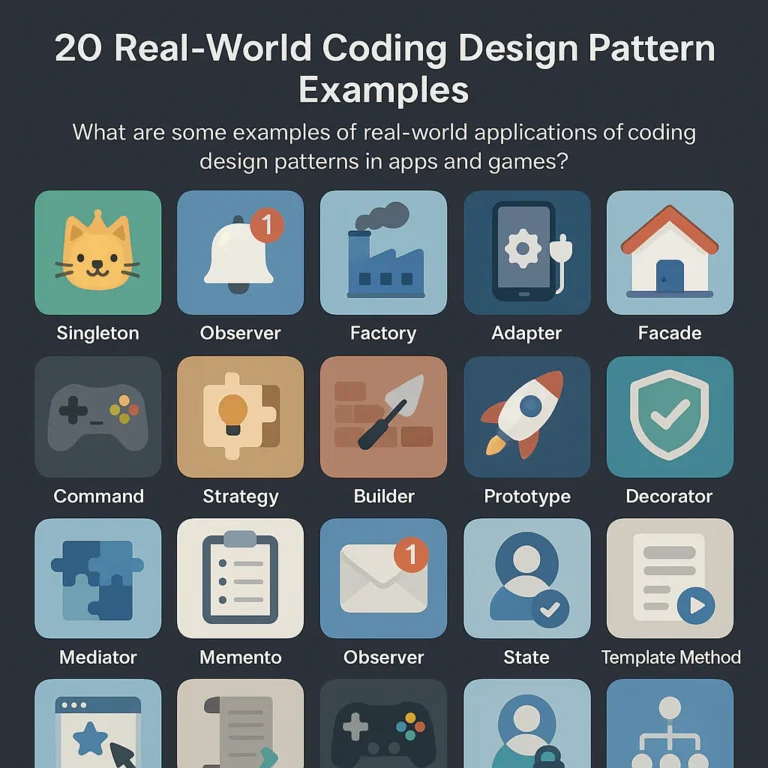
| Behavioral | How objects communicate and divide responsibilities | Observer, Strategy, Command |
These categories are useful filing cabinets, not strict borders. A real application can combine patterns. For example, a Factory Method may create Strategy objects, while a Facade provides a simple interface to the whole feature.
Creational patterns: controlling object creation
Creational patterns help manage the process of making objects. They are useful when direct construction becomes tangled with configuration, platform choices, or complex setup.
Instead of scattering new calls and conditional branches through an app, a factory can centralize the decision. A Builder can make complex configuration easier to read. A Prototype can make copies of configured objects when cloning is appropriate.
Structural patterns: composing classes and objects
Structural patterns organize components into larger structures. They help connect incompatible interfaces, simplify a subsystem, share data, or add behavior without changing an existing class.
An Adapter can wrap a third-party API. A Facade can hide a subsystem’s complexity. A Decorator can add logging or caching around a service while preserving its interface.
Behavioral patterns: coordinating object interactions
Behavioral patterns focus on communication, decisions, and responsibilities. They can help prevent one object from knowing too much about many others.
Observer is useful for notifying subscribers about events. Strategy makes algorithms interchangeable. Command turns an action into an object, which can support queues, replay, or undo. In a game, that last idea can turn a player’s input into a recordable action—a small design decision that becomes surprisingly useful when you add replays.
🏗️ Creational Design Patterns Explained
Creational patterns are about where object-creation decisions live. The goal is not to hide every constructor; it is to avoid making the rest of the program responsible for construction details it should not need to know.
| Pattern | Best suited to | Watch out for |
|---|---|---|
| Abstract Factory | Creating related product families | Factory interfaces can proliferate |
| Builder | Complex objects with optional configuration | A builder can be overkill for a small object |
| Factory Method | Leting a subclass or creator choose a product | Inheritance can constrain the design |
| Prototype | Copying configured instances | Deep-copy behavior can be tricky |
| Singleton | A resource that truly needs one shared instance | Hidden global state and test coupling |
1. Abstract Factory
Abstract Factory provides an interface for creating families of related objects without requiring the caller to know their concrete classes.
Imagine an app that supports light and dark themes. A theme factory could create a matching button, dialog, and color palette. The view code asks for a button; it does not need to know which theme-specific class to instantiate.
ThemeFactory
 ├── createButton()
 └── createDialog()

LightThemeFactory → LightButton, LightDialog
DarkThemeFactory → DarkButton, DarkDialog
``

**Use it when:** You have multiple compatible product families, such as platform-specific UI controls or sets of game assets.

**Benefits:** Keeps related choices consistent and centralizes family selection.

**Drawbacks:** Adding a new kind of product may require changing every factory implementation. If there is only one product family, a simpler factory may be enough.

### 2. Builder

**Builder** separates the construction of a complex object from its final representation. It is especially handy when an object has many optional settings or must be built in a clear sequence.

```text
level = LevelBuilder()
 .withTerrain("forest")
 .withDifficulty("hard")
 .addEnemy("scout")
 .addGoal("find-the-exit")
 .build()
``

That reads more clearly than a constructor with a long line of positional arguments, where one swapped value can turn a forest into a difficulty setting. Builders also work well for test fixtures, configuration objects, and game-level setup.

**Use it when:** Construction has multiple steps, optional parts, validation, or several representations.

**Benefits:** Makes setup readable and can keep partially configured objects from escaping.

**Drawbacks:** Adds builder types and methods. For a small object with two required fields, a direct constructor is usually clearer.

### 3. Factory Method

**Factory Method** defines an object-creation method and lets a creator choose which concrete product to return. It can move type selection away from callers.

```text
notification = notificationFactory.create(channel)
notification.send(message)
``

In a notification app, the factory might select an email, push, or in-app notification implementation. In a game, a level creator could choose different enemy types based on the level configuration.

**Use it when:** Client code should work with an interface while construction varies by condition, platform, or extension point.

**Benefits:** Reduces direct dependence on concrete classes and can make new product types easier to add.

**Drawbacks:** Factory Method is often implemented with inheritance in its classic form. If that creates a rigid hierarchy, composition or a simple function may be a better fit.

### 4. Prototype

**Prototype** creates new objects by copying an existing configured instance instead of constructing each one from scratch.

For example, a game might keep a configured “forest enemy” prototype and clone it when spawning a new enemy. A design tool might duplicate a configured shape, then adjust its position.

**Use it when:** Setup is costly, the object is configured dynamically, or many similar objects need to be created.

**Benefits:** Can simplify creation of complex configured objects and support data-driven workflows.

**Drawbacks:** Copying has edge cases. A **shallow copy** may share nested mutable objects; a **deep copy** can be expensive or incorrect if the object holds file handles, network connections, or other resources. Define what “copy” means before adopting it.

### 5. Singleton

**Singleton** restricts a class to a single shared instance and provides a way to access it. It is often suggested for logers, configuration, or audio managers, but it deserves caution.

A global `AudioManager.instance` may appear convenient in a small game. Later, tests become coupled to shared state, scenes interfere with one another, and setup order starts mattering. The convenience fee arrives with interest. 🙂

**Use it when:** A resource genuinely has one lifecycle and controlled global access is an intentional requirement.

**Benefits:** Enforces a single instance and can provide convenient access.

**Drawbacks:** It can hide dependencies, complicate parallel tests, and create global mutable state. For many apps, **dependency injection** or an explicitly shared service is easier to test and reason about. See the [Microsoft dependency-injection overview](https://learn.microsoft.com/en-us/dotnet/core/extensions/dependency-injection).

## 🧱 Structural Design Patterns Explained

Structural patterns help compose objects and classes without letting relationships become a plate of spaghetti. They are particularly useful when integrating libraries, hiding complex subsystems, or adding behavior around existing components.

| Pattern | Typical problem | Example |
|---|---|---|
| Adapter | Interfaces do not match | Wrap a payment provider |
| Bridge | Abstraction and implementation should vary independently | Shape types and rendering backends |
| Composite | Treat individual items and groups uniformly | Scene graph or file tree |
| Decorator | Add behavior without changing the original type | Add caching or compression |
| Facade | Subsystem has too many details | Simplify app startup |
| Flyweight | Many similar objects consume too much memory | Share immutable game assets |
| Proxy | Control access to another object | Lazy loading, remote access, permissions |

### 6. Adapter

**Adapter** translates one interface into another that a client expects. It is the software equivalent of a travel plug: it helps two things connect, but does not change what either one does internally.

Suppose your app expects a `PaymentProcessor` interface, while a provider’s SDK exposes a differently named API. An adapter can translate your interface calls into provider calls. Your application then depends on its own stable contract rather than every vendor’s vocabulary.

**Benefits:** Isolates third-party or legacy APIs and makes replacements easier.

**Drawbacks:** A thin adapter is useful; an adapter that re-creates an entire incompatible system is a warning sign.

### 7. Bridge

**Bridge** separates an abstraction from its implementation so both can vary independently.

A drawing app might have different shapes—circle, rectangle—and different renders—Canvas, SVG. Without a Bridge, the class list can multiply: CanvasCircle, SVGCircle, CanvasRectangle, SVGRectangle. Bridge separates the shape concept from the rendering mechanism.

**Use it when:** Two dimensions of variation are growing independently.

**Benefits:** Avoids a combinatorial inheritance tree and keeps implementations swappable.

**Drawbacks:** Introduces more objects and interfaces. If only one renderer exists and is unlikely to change, the extra structure may not pay off.

### 8. Composite

**Composite** lets clients treat individual objects and groups of objects through a shared interface. It is a natural fit for tree-shaped structures.

In a game scene, a group might contain a character made of body parts, equipment, and effects. A command such as `update()` can apply to a single object or a whole composite. File systems, nested UI layouts, and organizational charts have similar shapes.

**Benefits:** Simplifies code that processes leaves and groups uniformly.

**Drawbacks:** A universal component interface can become awkward when some operations make sense only for groups or only for leaves. Keep the shared contract meaningful.

### 9. Decorator

**Decorator** wraps an object to add behavior while keeping the same interface. You can layer decorators without changing the original class.

For a service, decorators might add logging, retries, caching, or metrics. A game character could be wrapped with temporary shield or speed-boost behavior, depending on how the game models effects.

```text
Base service → Logging decorator → Caching decorator → Client
``

**Benefits:** Combines optional behaviors flexibly and avoids creating a subclass for every feature combination.

**Drawbacks:** Nested wrappers can make execution flow harder to trace. Good names and tests help keep the “who called whom?” mystery manageable.

### 10. Facade

**Facade** offers a simpler interface to a complicated subsystem. A `GameSession.start()` method might coordinate loading assets, initializing audio, setting up a scene, and starting input.

A Facade does not have to replace the subsystem’s detailed APIs. It gives common workflows a straightforward entry point.

**Benefits:** Reduces the amount of subsystem knowledge clients need and can lower coupling.

**Drawbacks:** A facade can become a “god object” if every unrelated feature is routed through it. Keep its responsibility focused.

### 11. Flyweight

**Flyweight** shares common, usually immutable data among many objects to reduce memory use. It separates shared intrinsic state from per-instance extrinsic state.

A 2D game with thousands of trees might share a tree model, texture, or immutable species data while each tree stores its own position and health.

**Benefits:** Can reduce memory use when many objects share substantial data.

**Drawbacks:** Adds complexity and requires careful separation of shared and unique state. Measure first; modern engines and runtimes may already optimize assets.

### 12. Proxy

**Proxy** provides a stand-in that controls access to another object. Common variations include:

- **Virtual proxy:** Delays loading an expensive resource.
- **Protection proxy:** Checks permissions before access.
- **Remote proxy:** Represents an object accessed over a network.
- **Caching proxy:** Reuses results where appropriate.

A mobile app may show a placeholder image while a proxy loads a large image on demand. A service proxy may perform authentication or request logging.

**Benefits:** Adds access control or lazy behavior without changing the client-facing interface.

**Drawbacks:** Proxies can hide latency, network failure, or other behavior the caller needs to understand. Make those consequences visible in the API.

## 🔄 Behavioral Design Patterns Explained

Behavioral patterns help define how objects communicate and divide work. They are particularly useful when a growing set of conditions has turned one method into a tiny courtroom drama: `if` for this, `else if` for that, and a suspicious exception in the corner.

| Pattern | Main idea | Common use |
|---|---|---|
| Chain of Responsibility | Pass a request through handlers | Middleware, validation |
| Command | Represent an action as an object | Undo, queues, input replay |
| Interpreter | Represent and evaluate a small language | Rules, filters, expressions |
| Iterator | Traverse a collection through a stable interface | Collection access |
| Mediator | Centralize communication among collaborators | UI widgets, game systems |
| Memento | Capture and restore state | Save points, undo |
| Observer | Notify subscribers of changes | Events, UI updates |
| State | Change behavior according to current state | Game character or workflow |
| Strategy | Swap algorithms behind a common interface | Routing, pricing, AI behavior |
| Template Method | Fix an algorithm outline, customize steps | Shared process workflows |
| Visitor | Add operations across a stable object structure | Compilers, document processing |

### 13. Chain of Responsibility

**Chain of Responsibility** passes a request through a sequence of handlers. Each handler can deal with it, reject it, or pass it onward.

An HTTP request might pass through authentication, rate limiting, logging, and routing middleware. In a game, an input event might be offered to the UI first, then the player controller, then the world.

**Benefits:** Separates handlers and makes the chain configurable.

**Drawbacks:** A request can be ignored if no handler accepts it, and tracing the final handler may take extra work. Define ordering and fallback behavior clearly.

### 14. Command

**Command** packages an action as an object or callable value. Instead of immediately performing an action, a system can store, queue, log, replay, or reverse it.

```text
MoveCommand(player, direction).execute()
``

That can support undo and redo in a text editor, queued operations in an app, or input replay in a game. A command can also make keyboard, touch, and controller input use the same action model.

**Benefits:** Decouples the requester from the action’s implementation and supports history or queues.

**Drawbacks:** Commands add types and lifecycle questions. Undo is not automatic: each action must define whether and how it can be reversed.

### 15. Interpreter

**Interpreter** represents and evaluates a small language or grammar. A filter builder, rule engine, or simple game scripting system might interpret expressions such as `health < 20 AND hasPotion`.

**Benefits:** Makes a focused set of rules extensible and can keep user-defined logic out of hard-coded branches.

**Drawbacks:** A custom language requires grammar design, validation, errors, and possibly security controls. Use a parser library or an existing expression language when the requirements exceed a small, well-defined grammar.

### 16. Iterator

**Iterator** provides a way to visit collection elements without exposing the collection’s internal representation.

Most mainstream languages provide iterators or equivalent constructs. A developer may not need to implement the pattern manually, but it remains useful as a design concept: a client can traverse a sequence without caring whether it is backed by an array, tree, or stream.

**Benefits:** Separates traversal from storage and can support different traversal strategies.

**Drawbacks:** Custom iterators can complicate mutation rules and lifecycle management. Prefer the language’s standard collection protocols where they fit.

### 17. Mediator

**Mediator** centralizes communication among a set of collaborators, reducing the number of direct connections between them.

A UI form could use a mediator to coordinate whether the submit button is enabled based on several fields. In a multiplayer game, a match coordinator may manage interactions among players and game phases.

**Benefits:** Reduces point-to-point coupling and gives coordination a clear home.

**Drawbacks:** The mediator can grow into a central “knows everything” object. Split responsibilities as coordination grows.

### 18. Memento

**Memento** captures an object’s state so it can be restored later, without exposing every internal detail to the code that stores the snapshot.

Examples include editor undo, a save point, or restoring a player’s state after a checkpoint. In an app, a draft form can keep a snapshot for recovery.

**Benefits:** Supports rollback and history while encapsulating state.

**Drawbacks:** Snapshots may consume memory, and restoring state becomes complicated when the model changes over time. Consider incremental history or domain-specific save formats for large state.

### 19. Observer

**Observer** lets one object notify subscribers when something changes, without directly depending on every subscriber’s concrete type.

A mobile screen can observe a view model’s state. A game achievement system can subscribe to events such as `enemyDefeated` or `levelCompleted`.

**Benefits:** Encourages loose coupling and supports multiple listeners.

**Drawbacks:** Unmanaged subscriptions can cause memory leaks, duplicate updates, or hard-to-follow event chains. Provide clear subscription lifetimes and name events precisely.

### 20. State

**State** represents distinct states as objects or explicit state handlers, allowing behavior to vary according to the current state.

A game character might move among `Idle`, `Running`, `Jumping`, and `Stunned`. A payment workflow might move through `Pending`, `Authorized`, `Failed`, and `Refunded`.

**Benefits:** Makes state-specific rules explicit and can replace sprawling conditional logic.

**Drawbacks:** A separate class for every trivial state may be overkill. For a small state machine, an enum and a clear transition function may be simpler. Choose based on complexity, not pattern prestige.

### 21. Strategy

**Strategy** encapsulates interchangeable algorithms behind a common interface. The client chooses a strategy without needing to know its internal steps.

A route-planning app could select walking, driving, or cycling routes. A game might swap enemy tactics based on difficulty, or an app could choose among supported compression methods.

**Benefits:** Adds or changes algorithms with less impact on callers and makes targeted testing easier.

**Drawbacks:** If there is only one algorithm, an interface may add no meaningful flexibility. Keep strategy selection understandable: an abstraction is not a substitute for a product decision.

### 22. Template Method

**Template Method** defines the outline of an algorithm while allowing selected steps to vary, often through subclasses or hooks.

A data-import workflow might always validate, parse, transform, and save, while different file formats customize parsing. A game’s turn sequence might keep the same broad stages while subclasses vary particular rules.

**Benefits:** Reuses a stable workflow and highlights variation points.

**Drawbacks:** Inheritance-based customization can make behavior harder to compose. If multiple independent variations are needed, Strategy or composition may be more flexible.

### 23. Visitor

**Visitor** separates operations from the object structures on which they operate. It can be useful when the structure is stable but new operations are added often.

A compiler may traverse syntax-tree nodes to generate code, report diagnostics, or calculate metrics. A document system might visit elements to export different formats.

**Benefits:** Adds operations without placing all operation logic inside each element type.

**Drawbacks:** Adding a new element type can require updating every visitor. Visitor works best when the object structure changes less frequently than the operations.

## ⚙️ Concurrency and Parallel Programming Patterns

Concurrency patterns address coordination among tasks that may run at the same time. They matter in server software, mobile apps, game engines, and any system handling background work.

| Pattern | What it does | Common setting |
|---|---|---|
| **Thread pool** | Reuses a bounded set of worker threads | Servers, background jobs |
| **Active Object** | Separates method invocation from execution | Asynchronous systems |
| **Read–write lock** | Allows concurrent reads but exclusive writes | Shared in-memory data |
| **Monitor** | Coordinates access through synchronized operations | Shared mutable state |
| **Reactor** | Dispatches events to handlers | Network and event-loop systems |
| **Scheduler** | Determines when and where work runs | Job processing, animation tasks |

### Common concurrency pattern examples

A **thread pool** queues tasks and assigns them to a limited collection of worker threads, avoiding the cost and risk of creating an unbounded thread for every task. A mobile app might use background workers to decode images or process data while keeping the UI responsive.

A **read–write lock** can allow multiple readers at once but exclusive access for writers. It can help when reads are frequent and writes are rare—but it may introduce contention or starvation if used poorly.

An **event loop** processes work through a queue, a model used by many user-interface and JavaScript environments. In a game engine, update and rendering loops coordinate frame work. The [Java concurrency documentation](https://docs.oracle.com/javase/tutorial/essential/concurrency/) and [Microsoft’s .NET concurrency guidance](https://learn.microsoft.com/en-us/dotnet/standard/parallel-programming/) explain platform-specific mechanisms in more detail.

### Thread safety, synchronization, and pitfalls

Concurrency patterns are not magic safety stickers. Shared mutable state still needs a clear ownership or synchronization strategy.

- Prefer **immutable data** or single ownership where practical.
- Keep lock scope small, but not so small that invariants can break between operations.
- Avoid acquiring locks inconsistent orders; deadlocks love a disorganized meeting.
- Use the platform’s established task and threading abstractions where possible.
- Measure contention and latency rather than guessing.
- Be cautious with **double-checked locking**: its correctness depends on memory-model and implementation details. Prefer a language-supported lazy-initialization mechanism.

In game code, a common practical strategy is to keep gameplay state on a main simulation thread and send messages or jobs to worker threads for suitable tasks. In server code, bounded queues and backpressure can matter as much as worker count.

## 🌐 Architectural and Domain-Specific Patterns

Design patterns usually operate inside a component or feature; architectural patterns describe broader system organization. The boundary is not always exact, but the scale is different. A Strategy may select an algorithm inside a service. Microservices describe how independently deployable system components are organized.

### MVC, MVP, and MVM

These presentation patterns separate interface concerns from application data and behavior. Names and responsibilities vary by framework, so check the framework’s definition rather than assuming every “ViewModel” means precisely the same thing.

| Pattern | Typical separation | Often seen in |
|---|---|---|
| **MVC** | Model, view, controller | Web and desktop applications |
| **MVP** | View communicates through a presenter | Testable UI architecture |
| **MVM** (sometimes mistyped MVM) | View binds to view-model state | Modern UI frameworks |

The aim is not to create three files for every screen. It is to separate responsibilities enough that view rendering, user interaction, and application state do not become inseparable. Frameworks such as [Apple’s SwiftUI](https://developer.apple.com/xcode/swiftui/) and [Android’s architecture guidance](https://developer.android.com/topic/architecture) offer their own recommendations and conventions.

### Repository, Unit of Work, and Dependency Injection

- **Repository:** Presents a collection-like interface for accessing domain data, hiding details of storage or queries.
- **Unit of Work:** Tracks changes across a transaction or work session so related updates can be coordinated.
- **Dependency Injection (DI):** Supplies a component’s dependencies from outside instead of having it construct them internally.

These ideas can improve testability and keep business logic independent of a database or service provider. They can also become unnecessary layers if each simply forwards calls without adding a useful boundary. In back-end projects, our [Back-End Technologies](https://stackinterface.com/category/back-end-technologies/) resources cover related system and data-access topics.

### Microservices, event-driven, and cloud patterns

System-level patterns address distributed concerns such as network failure, scaling, deployment, and asynchronous communication. Examples include:

- **Circuit Breaker:** Stops repeatedly calling a failing dependency for a period.
- **Retry with backoff:** Retries a transient failure with increasing delays.
- **Bulkhead:** Isolates resources so one failing subsystem does not exhaust everything.
- **Event-driven architecture:** Communicates through events rather than only direct synchronous calls.
- **CQRS:** Separates command handling from query models in systems where that separation is justified.
- **Outbox pattern:** Helps reliably publish events alongside database changes.

These are not substitutes for the 23 GoF patterns; they solve problems at a broader level. Distributed systems bring partial failure, latency, and consistency trade-offs that a class-level pattern cannot make disappear. The [Microsoft Cloud Design Patterns guide](https://learn.microsoft.com/en-us/azure/architecture/patterns/) is a useful reference.

### When a domain-specific pattern is a better fit

A general-purpose pattern may not capture the problem you actually have. Game development, data engineering, and AI systems all have specialized patterns and constraints.

For games, examples include **Entity Component System (ECS)**, **object pooling**, **scene graphs**, and **state machines**. For data pipelines, staged transformations, idempotent processing, and checkpointing may matter more than an object-oriented class diagram. For AI-related software, model serving, evaluation, and data lineage can shape the design. Browse our [Data Science](https://stackinterface.com/category/data-science/) and [AI in Software Development](https://stackinterface.com/category/ai-in-software-development/) categories for adjacent topics.

## 💻 Design Patterns in Object-Oriented Programming

The classic GoF patterns are strongly associated with object-oriented programming (OP), especially classes, interfaces, inheritance, and composition. That association is historical and useful, but it does not mean every pattern must be implemented as a set of classes.

### Composition over inheritance

Inheritance can express an “is-a” relationship and reuse behavior, but deep hierarchies can become difficult to change. **Composition** builds behavior by combining smaller collaborators.

For example, instead of making `ArmoredFlyingPlayerCharacter` inherit through several specialized subclasses, a game could compose a character from movement, health, equipment, and ability components. That can make combinations easier to manage.

Composition is not a rule to apply blindly either. Inheritance can be appropriate when the subtype relationship is real and stable. The practical goal is to avoid fragile hierarchies where a change at the top unexpectedly affects every branch.

### Interfaces, abstraction, and polymorphism

An interface describes what a component can do without requiring callers to know how it does it. Polymorphism lets different implementations respond to the same operation.

```text
Storage.save(data)

LocalStorage.save(data)
CloudStorage.save(data)
MockStorage.save(data)
``

The caller depends on the capability—`save`—rather than a concrete storage provider. This can enable Strategy, Adapter, or Dependency Injection designs, but an interface is most useful when it creates a meaningful boundary or variation point.

### Applying patterns in functional programming

Functional programming uses different tools—higher-order functions, immutable data, algebraic data types, and composition—to express many of the same ideas. A Strategy may simply be a function passed as an argument. An Observer-style relationship may use streams or event publishers. A State design may be represented with explicit values and pure transition functions.

That is why pattern names do not always map one-to-one across paradigms. **Look for the design intent, not a mandatory class diagram.** As Norvig’s language comparison illustrates, expressive language features can simplify a pattern’s implementation without eliminating the underlying problem.

## 🧪 Design Pattern Examples in Popular Languages

The pattern’s intent can remain stable across languages, while syntax and idioms differ. Here is a quick comparison of how developers might express a Strategy-like design.

| Language | Common expression | Practical consideration |
|---|---|---|
| Java | Interface and implementation classes | Works well with explicit type contracts |
| C# | Interface, delegates, or dependency injection | Framework DI is common in application code |
| Python | Functions, protocols, or classes | Duck typing may make a formal hierarchy unnecessary |
| JavaScript/TypeScript | Functions, objects, modules, or interfaces in TypeScript | Closures and framework conventions often shape the solution |

### Java and C# examples

In Java, Strategy is often expressed through an interface with several implementations:

```java
interface DiscountStrategy {
 double apply(double subtotal);
}

final class MemberDiscount implements DiscountStrategy {
 public double apply(double subtotal) {
 return subtotal * 0.90;
 }
``

In C#, the same idea might use an interface, a delegate, or a service registered through dependency injection. The best choice depends on whether the behavior has state, needs a name and contract, or is simply a small function.

For Android apps, patterns should also fit the platform lifecycle. A long-lived singleton that holds an Activity reference, for example, can create lifecycle and memory problems. Follow the [Android architecture recommendations](https://developer.android.com/topic/architecture) and test lifecycle-sensitive behavior.

### Python and JavaScript examples

Python’s callable objects and duck typing make some patterns lightweight:

```python
def member_discount(subtotal):
 return subtotal * 0.90

def total_after_discount(subtotal, strategy):
 return strategy(subtotal)
``

JavaScript can use functions as Strategy objects, while TypeScript can add an explicit interface when a stronger contract improves clarity. Modern language capabilities often reduce boilerplate; that does not make the design intent irrelevant.

For a video overview, Fireship’s [“10 Design Patterns Explained in 10 Minutes”](#featured-video) demonstrates ten familiar patterns with JavaScript and TypeScript examples. It is a brisk visual introduction; use a deeper reference when you need to understand trade-offs and implementation details.

### Choosing patterns for web and mobile applications

A web or mobile app often benefits from patterns that manage integration and change:

- **Adapter** for wrapping an external API or SDK
- **Facade** for simplifying a complex feature subsystem
- **Observer** or an event stream for state updates
- **Strategy** for interchangeable policies or algorithms
- **Repository** for separating data access from domain behavior
- **Command** for queued actions, retries, or undoable workflows

Use framework-supported approaches when available. For example, a UI framework may already provide observable state or dependency injection. Avoid recreating the framework’s machinery with a custom pattern unless you have a clear reason.

## 🛠️ How to Choose and Implement a Design Pattern

Choosing a pattern should begin with the design problem, not the pattern catalog. The catalog is a map; it is not a treasure hunt where every project must find all 23. 🗺️

### A practical pattern-selection checklist

Before applying a pattern, ask:

1. **What changes or causes pain today?** Name the actual problem.
2. **Is the problem recurring?** A one-off case may need only a direct solution.
3. **What is coupled to what?** Identify dependencies, not just class names.
4. **What variation do you expect?** Algorithms, providers, states, or object families?
5. **What is the smallest useful abstraction?** Could a function, interface, or composition solve it?
6. **Does the language or framework already provide it?** Avoid duplicate machinery.
7. **How will you test it?** A pattern should make important behavior easier to verify.
8. **What new complexity does it introduce?** Include indirection, state, memory, and team learning.
9. **Can teammates explain the design?** Clarity matters more than diagram elegance.

### Recognizing problems a pattern can solve

Patterns become useful when you can point to concrete symptoms:

| Code symptom | Patterns worth investigating | First thing to check |
|---|---|---|
| Large conditional chooses among algorithms | Strategy, State | Are these truly separate behaviors? |
| Construction logic repeated across callers | Factory Method, Builder | Is creation actually complex or variable? |
| Third-party interface leaks throughout the app | Adapter | Where should the integration boundary live? |
| Many objects communicate directly | Mediator, Observer | Can communication be simplified without hiding control flow? |
| Same operation must be undone or queued | Command, Memento | What state must be captured? |
| Complex subsystem has a difficult entry point | Facade | Which common workflows need simplification? |
| Similar objects consume substantial memory | Flyweight, object pool | Has profiling confirmed memory pressure? |

A pattern is a candidate, not a diagnosis. A long conditional may be perfectly readable if it is small and stable. A game object pool may hurt performance or complicate lifecycle management if allocations are not a real bottleneck.

### Refactoring toward a pattern safely

A low-risk workflow looks like this:

1. **Capture current behavior with tests** or a reproducible manual scenario.
2. **Identify the changing responsibility** and the callers affected by it.
3. **Create the smallest boundary** that separates that responsibility.
4. **Move one implementation behind the boundary.**
5. **Run tests and inspect behavior**, especially error and lifecycle cases.
6. **Add a second implementation only when the need exists** or is demonstrably imminent.
7. **Rename around intent**, not around the pattern label.
8. **Measure performance and complexity** if either is a concern.

For example, if a payment method conditional is growing, first extract the existing payment logic behind a common contract. Add another provider only when required. Do not build a universal payment orchestration platform because a second option might arrive someday—future requirements are famously bad at reading our class diagrams.

## 🚫 Common Design Pattern Mistakes

Patterns should reduce design friction. If they instead make the system harder to understand, the implementation may be solving the wrong problem.

### Overengineering and pattern overuse

Common warning signs include:

- Creating an interface for a single stable implementation with no meaningful boundary
- Adding factories that only wrap one constructor
- Splitting a short, readable function into a maze of tiny classes
- Building for hypothetical future requirements without evidence
- Using pattern names as a substitute for explaining behavior

The best design can be the one with **fewer moving parts**. You do not lose engineering points for writing a clear `if` statement.

### Misusing Singleton and inheritance

A Singleton can make dependencies invisible and tests order-dependent. If a component needs a shared instance, consider passing it explicitly through a composition root or using your framework’s dependency injection.

Inheritance can also become a trap when subclasses are created just to mix and match features. A character subclass for every combination of weapon, movement type, and status effect quickly becomes a hierarchy-shaped spreadsheet. Prefer composition when behaviors vary independently.

### Ignoring testing, performance, and team context

A pattern should fit the team and the runtime:

- **Testing:** Can you verify the behavior without elaborate setup?
- **Performance:** Does the added indirection or allocation matter in a hot path?
- **Lifecycle:** Does the object live longer than the resources it references?
- **Team context:** Will maintainers recognize the design or need a short explanation?
- **Language:** Is a native feature simpler than a manual pattern implementation?

In a mobile app, memory leaks and lifecycle mistakes may matter more than theoretical class elegance. In a game, predictable frame time may outweigh a highly flexible abstraction. On a back-end service, resilience and observability may be the main design forces.

## 📝 Design Pattern Documentation and Team Communication

A pattern’s name helps, but good documentation explains **why it exists here**. “We use Observer” tells a new developer less than “The UI subscribes to inventory changes so the inventory service does not depend on screen classes.”

### How to document a pattern in code

A useful pattern note can include:

- **Intent:** What problem does this structure solve in this codebase?
- **Context:** What constraints or recurring change led to it?
- **Participants:** Which components play the main roles?
- **Flow:** How does a request, event, or state change travel?
- **Trade-offs:** What complexity, lifecycle, or performance cost did we accept?
- **Extension point:** What should a developer change when adding another implementation?
- **Tests:** Where is expected behavior verified?

Keep documentation close to the relevant code where possible. Avoid a diagram that drifts out of date while the implementation evolves.

### Pattern names as a shared engineering vocabulary

A shared pattern vocabulary can make code reviews more precise: “Could this be a Strategy?” is a useful invitation to discuss interchangeable behavior. It is not a verdict. Ask what change the pattern supports, what costs it adds, and whether the team’s language or framework already offers a simpler equivalent.

The strongest pattern discussions connect the name to a concrete requirement. If the explanation stops at “because this is the standard way,” ask one more question: **standard for which problem, and what does it cost here?**

## 📚 How to Learn Design Patterns Through Practice

Memorizing pattern names is less useful than recognizing the situations they address. Learn a pattern by comparing a simple implementation with a pattern-based alternative, then deciding which one is easier to change and test.

### Beginer-friendly coding exercises

Try these small projects:

- **Strategy:** Build a route or pricing calculator with two interchangeable algorithms.
- **Observer:** Notify a UI or logger when a game score changes.
- **Command:** Implement undo for a simple drawing app.
- **Factory Method:** Create different enemy types from a level configuration.
- **Adapter:** Wrap a mock external service behind your own interface.
- **State:** Model a player character’s idle, running, jumping, and stunned states.
- **Facade:** Give a multi-step save workflow one simple entry point.
- **Composite:** Represent a folder tree or nested game scene.

Keep the first version simple. Then introduce a new requirement and see where the code resists change. That resistance is the learning material.

### Reading and improving real-world code

When studying a codebase, look for patterns in context rather than hunting for names:

- Where are dependencies created?
- Which classes have many unrelated reasons to change?
- Are there repeated branches selecting behavior?
- Does the code use events, callbacks, or message queues?
- Is a framework already supplying the pattern?
- Can you follow a request from the UI to storage and back?

Use tests and small refactors to verify your interpretation. A class called `Factory` may not meaningfully implement Factory Method; a simple function may do the same job more clearly. **The intent matters more than the label.**

### A roadmap for learning patterns by category

A practical sequence:

1. Learn basic OP concepts and the principles behind [SOLID](https://www.geksforgeks.org/system-design/solid-principle-in-programing-understand-with-real-life-examples/).
2. Start with Strategy, Adapter, Observer, and Factory Method; they appear in many app and game designs.
3. Practice Command and State interactive software.
4. Study Builder, Facade, Decorator, and Composite through real code.
5. Explore concurrency and system-level patterns only when the project’s requirements call for them.
6. Compare implementations in your primary language and framework.
7. Revisit each pattern’s drawbacks and alternatives.

The goal is not to collect a complete pattern vocabulary. It is to get better at choosing the least complicated design that still handles the real problem.

## 🔗 Related Software Design Concepts

Design patterns are one part of software design. They work best alongside sound principles, code review, testing, and an understanding of the problem domain.

### SOLID principles and clean code

SOLID is a set of design principles often used to discuss object-oriented software:

- **Single Responsibility:** Give a component a focused reason to change.
- **Open–Closed:** Make suitable extension possible without repeatedly rewriting stable code.
- **Liskov Substitution:** Keep subtypes usable where their base abstractions are expected.
- **Interface Segregation:** Avoid forcing clients to depend on operations they do not need.
- **Dependency Inversion:** Depend on appropriate abstractions rather than fragile concrete details.

These principles can guide pattern choices, but they do not require a specific pattern. For example, Strategy may support extension, while a direct function might satisfy the same need more simply. Keep the principle, evaluate the implementation.

### Refactoring and code smells

A code smell is a clue that a design may be difficult to maintain, not proof that a pattern is required. Examples include duplicated logic, long conditionals, giant classes, and highly coupled modules.

Refactoring changes structure while preserving behavior. Tests provide confidence that the change did not quietly alter what the user sees. The [Martin Fowler refactoring catalog](https://refactoring.com/catalog/) is a respected reference for common transformations.

### Anti-patterns and alternatives

An **anti-pattern** is a recurring approach that tends to create more problems than it solves. Examples often discussed include God Object, Spaghetti Code, and misuse of global state.

A pattern can become anti-pattern when applied mechanically. Singleton, for instance, may be suitable for a carefully controlled process-wide resource, but using it to avoid dependency management can make code harder to test. Before adding an abstraction, compare it with:

- A small function
- A direct constructor
- A data-driven configuration
- A language or framework feature
- A simpler composition boundary
- Doing nothing until a real change appears

The right design is not always the most flexible one. It is the one that handles the important changes without making ordinary work harder.