Support our educational content for free when you purchase through links on our site. Learn more
🎮 12 Key Features to Choose the Best Cross-Platform Game Framework (2026)

Cross-platform game development is no longer just a buzzword—it’s the secret sauce behind some of the biggest gaming successes today. Did you know that cross-play users in popular titles like Fortnite spend over 570% more time in-game? That’s the power of reaching players across devices seamlessly! But with a dizzying array of game frameworks out there, how do you pick the one that will truly level up your development process without turning into a coding nightmare?
In this article, we’ll break down the 12 essential features you absolutely must consider when selecting a video game framework for cross-platform development. From multi-platform support and performance optimization to community strength and licensing nuances, we’ve got you covered. Plus, we’ll spotlight the top frameworks of 2026—Unity, Unreal Engine, Godot, and more—so you can see how they stack up against these criteria. Ready to find your perfect match and build smarter, faster, and better? Let’s dive in!
🎯 Key Takeaways
- Multi-platform support is critical: ensure your framework truly supports all your target devices with optimized builds.
- Performance and hardware access can make or break player experience—choose frameworks with strong profiling and optimization tools.
- Developer experience matters: pick languages and IDEs your team loves to work with to boost productivity.
- Community and documentation are your lifelines when facing development hurdles.
- Licensing models vary widely—understand costs and royalties upfront to avoid surprises.
- Prototype early with shortlisted frameworks to uncover hidden challenges before committing.
For a deep dive into the best frameworks and how they measure up, keep reading! Your next game’s success depends on it.
Table of Contents
- ⚡️ Quick Tips and Facts About Cross-Platform Game Frameworks
- 🎮 The Evolution of Cross-Platform Game Development Frameworks
- 🕹️ What Exactly Is a Video Game Framework?
- 💡 Why Choosing the Right Game Framework Is a Game-Changer
- 🚀 The Modern Landscape of Cross-Platform Game Frameworks
- 🔑 12 Essential Features to Consider When Selecting a Cross-Platform Game Framework
- 1. Multi-Platform Support: Covering All Your Bases
- 2. Performance Optimization and Hardware Access
- 3. Programming Languages and Developer Experience
- 4. Graphics and Rendering Capabilities
- 5. Integrated Development Environment (IDE) and Tooling
- 6. Community Support and Documentation Quality
- 7. Licensing Models and Cost Considerations
- 8. Extensibility and Plugin Ecosystem
- 9. Debugging, Testing, and Profiling Tools
- 10. Asset Management and Pipeline Integration
- 11. Network and Multiplayer Support
- 12. Future-Proofing and Update Frequency
- 🎯 How to Evaluate and Compare Popular Cross-Platform Game Frameworks
- 🔥 Spotlight on Top Cross-Platform Game Frameworks in 2025
- 🛠️ Practical Tips for Accelerating Your Cross-Platform Game Development
- 🤔 Frequently Asked Questions About Cross-Platform Game Frameworks
- 📊 Comparison Table: Top Cross-Platform Game Frameworks Features at a Glance
- 🎉 Key Takeaways: Mastering Your Framework Selection
- 📚 Recommended Links for Deep Dives and Tutorials
- 🔗 Reference Links and Credible Sources
- 🏁 Conclusion: Level Up Your Game Development Strategy
⚡️ Quick Tips and Facts About Cross-Platform Game Frameworks
Alright, fellow game developers and tech enthusiasts! At Stack Interface™, we’ve been in the trenches, shipping games across every conceivable device, and we know a thing or two about the magic (and occasional madness) of cross-platform development. Before we dive deep, here are some rapid-fire insights to get your brain buzzing:
- Wider Reach, Bigger Impact: Did you know that over 60% of Fortnite players use cross-play? This isn’t just a fun fact; it’s a testament to the power of reaching a broader audience. Cross-platform development isn’t just a trend; it’s a strategic imperative for maximizing your game’s potential.
- Code Once, Deploy Everywhere (Almost!): The dream of writing your game’s core logic once and deploying it to PC, mobile, and consoles is largely achievable with modern frameworks. This significantly reduces development time and costs.
- Performance is Paramount: While cross-platform offers convenience, it often comes with performance considerations. As Incredibuild wisely notes, “Choosing a game engine is as much about acceleration as it is about features (speed matters!)” – so optimization tools are your best friend.
- Community is King: Stuck on a tricky bug? Need a specific asset? A vibrant community and extensive documentation can be a lifesaver. Engines like Unity and Godot thrive on their active developer ecosystems.
- Not All Frameworks Are Created Equal: What’s perfect for a 2D indie mobile game might be a nightmare for a AAA 3D console title. Matching the framework to your project’s scope and team’s skill set is crucial.
- Learning the Fundamentals First: As the Arduino forum wisely suggests, “If she is just starting, pick a language she might study later in school like Python and make sure she spends time on the fundamentals of programming.” Don’t jump straight into complex engines without a solid coding foundation!
- The Future is Cloud-Powered: Cloud gaming is rapidly accelerating multi-device access, reducing hardware limitations and making cross-platform even more seamless.
So, how do you navigate this exciting, yet complex, landscape to pick the perfect partner for your next gaming masterpiece? Let’s unravel the mystery!
🎮 The Evolution of Cross-Platform Game Development Frameworks
Remember the good old days? When developing a game for a new platform meant practically rewriting the entire codebase from scratch? Shudders. We at Stack Interface™ certainly do! It was a wild west of proprietary APIs, platform-specific languages, and endless porting headaches. If you wanted your game on PC, then on PlayStation, and then maybe on a nascent mobile device, you were essentially building three different games. Talk about a development nightmare!
This era, let’s call it the “Native Niche,” was characterized by deep hardware integration and unparalleled performance for that specific platform. Think of classic console exclusives that pushed their hardware to the absolute limit. However, as the gaming market exploded with new devices – from smartphones and tablets to diverse PC operating systems and multiple console generations – this approach became unsustainable for most studios. The cost, time, and sheer engineering effort required to maintain separate codebases for each platform became prohibitive.
Enter the cross-platform game development framework. The initial attempts were often clunky, sacrificing performance and native feel for the sake of portability. Early solutions might have involved complex abstraction layers or limited feature sets. But over time, driven by the insatiable demand for games on every screen, these frameworks evolved dramatically.
Today, we’re in an era where sophisticated engines like Unity and Unreal Engine offer robust tools that allow developers to target dozens of platforms from a single project. This evolution wasn’t just about code reuse; it was about creating comprehensive ecosystems that include visual editors, asset pipelines, debugging tools, and vibrant communities. The goal? To empower developers to focus on creativity and gameplay, rather than wrestling with platform-specific minutiae. This shift has democratized game development, allowing smaller teams and indie studios to compete on a global scale, reaching players wherever they are. It’s truly a testament to innovation in the Game Development space!
🕹️ What Exactly Is a Video Game Framework?
Hold on a minute, you might be thinking, “Framework? Engine? What’s the difference, Stack Interface™?” Great question! While the terms “game engine” and “game framework” are often used interchangeably in casual conversation, especially when discussing comprehensive solutions like Unity or Unreal, there’s a subtle but important distinction that can impact your development choices.
At its core, a video game framework is a set of pre-written code libraries, tools, and guidelines that provide a structured foundation for building games. Think of it as a partially built house: the foundation, walls, and roof are already there, and you just need to add the furniture, paint, and personal touches to make it a home. It handles the common, repetitive tasks of game development, allowing you to focus on the unique aspects of your game.
Key Components of a Game Framework:
- Rendering System: Manages how graphics are drawn to the screen (2D sprites, 3D models, lighting, shaders).
- Physics Engine: Simulates realistic interactions between objects (gravity, collisions, forces).
- Input Handling: Processes user input from various devices (keyboard, mouse, touch, gamepad).
- Audio Engine: Manages sound effects and background music.
- Asset Management: Helps organize and load game assets (images, sounds, models).
- Memory Management: Optimizes how the game uses computer memory.
- Networking: Provides tools for creating multiplayer experiences.
A game engine, on the other hand, is generally a more comprehensive, all-in-one development environment that includes a framework, along with a visual editor, a full suite of integrated tools (like animation editors, level designers, profiling tools), and often a specific workflow. Unity and Unreal Engine are prime examples of full-fledged game engines. They offer a highly opinionated structure and a rich visual interface that abstracts away much of the underlying code.
Why the distinction matters:
- Frameworks (e.g., Phaser, MonoGame, Cocos2d-x): Offer more flexibility and control, often requiring more coding. They are excellent for developers who want to build from the ground up, have specific performance needs, or prefer a minimalist approach. They typically provide the code to build a game, but less of the visual tooling.
- Engines (e.g., Unity, Unreal, Godot): Provide a faster development cycle with powerful visual tools and a more integrated experience. They are ideal for teams looking for a complete solution, especially for complex 2D/3D games, and often come with a steeper learning curve due to their vast feature sets.
For the purpose of this article, when we talk about “cross-platform game frameworks,” we’re generally referring to these comprehensive engine-like solutions that provide everything you need to build and deploy your game across multiple devices. It’s all about giving you the power to create, without getting bogged down in the nitty-gritty of every single platform’s quirks!
💡 Why Choosing the Right Game Framework Is a Game-Changer
Picking a game framework isn’t just another item on your development checklist; it’s a foundational decision that can make or break your project. Seriously, we’ve seen brilliant game concepts wither on the vine because the underlying technology couldn’t keep up, or development costs spiraled out of control. It’s like choosing the right foundation for a skyscraper – get it wrong, and the whole thing could come tumbling down!
The Stakes Are High:
- Audience Reach: As GIANTY points out, cross-platform development leads to a “wider audience reach.” Imagine building a fantastic game, only for it to be locked to a single platform. You’re leaving a massive chunk of potential players (and revenue!) on the table. A good cross-platform framework opens the floodgates, allowing your game to thrive on PCs, consoles, mobile devices, and even web browsers. This means more downloads, more engagement, and ultimately, a more successful game.
- Cost and Time Efficiency: This is where cross-platform truly shines. “Single architecture reduces engineering hours and development costs,” states GIANTY. Instead of maintaining separate codebases, art assets, and testing pipelines for each platform, you’re largely working on one unified project. This translates to significant savings in both money and precious development time. Our team at Stack Interface™ has personally experienced the joy of pushing a single patch that fixes bugs across all platforms simultaneously – a true marvel of modern Coding Best Practices!
- Developer Productivity & Morale: When your tools work with you, not against you, productivity soars. A framework that aligns with your team’s skills, offers intuitive workflows, and provides robust debugging tools keeps morale high. Conversely, a clunky, poorly documented, or restrictive framework can lead to frustration, burnout, and costly delays.
- Future-Proofing Your Project: The tech landscape is constantly evolving. New platforms emerge, operating systems update, and hardware capabilities advance. A well-chosen framework, especially one with active development and a strong community, is more likely to adapt to these changes, ensuring your game remains playable and relevant for years to come.
The Pitfalls of a Poor Choice:
❌ Development Hell: Imagine trying to force a square peg into a round hole. If your framework isn’t suited for your game’s genre or complexity, you’ll spend countless hours fighting the tools instead of building your game. ❌ Performance Bottlenecks: A framework that can’t deliver the required performance on your target platforms will lead to a sluggish, frustrating player experience. This can quickly tank your game’s reviews and reputation. ❌ Limited Scalability: What if your game becomes a runaway success? Can your chosen framework scale to handle millions of players, complex online features, or future expansions? A restrictive framework can become a ceiling on your game’s potential. ❌ Maintenance Nightmares: If the framework is poorly supported or has a small community, you might find yourself isolated when problems arise, leading to expensive custom fixes or even abandoning the project.
In essence, your framework choice isn’t just about coding; it’s about strategic business planning, risk mitigation, and setting your game up for long-term success. It’s the bedrock upon which your entire creative vision will stand.
🚀 The Modern Landscape of Cross-Platform Game Frameworks
The world of game development is a vibrant, ever-shifting tapestry, and the modern landscape of cross-platform game frameworks is no exception. Gone are the days when a single engine dominated; today, we’re spoiled for choice, each framework vying for attention with unique strengths and philosophies. It’s a truly exciting time to be a game developer!
What defines this modern landscape? Several key trends and innovations stand out:
- Democratization of Development: Powerful engines are more accessible than ever. Free tiers, open-source options, and extensive learning resources mean that aspiring developers, indie studios, and even hobbyists can access tools once reserved for large corporations. This has fueled an explosion of creativity and diverse game experiences.
- Visual Scripting & Low-Code Solutions: For those who prefer a less code-heavy approach, visual scripting tools like Unreal Engine’s Blueprints or drag-and-drop interfaces in engines like Construct 3 are becoming increasingly sophisticated. This lowers the barrier to entry, allowing designers and artists to prototype and even build games without deep programming knowledge.
- Cloud Gaming Integration: The rise of services like Xbox Cloud Gaming, NVIDIA GeForce NOW, and Amazon Luna is fundamentally changing how games are delivered and played. Modern frameworks are increasingly designed with cloud deployment in mind, optimizing for streaming and reducing reliance on local hardware. This means your game can reach players on virtually any device with an internet connection, from smart TVs to low-spec laptops.
- AI-Powered Development Tools: We’re seeing the nascent stages of AI assisting in various aspects of game development, from asset generation to code completion and even intelligent testing. While still evolving, this promises to further accelerate workflows and enhance the capabilities of developers. Our team at Stack Interface™ is particularly excited about the potential of AI in Software Development to revolutionize game creation.
- Specialization and Niche Frameworks: While Unity and Unreal remain the titans, there’s a growing ecosystem of specialized frameworks. Phaser excels at web-based 2D games, Cocos Creator targets mobile-first development, and Defold offers a lightweight, performant option for smaller teams. This allows developers to pick a tool perfectly tailored to their specific project needs, rather than trying to fit a square peg into a round hole.
- Community-Driven Innovation: Open-source projects like Godot Engine are thriving, powered by passionate global communities. This collaborative approach leads to rapid iteration, transparent development, and a framework that truly reflects the needs of its users.
The modern landscape is a testament to the industry’s drive for efficiency, accessibility, and innovation. It’s a world where your game can truly live on any screen, and the tools to make that happen are more powerful and diverse than ever before. But with great power comes great responsibility… the responsibility to choose wisely!
🔑 12 Essential Features to Consider When Selecting a Cross-Platform Game Framework
Alright, this is where the rubber meets the road! Choosing a cross-platform game framework isn’t about picking the “best” one in a vacuum; it’s about finding the best fit for your specific project, your team, and your vision. At Stack Interface™, we’ve distilled years of experience into these 12 critical features. Consider this your ultimate checklist for making an informed decision.
1. Multi-Platform Support: Covering All Your Bases
This might seem obvious, given the topic, but the extent and quality of multi-platform support vary wildly. Don’t just assume a framework supports “everything”; dig into the specifics!
-
What to Look For:
- Breadth of Platforms: Does it support your primary targets (Windows, macOS, Linux, iOS, Android)? What about consoles (PlayStation, Xbox, Nintendo Switch)? Web (HTML5)? VR/AR?
- Quality of Exports: Are the builds for each platform optimized and stable, or do they feel like afterthoughts?
- Platform-Specific Features: Can you easily integrate platform-specific APIs (e.g., haptics on mobile, console achievements, specific input methods)?
-
Stack Interface™ Insight: We’ve learned that while a framework might list support for 20+ platforms, the reality can be that only a handful are truly robust and well-maintained. Always check recent success stories on your target platforms. For instance, Unity is renowned for its broad support, including Windows, Mac, Linux, iOS, Android, Switch, Xbox, PS4, and even Tizen, as noted by Incredibuild. Unreal Engine 5, meanwhile, is a powerhouse for next-gen consoles like PlayStation 5 and Xbox Series X, alongside PC.
-
Why it Matters: A wider reach means a larger potential audience, as GIANTY highlights, leading to increased engagement and revenue. It also future-proofs your game against shifts in market dominance.
-
✅ Good Example: Unity’s extensive platform support and robust export pipeline.
-
❌ Bad Example: A framework that claims console support but requires significant custom workarounds for basic features.
2. Performance Optimization and Hardware Access
Speed, responsiveness, and efficient resource utilization are non-negotiable for a great gaming experience. Cross-platform development often introduces an abstraction layer, which can sometimes come at a performance cost.
-
What to Look For:
- Rendering Efficiency: How well does it handle complex scenes, high polygon counts, and advanced visual effects?
- CPU/GPU Optimization Tools: Does it provide built-in profilers, debuggers, and optimization guides?
- Low-Level Access: Can you access native hardware features or write platform-specific code when absolute performance is critical (e.g., for advanced physics or graphics)?
- Build Acceleration: Are there integrations with tools like Incredibuild to speed up compilation, rendering, and testing?
-
Stack Interface™ Insight: We often find ourselves balancing the convenience of cross-platform with the need for raw performance. For AAA titles or games with demanding physics, native development might offer maximum performance, as GIANTY suggests. However, modern engines like Unreal Engine 5, with features like Nanite and Lumen, are closing that gap significantly, offering incredible visual quality and optimization out-of-the-box. Don’t forget that “speed matters!” as Incredibuild emphasizes.
-
Why it Matters: Poor performance leads to lag, low frame rates, and a frustrated player base. It can make even the most innovative game unplayable.
-
✅ Good Example: Unreal Engine’s advanced rendering pipeline and optimization tools.
-
❌ Bad Example: A framework that struggles with basic physics simulations or requires constant manual memory management.
3. Programming Languages and Developer Experience
The language(s) a framework supports, and the overall developer experience, are huge factors in team productivity and the learning curve.
-
What to Look For:
- Language Options: Does it support languages your team is proficient in (C++, C#, JavaScript, Python, Lua, GDScript)?
- IDE Integration: How well does it integrate with popular Integrated Development Environments (IDEs) like Visual Studio, VS Code, or Rider?
- Visual Scripting: Are there robust visual scripting options (e.g., Blueprints in Unreal) for designers or non-programmers?
- Workflow Efficiency: How quickly can you iterate, compile, and test changes?
-
Stack Interface™ Insight: For professional game development, C# (Unity) and C++ (Unreal) are indeed the preferred choices, as highlighted by the Arduino forum. However, for beginners or rapid prototyping, languages like Python (or Python-like GDScript in Godot) are excellent for building foundational skills. Our advice: don’t force your team to learn an entirely new, obscure language unless there’s a compelling reason. The learning curve can be steep, as the Arduino forum points out regarding Unity and Unreal for pure beginners. This is where Coding Best Practices really come into play.
-
Why it Matters: The right language and a smooth workflow lead to faster development, fewer bugs, and happier developers.
-
✅ Good Example: Unity with C# and its excellent integration with Visual Studio. Unreal Engine with C++ and its powerful Blueprints visual scripting.
-
❌ Bad Example: A framework that forces you to use an outdated or poorly documented language, or has a clunky, unstable IDE.
4. Graphics and Rendering Capabilities
The visual fidelity of your game is often the first thing players notice. Your framework needs to support your artistic vision, whether it’s pixel art or photorealistic 3D.
-
What to Look For:
- 2D vs. 3D Support: Does it excel in one, or handle both equally well?
- Advanced Rendering Features: Support for PBR (Physically Based Rendering), global illumination, real-time shadows, post-processing effects, etc.
- Shader System: Is it flexible and powerful enough for custom visual effects?
- Asset Processing: Tools for importing, optimizing, and displaying various visual assets (textures, models, animations).
-
Stack Interface™ Insight: Unreal Engine is the undisputed king for high-fidelity 3D graphics, with groundbreaking features like Nanite (virtualized micropolygon geometry) and Lumen (fully dynamic global illumination). Unity is incredibly versatile for both 2D and 3D, making it a popular choice for a wide range of visual styles. For 2D web games, Phaser is a specialist. The key is to match the framework’s capabilities to your game’s aesthetic requirements.
-
Why it Matters: Stunning visuals draw players in, while poor graphics can detract from even the best gameplay.
-
✅ Good Example: Unreal Engine for cutting-edge 3D. Unity for versatile 2D/3D.
-
❌ Bad Example: A framework that lacks modern rendering features, making it difficult to achieve a contemporary look.
5. Integrated Development Environment (IDE) and Tooling
A powerful and intuitive IDE is your daily workspace. Its quality directly impacts your team’s efficiency and comfort.
-
What to Look For:
- Visual Editor: A drag-and-drop interface for scene building, UI layout, and asset placement.
- Debugging Tools: Robust debuggers, profilers, and logging systems.
- Asset Pipeline: Streamlined import, management, and optimization of game assets.
- Version Control Integration: Seamless integration with Git, Perforce, or other VCS.
- Extensibility: Can you add custom tools or scripts to enhance the IDE?
-
Stack Interface™ Insight: Unity and Unreal Engine both offer incredibly comprehensive and mature IDEs that are central to their appeal. They provide visual editors that allow designers and artists to work effectively alongside programmers. Simpler frameworks like GameMaker Studio are praised for their ease of use and rapid prototyping capabilities due to their straightforward interfaces. A good IDE reduces friction and allows for faster iteration.
-
Why it Matters: A clunky or incomplete IDE slows down development, introduces errors, and frustrates developers.
-
✅ Good Example: Unity Editor, Unreal Editor.
-
❌ Bad Example: A framework that requires you to manually edit configuration files for every small change, or lacks a visual scene editor.
6. Community Support and Documentation Quality
When you hit a roadblock (and you will hit roadblocks!), a strong community and clear documentation are invaluable.
-
What to Look For:
- Active Forums/Discord: A place to ask questions and get answers from experienced developers.
- Official Documentation: Comprehensive, up-to-date, and easy-to-understand guides and API references.
- Tutorials & Examples: Abundant learning resources for various skill levels.
- Marketplace/Asset Store: A place to find pre-made assets, tools, and plugins.
-
Stack Interface™ Insight: Unity and Unreal Engine boast massive, active communities and extensive official documentation, making them incredibly beginner-friendly despite their complexity. Godot, as an open-source project, also has a very passionate and helpful community, as noted by Incredibuild. Our team at Stack Interface™ frequently leverages these communities to solve tricky problems and discover new techniques. A strong community is like having an army of experienced mentors at your fingertips!
-
Why it Matters: Good support resources accelerate learning, help resolve issues quickly, and prevent costly delays.
-
✅ Good Example: Unity’s Asset Store and forums, Godot’s open-source community.
-
❌ Bad Example: A framework with outdated documentation, dead forums, or a tiny user base.
7. Licensing Models and Cost Considerations
The financial implications of your framework choice can be significant, especially for commercial projects.
-
What to Look For:
- Free Tier: Is there a free version suitable for learning or small projects?
- Royalty-Based: Do you pay a percentage of your revenue after a certain threshold (e.g., Unreal Engine)?
- Subscription-Based: Do you pay a monthly or annual fee (e.g., Unity’s Pro plans)?
- Open-Source: Is it completely free with no royalties (e.g., Godot)?
- Hidden Costs: Are there costs for specific platform exports, premium features, or essential plugins?
-
Stack Interface™ Insight: Godot is a fantastic open-source option with no licensing fees or royalties, making it incredibly appealing for indie developers. Unreal Engine is free to use but charges a royalty percentage on gross revenue above a certain threshold. Unity has a free Personal plan, but its recent controversial pricing changes for runtime fees have caused a stir, although they’ve since been revised. Always read the fine print! The cost isn’t just about the initial license; consider the long-term implications as your game grows.
-
Why it Matters: Unexpected costs can cripple a project, especially for indie studios or startups. Understanding the licensing model upfront is crucial for financial planning.
-
✅ Good Example: Godot (truly free and open-source). Unreal Engine (free until commercial success).
-
❌ Bad Example: A framework with opaque pricing, sudden fee changes, or restrictive terms that limit your commercial potential.
8. Extensibility and Plugin Ecosystem
No single framework can do everything. The ability to extend its functionality through plugins, APIs, or custom code is vital.
-
What to Look For:
- Asset Store/Marketplace: A vibrant ecosystem of third-party assets, tools, and plugins.
- Open API: A well-documented API that allows you to integrate external libraries or create custom tools.
- Source Code Access: For open-source frameworks, the ability to modify the engine’s source code directly.
- Third-Party Integrations: Support for popular services like analytics, advertising, or backend solutions.
-
Stack Interface™ Insight: Unity’s Asset Store is legendary, offering a vast array of ready-to-use assets, shaders, and tools that can dramatically speed up development. Unreal Engine’s Marketplace is similarly robust. This ecosystem means you don’t have to reinvent the wheel for common functionalities like advanced UI, AI behaviors, or networking solutions. For open-source engines like Godot, the community often contributes directly to the engine or creates open-source plugins.
-
Why it Matters: Extensibility allows you to leverage existing solutions, customize the framework to your specific needs, and integrate with external services, saving time and effort.
-
✅ Good Example: Unity Asset Store, Unreal Engine Marketplace.
-
❌ Bad Example: A closed ecosystem with no way to extend functionality or integrate third-party tools.
9. Debugging, Testing, and Profiling Tools
Finding and fixing bugs is an unavoidable part of game development. Robust tools make this process significantly less painful.
-
What to Look For:
- Integrated Debugger: Step-by-step debugging, breakpoints, variable inspection.
- Performance Profiler: Tools to identify CPU, GPU, and memory bottlenecks.
- Logging System: Clear and configurable logging for runtime information.
- Automated Testing Support: Frameworks for unit tests, integration tests, and automated QA.
- Platform-Specific Debugging: Tools to debug issues unique to certain platforms.
-
Stack Interface™ Insight: Modern engines like Unity and Unreal offer excellent built-in debugging and profiling tools that are essential for optimizing performance and squashing bugs. GIANTY emphasizes the importance of “certification and compliance automation” and “QA processes” with CI/CD pipelines for automated build generation and testing. We can’t stress enough how critical these tools are for maintaining game stability and performance across diverse devices. For more on this, check out our insights on Back-End Technologies which often tie into robust testing frameworks.
-
Why it Matters: Effective debugging and profiling reduce development time, improve game stability, and ensure a smooth player experience.
-
✅ Good Example: Unity’s Profiler, Unreal Engine’s Debugger.
-
❌ Bad Example: A framework that requires you to rely solely on print statements for debugging, or offers no way to profile performance.
10. Asset Management and Pipeline Integration
Games are built from assets: models, textures, sounds, animations, UI elements. How a framework handles these is crucial for workflow efficiency.
-
What to Look For:
- Efficient Asset Import: Support for various file formats and quick import times.
- Asset Optimization: Tools for compressing, resizing, and streaming assets for different platforms.
- Cross-Platform Asset Pipelines: As GIANTY mentions, ensuring assets adapt seamlessly to different hardware and screen sizes.
- Content Management: Easy organization, referencing, and updating of assets within the project.
- Live Reloading: The ability to see changes to assets in real-time without restarting the game.
-
Stack Interface™ Insight: Both Unity and Unreal Engine have highly sophisticated asset pipelines that are designed to handle large volumes of diverse assets. They automatically optimize assets for target platforms, reducing manual work. This is particularly important for cross-platform development, where you might need different texture resolutions or audio qualities for mobile vs. PC. A well-integrated asset pipeline means artists and designers can focus on creation, not conversion.
-
Why it Matters: A streamlined asset pipeline prevents bottlenecks, reduces build times, and ensures consistent quality across platforms.
-
✅ Good Example: Unity’s asset import and optimization features.
-
❌ Bad Example: A framework that requires manual conversion of assets for each platform, or has a slow and cumbersome import process.
11. Network and Multiplayer Support
If your game has any online component, robust networking features are non-negotiable.
-
What to Look For:
- Built-in Networking APIs: Easy-to-use tools for client-server communication, peer-to-peer, and state synchronization.
- Multiplayer Frameworks: Support for common multiplayer patterns (e.g., authoritative server, dedicated servers).
- Cross-Play Capabilities: Can players on different platforms interact seamlessly?
- Scalability: Can the networking solution handle a growing number of concurrent players?
-
Stack Interface™ Insight: The benefits of cross-platform play are immense, as evidenced by Fortnite’s success, with cross-play users spending “570% more time in-game,” according to GIANTY. Many modern frameworks offer built-in networking solutions or integrate well with third-party services like Photon Unity Networking (PUN) or Mirror for Unity, and Epic Online Services (EOS) for Unreal Engine. Choosing a framework with strong networking support from the outset will save you immense headaches down the line.
-
Why it Matters: A stable and scalable multiplayer experience is crucial for engaging online communities and extending your game’s lifespan.
-
✅ Good Example: Unreal Engine’s robust networking features. Unity with third-party networking solutions.
-
❌ Bad Example: A framework that offers no networking support, forcing you to build everything from scratch.
12. Future-Proofing and Update Frequency
The tech world moves fast. Your chosen framework should be actively maintained and adaptable to future trends.
-
What to Look For:
- Regular Updates: Frequent patches, bug fixes, and new feature releases.
- Roadmap Transparency: A clear vision for the framework’s future development.
- Adaptability to New Tech: Support for emerging platforms (e.g., new consoles, VR/AR headsets), cloud gaming, or AI integrations.
- Long-Term Support (LTS): Stable versions with extended support for critical projects.
-
Stack Interface™ Insight: We always look for frameworks with a proven track record of consistent updates and a clear commitment to future development. Unreal Engine and Unity are constantly evolving, incorporating new technologies and addressing developer feedback. Open-source projects like Godot also benefit from continuous community contributions. The rapid acceleration of cloud gaming, as mentioned by GIANTY, means frameworks need to be agile and ready to integrate with these new paradigms. Choosing a framework that’s stagnant is a recipe for obsolescence.
-
Why it Matters: A well-maintained framework ensures your game remains compatible with new hardware and operating systems, and allows you to leverage the latest features and optimizations.
-
✅ Good Example: Unity and Unreal Engine’s consistent update cycles and public roadmaps.
-
❌ Bad Example: A framework that hasn’t seen an update in years, or has a dwindling developer base.
🎯 How to Evaluate and Compare Popular Cross-Platform Game Frameworks
So, you’ve got your checklist of 12 essential features. Now what? How do you actually put these frameworks through their paces and decide which one is your soulmate (or at least your project’s perfect partner)? It’s not about reading spec sheets; it’s about getting your hands dirty!
Here’s our Stack Interface™ step-by-step guide to evaluating and comparing frameworks:
-
Define Your Project’s Core Needs (The Non-Negotiables):
- Game Genre & Scope: Are you making a 2D pixel-art platformer, a sprawling 3D RPG, a mobile puzzle game, or a competitive online shooter? This immediately narrows down your options.
- Target Platforms: Which platforms are absolutely essential for your game’s success? PC, iOS, Android, Switch, Xbox, PlayStation?
- Team Skillset: What programming languages are your developers proficient in? Do you have artists and designers who need visual tools?
- Budget & Timeline: How much can you afford for licensing, and what’s your desired development speed?
-
Shortlist 2-3 Promising Candidates: Based on your core needs and the 12 features we just discussed, pick a small handful of frameworks that seem like a good fit. Don’t try to evaluate every single one! For example, if you’re making a high-fidelity 3D game, Unreal Engine is likely on your list. If it’s a 2D mobile game, maybe Unity and Cocos Creator.
-
Dive into the Documentation & Tutorials: Before writing a single line of code, spend a few hours with each shortlisted framework’s official documentation and beginner tutorials.
- Ask yourself: Is it clear, comprehensive, and easy to navigate? Are there plenty of examples? Can you find answers to basic questions quickly?
- Stack Interface™ Tip: Pay attention to the “Getting Started” guides. If they’re confusing, that’s a red flag for the overall developer experience.
-
Build a Small Prototype or Proof of Concept (POC): This is the most critical step! Don’t commit to a framework until you’ve actually built something with it.
- Choose a core mechanic: Implement a small, representative part of your game. For example, if it’s a platformer, build a character controller with movement and jumping. If it’s an RPG, implement basic inventory and combat.
- Target your primary platform: Get it running smoothly on at least one of your key target devices.
- Test key features: Try importing some assets, implementing a simple UI, and maybe even a basic networking component if your game is multiplayer.
- Stack Interface™ Anecdote: We once spent weeks debating between two frameworks for a new mobile title. A quick 3-day POC revealed that one of them had a surprisingly clunky UI system that would have added months to our development time. The POC saved us a massive headache!
-
Engage with the Community: Jump into the official forums, Discord servers, or Reddit communities for each framework.
- Ask a question: See how quickly and helpfully people respond.
- Search for common issues: Are there recurring complaints about performance, bugs, or specific platform exports?
- Stack Interface™ Tip: A vibrant, helpful community is an invaluable resource, especially for indie developers.
-
Consider the Long-Term:
- Roadmap: Does the framework have a clear development roadmap? Is it actively maintained?
- Talent Pool: How easy will it be to hire developers with experience in this framework?
- Scalability: Can it grow with your game if it becomes a huge success?
By following these steps, you’ll move beyond theoretical comparisons and gain practical, real-world insights into which framework truly aligns with your project’s needs. Remember, “It’s important to understand that every engine has its pros and cons and its learning curve,” as the first YouTube video embedded in this article wisely states. Experimentation is key!
🔥 Spotlight on Top Cross-Platform Game Frameworks in 2025
Now that we’ve armed you with the ultimate checklist and a strategy for evaluation, let’s shine a spotlight on some of the leading cross-platform game frameworks that are making waves in 2025. Each has its unique personality, strengths, and ideal use cases. We’ll give you our Stack Interface™ take, integrate insights from our competitive analysis, and help you see where each truly excels.
Unity: The Industry Powerhouse
Unity has long been the darling of indie developers and a workhorse for many mid-sized studios, and even some AAA titles. It’s known for its incredible versatility and massive ecosystem.
| Aspect | Rating (1-10) |
|---|---|
| Design | 8 |
| Functionality | 9 |
| Ease of Use | 7 |
| Performance | 8 |
| Community | 10 |
-
Key Features:
- C# Scripting: Uses C#, a powerful, modern, and relatively easy-to-learn language.
- 2D & 3D Capabilities: Excels in both dimensions, making it suitable for a vast range of genres.
- Unrivaled Platform Support: Supports over 25 platforms, including Windows, Mac, Linux, iOS, Android, Xbox, PlayStation, Nintendo Switch, WebGL, and VR/AR devices. GIANTY and Incredibuild both highlight its extensive compatibility.
- Massive Asset Store: A treasure trove of pre-made assets, tools, and plugins that can dramatically speed up development.
- Visual Editor: Intuitive drag-and-drop interface for scene building, UI, and animation.
-
Benefits:
- Versatility: Can be used for almost any type of game, from hyper-casual mobile to complex 3D experiences.
- Huge Community & Resources: An unparalleled amount of tutorials, documentation, and active forums. If you have a problem, someone else has likely solved it.
- Rapid Prototyping: Its ease of use and asset store allow for quick iteration and testing of ideas.
- Strong Job Market: C# and Unity skills are highly sought after in the industry.
-
Drawbacks:
- Performance for High-End 3D: While capable, achieving AAA-level photorealism and optimization can require more effort compared to Unreal Engine.
- Recent Licensing Controversies: Unity’s recent (and since revised) runtime fee changes caused significant developer backlash, raising concerns about future stability and trust. This is a critical point for developers to monitor.
- “Boilerplate” Feel: Some developers feel that Unity games can sometimes have a similar “feel” due to common practices and asset store reliance, though this is subjective.
-
Stack Interface™ Take: Unity remains a powerhouse for a reason. Its accessibility, vast feature set, and incredible community make it a top choice for most developers, especially those targeting mobile and indie markets. As the Arduino forum notes, it’s “popular among developers” and “suitable for cross-platform development.” However, the recent licensing kerfuffle serves as a stark reminder to always keep an eye on a framework’s business model and community sentiment.
👉 Shop Unity on:
- Unity Official Website: https://unity.com/
Unreal Engine: AAA Quality Across Platforms
If you dream of stunning photorealistic graphics, complex physics, and pushing the boundaries of visual fidelity, Unreal Engine is likely your go-to. It’s the engine behind many of the world’s most visually impressive games.
| Aspect | Rating (1-10) |
|---|---|
| Design | 9 |
| Functionality | 10 |
| Ease of Use | 6 |
| Performance | 10 |
| Community | 9 |
-
Key Features:
- C++ & Blueprints: Uses C++ for core logic, offering maximum performance and control. Blueprints visual scripting allows designers and less code-focused developers to create complex gameplay without writing C++.
- Cutting-Edge Graphics: Features like Nanite (virtualized micropolygon geometry) and Lumen (fully dynamic global illumination) in Unreal Engine 5 set the industry standard for real-time rendering.
- Robust Toolset: Comprehensive tools for animation, cinematics (Sequencer), VFX (Niagara), and level design.
- Extensive Platform Support: Excellent support for PC, next-gen consoles (PS5, Xbox Series X), mobile, and VR/AR. Incredibuild highlights its next-gen console capabilities.
-
Benefits:
- Unparalleled Visual Fidelity: If photorealism is your goal, Unreal Engine is hard to beat.
- Scalability: Built to handle large, complex projects and massive open worlds.
- Blueprints: Empowers non-programmers to contribute significantly to gameplay logic.
- Generous Licensing: Free to use, with a royalty only on gross revenue above a high threshold.
-
Drawbacks:
- Steep Learning Curve: As the Arduino forum and the first YouTube video mention, Unreal Engine is “not recommended for complete novices” due to its complexity and reliance on C++.
- Hardware Demands: Requires powerful development hardware, especially for Unreal Engine 5.
- Larger Project Sizes: Games built with Unreal Engine tend to have larger file sizes.
-
Stack Interface™ Take: Unreal Engine is a beast, perfect for ambitious 3D projects, especially those targeting high-end PCs and consoles. Its visual scripting system, Blueprints, is a game-changer for team collaboration. While it demands a significant learning investment, the payoff in terms of visual quality and performance is immense. GIANTY notes its “high-quality graphics” and “visual scripting.” If you’re aiming for AAA quality, this is your champion.
👉 Shop Unreal Engine on:
- Unreal Engine Official Website: https://www.unrealengine.com/
Godot Engine: Open-Source Freedom
Godot has rapidly gained popularity as a powerful, open-source alternative to the commercial giants. It’s a fantastic choice for indie developers who value freedom, community, and a lightweight footprint.
| Aspect | Rating (1-10) |
|---|---|
| Design | 7 |
| Functionality | 8 |
| Ease of Use | 8 |
| Performance | 8 |
| Community | 9 |
-
Key Features:
- GDScript, C#, C++: Primarily uses GDScript (a Python-like language), but also supports C# and C++ for more performance-critical tasks.
- 2D & 3D Capabilities: Excellent 2D tools, and rapidly improving 3D capabilities.
- Node-Based Architecture: Intuitive scene system based on nodes, making it highly flexible.
- Completely Free & Open-Source: No licensing fees, no royalties, ever.
- Lightweight Editor: Fast to download and run, even on less powerful machines.
-
Benefits:
- True Ownership: You own everything you create, with no strings attached.
- Active Community: A passionate and growing open-source community provides excellent support and contributions. Incredibuild and GIANTY both highlight its active community.
- Flexible & Extensible: The open-source nature allows for deep customization and modification of the engine itself.
- Beginner-Friendly: GDScript is easy to learn, making it accessible for new developers.
-
Drawbacks:
- Smaller Asset Ecosystem: While growing, its asset store (Godot Asset Library) is not as vast as Unity’s or Unreal’s.
- 3D Maturity: While rapidly improving, its 3D rendering capabilities are still catching up to the absolute cutting edge of Unreal Engine.
- Fewer AAA Integrations: Might require more manual work for integrations with certain third-party AAA services.
-
Stack Interface™ Take: Godot is a fantastic choice for indie developers, educational purposes, and anyone who values open-source principles. It’s incredibly capable for 2D games and increasingly powerful for 3D. If you’re looking for a free, flexible, and community-driven engine, Godot is a strong contender. GIANTY calls it “suitable for indie and smaller studios.”
👉 Shop Godot Engine on:
- Godot Engine Official Website: https://godotengine.org/
Cocos Creator: Lightweight and Mobile-Friendly
Cocos Creator, building on the legacy of Cocos2d-x, is a powerful and lightweight engine particularly well-suited for 2D mobile and web games. It emphasizes efficiency and a streamlined workflow.
| Aspect | Rating (1-10) |
|---|---|
| Design | 7 |
| Functionality | 8 |
| Ease of Use | 8 |
| Performance | 8 |
| Community | 7 |
-
Key Features:
- JavaScript/TypeScript: Primarily uses JavaScript and TypeScript, making it accessible for web developers.
- 2D Focus (with 3D capabilities): While strong in 2D, it also offers decent 3D features for hybrid games.
- Cross-Platform Exports: Supports iOS, Android, Web (HTML5), Windows, and Mac. Incredibuild mentions Cocos2d and Cocos Creator’s support for these platforms.
- Visual Editor: Provides a complete editor for scene editing, UI, animation, and asset management.
- Component-Based Architecture: Flexible and easy to extend.
-
Benefits:
- Excellent for Mobile & Web: Optimized for performance on mobile devices and seamless web deployment.
- JavaScript/TypeScript Friendly: A huge plus for developers coming from a web background.
- Lightweight & Efficient: Smaller footprint and faster iteration times compared to larger engines.
- Strong Chinese Market Presence: Popular in Asia, which can be an advantage for certain markets.
-
Drawbacks:
- Smaller Western Community: While growing, its community is not as large or active in Western regions compared to Unity or Unreal.
- Less Robust 3D: While it has 3D capabilities, it’s not designed for high-fidelity 3D games like Unreal Engine.
- Fewer Advanced Tools: May require more custom work for very specific or complex features compared to the giants.
-
Stack Interface™ Take: If you’re building 2D games primarily for mobile or web, especially with a JavaScript/TypeScript-proficient team, Cocos Creator is an incredibly efficient and powerful choice. It offers a great balance of features and performance for its target niche. The first YouTube video also mentions Cocos2d-x as a free, open-source, and lightweight solution.
👉 Shop Cocos Creator on:
- Cocos Creator Official Website: https://www.cocos.com/creator
Defold: Efficient and Scalable
Defold is a free, lightweight, and powerful engine developed by King (the creators of Candy Crush Saga). It’s known for its efficiency, performance, and focus on 2D games, though it has 3D capabilities.
| Aspect | Rating (1-10) |
|---|---|
| Design | 7 |
| Functionality | 8 |
| Ease of Use | 7 |
| Performance | 9 |
| Community | 7 |
-
Key Features:
- Lua Scripting: Uses Lua, a lightweight and fast scripting language.
- Focus on 2D: Excellent tools for 2D games, including sprite animations, tilemaps, and particle effects.
- Cross-Platform: Exports to iOS, Android, HTML5, Windows, macOS, and Linux.
- Hot Reloading: Extremely fast iteration times with instant updates to running games.
- Small Footprint: Generates very small game builds.
-
Benefits:
- Exceptional Performance: Known for its highly optimized engine core, leading to smooth gameplay even on older devices.
- Rapid Development: Hot reloading and a streamlined workflow accelerate prototyping and iteration.
- Free to Use: No licensing fees or royalties.
- Great for Mobile: Its performance and small build sizes make it ideal for mobile games.
-
Drawbacks:
- Lua Learning Curve: While simple, Lua might be a new language for many developers.
- Smaller Community: Compared to Unity or Unreal, its community is smaller, though very active and helpful.
- Less Focus on High-End 3D: While it supports 3D, it’s not designed for complex 3D rendering or AAA visuals.
-
Stack Interface™ Take: Defold is a hidden gem for developers prioritizing performance, small build sizes, and rapid iteration, especially for 2D mobile games. If you’re comfortable with Lua or willing to learn, it offers a highly efficient development experience.
👉 Shop Defold on:
- Defold Official Website: https://defold.com/
Phaser: The 2D Web Game Specialist
Phaser isn’t a full-blown engine with a visual editor in the same vein as Unity or Unreal; it’s a JavaScript/TypeScript framework specifically designed for building 2D games that run directly in web browsers.
| Aspect | Rating (1-10) |
|---|---|
| Design | N/A (code-first) |
| Functionality | 8 |
| Ease of Use | 7 |
| Performance | 8 |
| Community | 8 |
-
Key Features:
- JavaScript/TypeScript: Built entirely on web technologies, making it accessible to web developers.
- 2D Game Focus: Comprehensive features for 2D graphics, physics, animation, and input.
- Browser-Based: Games run directly in any modern web browser, no plugins required.
- Open-Source: Free to use and modify.
- WebGL & Canvas Rendering: Uses modern web rendering technologies for performance.
-
Benefits:
- Unrivaled Web Deployment: The easiest way to get your 2D game onto the web.
- Accessible to Web Developers: Leverage existing JavaScript/TypeScript skills.
- Lightweight & Fast: Excellent performance for 2D games in the browser.
- Strong Community: A large and active community of web game developers.
-
Drawbacks:
- No Visual Editor: Requires a code-first approach, which might be a barrier for some.
- Limited 3D Support: Not designed for 3D games.
- Browser Limitations: Performance can be constrained by browser and device capabilities.
- Mobile App Packaging: Requires additional tools (like Cordova or Electron) to package for native mobile apps.
-
Stack Interface™ Take: If your primary goal is to create 2D games for the web – think HTML5 games, browser-based experiences, or even educational games – Phaser is an outstanding choice. It’s fast, flexible, and leverages the power of the web. The first YouTube video also highlights Phaser IO as a JavaScript/TypeScript framework for browser-based games.
👉 Shop Phaser on:
- Phaser Official Website: https://phaser.io/
🛠️ Practical Tips for Accelerating Your Cross-Platform Game Development
Choosing the right framework is a huge step, but it’s just the beginning! Even with the perfect tool, you need smart strategies to ensure your cross-platform game development journey is as smooth and speedy as possible. At Stack Interface™, we’ve learned these lessons through countless late nights and triumphant launches. Here are our top practical tips to accelerate your workflow and get your game into players’ hands faster.
-
Embrace Modular Design and Component-Based Architecture:
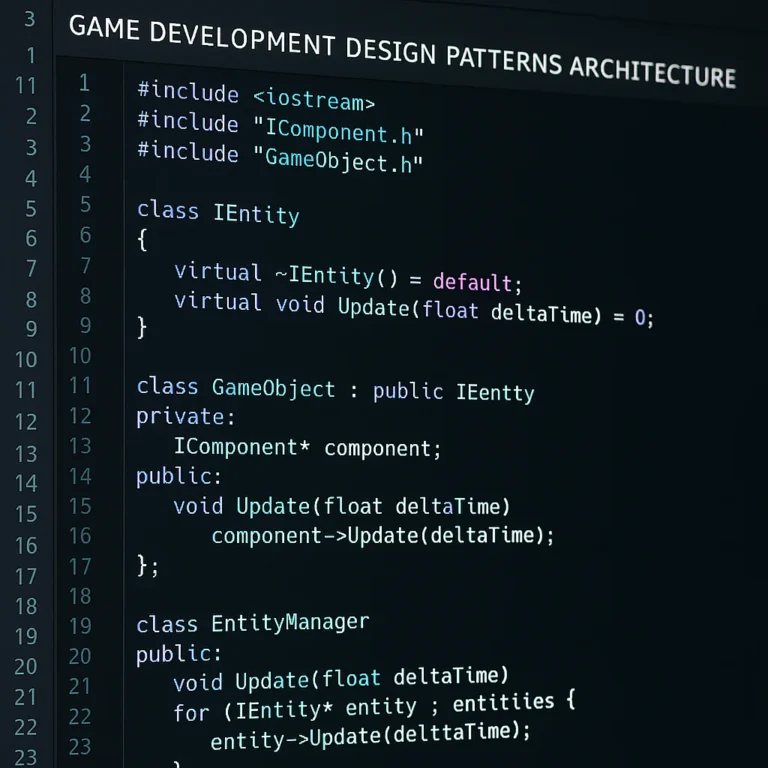
- Why: This is fundamental to efficient cross-platform development. By breaking down your game’s features into small, self-contained components (e.g., a
PlayerMovementcomponent, anEnemyAIcomponent, aHealthSystemcomponent), you maximize reusability. - How: Design your systems so they are independent of specific platforms. If a platform requires a unique input method, create a platform-specific input component that implements a common interface, rather than scattering platform-specific code throughout your core logic. This aligns perfectly with Coding Best Practices.
- Why: This is fundamental to efficient cross-platform development. By breaking down your game’s features into small, self-contained components (e.g., a
-
Automate Everything You Can (CI/CD is Your Friend!):
- Why: Manual builds, tests, and deployments are slow, error-prone, and soul-crushing. Automation frees up your developers to focus on creative tasks.
- How: Implement Continuous Integration/Continuous Deployment (CI/CD) pipelines. Tools like Jenkins, GitLab CI/CD, GitHub Actions, or Azure DevOps can automatically:
- Compile your code on every commit.
- Run automated tests (unit, integration, UI).
- Generate builds for all target platforms.
- Deploy builds to internal testers or even app stores.
- Stack Interface™ Insight: GIANTY emphasizes “certification and compliance automation” and robust “QA processes” through CI/CD. We’ve seen build times drastically cut by integrating solutions like Incredibuild, which distributes compilation tasks across multiple machines. This is a game-changer for iteration speed!
-
Optimize Early, Optimize Often:
- Why: Performance issues are much harder to fix late in development. Cross-platform development often means targeting a wide range of hardware, from high-end PCs to low-spec mobile phones.
- How:
- Profile Regularly: Use your framework’s built-in profilers (e.g., Unity Profiler, Unreal Insights) to identify CPU, GPU, and memory bottlenecks.
- Asset Optimization: Compress textures, reduce polygon counts, and optimize audio files for each target platform. Implement proper asset streaming.
- Platform-Specific Adjustments: Be prepared to make platform-specific tweaks for frame rates, texture sizes, and graphics settings. As GIANTY advises, “Optimize performance for each device.”
-
Leverage Your Framework’s Ecosystem (Asset Stores & Plugins):
- Why: Why build it from scratch if someone else has already perfected it? Asset stores are brimming with high-quality, pre-made solutions.
- How: Need a complex UI system? A robust networking solution? Advanced AI behaviors? Check the Unity Asset Store or Unreal Engine Marketplace. Just ensure the assets are well-supported and compatible with your project.
-
Prioritize Cross-Platform Compatible Assets:
- Why: Art assets are a huge part of your game. Creating separate assets for each platform is a massive time sink.
- How: Design your art style and assets with cross-platform in mind. Use scalable vector graphics (SVG) for 2D where possible, and ensure 3D models can be easily optimized for different detail levels. Maintain a consistent art style across platforms, as GIANTY recommends.
-
Implement Robust Version Control:
- Why: Essential for team collaboration, tracking changes, and recovering from mistakes.
- How: Use Git (with services like GitHub, GitLab, or Bitbucket) or Perforce. Ensure your
.gitignoreor equivalent is set up correctly to avoid committing unnecessary engine files or temporary builds.
-
Test on Real Devices, Early and Often:
- Why: Emulators are great, but they rarely capture the full nuances of real hardware. “You don’t code the same way for a phone or tablet as you would on a PC or Mac,” reminds the Arduino forum.
- How: Set up a device farm (even a small one with a few phones and tablets) and integrate real device testing into your CI/CD pipeline. This helps catch platform-specific bugs and performance issues early.
-
Invest in Data-Driven Development:
- Why: Understanding how players interact with your game helps you make informed decisions about design, optimization, and future updates.
- How: Integrate analytics tools (e.g., Google Analytics for Firebase, Unity Analytics, custom solutions). Track key metrics like player retention, feature usage, and performance data. This is where insights from Data Science can truly elevate your game.
By integrating these tips into your development pipeline, you won’t just be choosing a framework; you’ll be building a highly efficient, future-proof development strategy that accelerates your path to success.
🤔 Frequently Asked Questions About Cross-Platform Game Frameworks
We get a lot of questions about cross-platform game development here at Stack Interface™. It’s a complex topic with many nuances, so let’s tackle some of the most common queries head-on!
Q1: Is cross-platform development always better than native development?
A: Not always! While cross-platform offers significant advantages in terms of wider reach, cost, and time efficiency, there are scenarios where native development is superior. As GIANTY points out, native development is often chosen for:
- Maximum Performance: For truly AAA titles pushing the absolute limits of hardware, or games with extremely complex physics.
- Deep Hardware Integration: When you need full control over platform-specific features like haptics, motion controls, or unique device capabilities.
- Platform Exclusivity: If you’re developing a game exclusively for a single console and want to leverage every ounce of its power.
- Full Control: When you need complete control over system resources and don’t want any abstraction layers.
For most projects, especially indie and mobile games, cross-platform development offers a fantastic balance. But it’s a trade-off you need to consider carefully.
Q2: Do cross-platform games perform as well as native games?
A: This is a common concern, and the answer is: it depends! Modern cross-platform engines like Unreal Engine and Unity are incredibly optimized and can achieve near-native performance for most games. However, there can be a slight overhead due to the abstraction layer.
- Factors affecting performance: The specific framework used, the quality of your code, the complexity of your game, and the target hardware all play a role.
- Optimization is Key: With careful optimization, profiling, and sometimes platform-specific tweaks, you can achieve excellent performance with cross-platform frameworks. Tools like Incredibuild can also accelerate build and testing, indirectly contributing to better performance by allowing faster iteration on optimizations.
Q3: Can I use a cross-platform framework for both 2D and 3D games?
A: Absolutely! Many popular frameworks are highly versatile.
- Unity: Excellent for both 2D and 3D, with dedicated toolsets for each.
- Unreal Engine: Primarily known for high-end 3D, but can certainly be used for 2D as well (though it might be overkill for simple 2D projects).
- Godot: Strong 2D capabilities, with rapidly improving 3D.
- Cocos Creator & Phaser: Primarily focused on 2D, especially for mobile and web, respectively.
The choice often comes down to which dimension the framework excels in and how well its tools align with your specific artistic and gameplay needs.
Q4: What programming language should I learn for cross-platform game development?
A: The most popular choices are:
- C#: The primary language for Unity, widely used, and relatively easy to learn.
- C++: The core language for Unreal Engine, offering maximum performance and control, but with a steeper learning curve.
- GDScript: Godot’s Python-like scripting language, very beginner-friendly.
- JavaScript/TypeScript: Popular for web-based frameworks like Phaser and Cocos Creator.
As the Arduino forum suggests, for beginners, starting with foundational programming concepts in a language like Python can be beneficial before diving into complex game engines. For professional development, C# and C++ are dominant.
Q5: Are open-source game frameworks a viable option for commercial games?
A: Definitely! Open-source frameworks like Godot Engine are increasingly viable for commercial projects.
- Benefits: No licensing fees or royalties, full control over the source code, and a passionate community.
- Considerations: While the community is often very supportive, you might not have the same level of dedicated professional support as with commercial engines. The asset ecosystem might also be smaller.
- Stack Interface™ Opinion: For indie studios and smaller teams, open-source options like Godot offer incredible value and freedom, allowing you to allocate more resources to development and marketing.
Q6: How important is the community and documentation for a framework?
A: Extremely important! We cannot overstate this.
- Learning Curve: Good documentation and tutorials drastically reduce the learning curve.
- Problem Solving: When you encounter a bug or a technical challenge, an active community and comprehensive documentation are your first (and often best) line of defense.
- Staying Current: Communities often share best practices, new techniques, and solutions to common problems, helping you stay up-to-date.
Always check the health and activity of a framework’s community before committing.
📊 Comparison Table: Top Cross-Platform Game Frameworks Features at a Glance
To help you visualize the differences and make a more informed decision, here’s a comprehensive comparison table of the top cross-platform game frameworks we’ve discussed. This isn’t just about raw power; it’s about finding the best fit for your project’s unique DNA.
| Feature / Framework | Unity | Unreal Engine | Godot Engine | Cocos Creator | Defold | Phaser |
|---|---|---|---|---|---|---|
| Primary Languages | C# | C++, Blueprints (Visual Scripting) | GDScript, C#, C++ | JavaScript, TypeScript | Lua | JavaScript, TypeScript |
| 2D Capabilities | ✅ Excellent, dedicated tools | ✅ Good, but often overkill for simple 2D | ✅ Excellent, strong focus | ✅ Excellent, mobile-first | ✅ Excellent, highly optimized | ✅ Excellent, web-focused |
| 3D Capabilities | ✅ Very Good, versatile | ✅ Unrivaled, AAA-quality | ✅ Good, rapidly improving | ❌ Basic, suitable for hybrid | ❌ Basic, not for complex 3D | ❌ None |
| Key Platforms | PC, Mac, Linux, iOS, Android, Consoles, Web, VR/AR | PC, Mac, Linux, Consoles (Next-Gen), iOS, Android, VR/AR | PC, Mac, Linux, iOS, Android, Web | iOS, Android, Web, PC, Mac | iOS, Android, Web, PC, Mac, Linux | Web (HTML5) |
| Learning Curve | Medium | High (C++), Medium (Blueprints) | Low (GDScript), Medium (C#/C++) | Low to Medium | Medium | Low to Medium |
| Community Size | Huge | Very Large | Large & Active | Medium | Medium | Large & Active |
| Asset Store/Marketplace | ✅ Massive Unity Asset Store | ✅ Robust Unreal Marketplace | ✅ Growing Godot Asset Library | ✅ Integrated Asset Store | ❌ Limited (community assets) | ❌ Limited (community plugins) |
| Licensing Model | Free (Personal) / Subscription (Pro) | Free (Royalties above threshold) | Free & Open-Source (MIT License) | Free (with optional paid services) | Free & Open-Source (MIT License) | Free & Open-Source (MIT License) |
| Ideal For | Versatile 2D/3D, Mobile, Indie, VR/AR | High-end 3D, AAA, Console, Photorealism | Indie, 2D, Open-Source Enthusiasts, Learning | 2D Mobile, Web Games, JavaScript Devs | Performant 2D Mobile, Small Teams, Lua Devs | 2D Web Games, Browser-based Experiences |
| Unique Selling Point | Ecosystem & Versatility | Visual Fidelity & Blueprints | Open-Source Freedom & GDScript | Mobile-First JS/TS | Performance & Lightweight | Web-Native 2D |
🎉 Key Takeaways: Mastering Your Framework Selection
Phew! We’ve covered a lot of ground, haven’t we? From the evolution of cross-platform development to deep dives into specific frameworks, our goal at Stack Interface™ has been to equip you with the knowledge to make an informed, confident decision. So, as you embark on your game development journey, here are the absolute key takeaways to keep in your toolkit:
- Your Project’s DNA Comes First: The “best” framework isn’t a universal truth; it’s the one that perfectly aligns with your game’s genre, scope, target platforms, and your team’s existing skill set. Don’t try to force a square peg into a round hole!
- Balance Features with Practicality: While a framework might boast a laundry list of features, focus on the ones that are truly essential for your game. A simpler, more focused framework can often lead to faster development than an overly complex one that you only use 10% of.
- Community and Documentation are Lifelines: Seriously, don’t underestimate the power of a vibrant community and comprehensive, up-to-date documentation. They are your safety net, your learning resource, and your problem-solving army.
- Prototype, Prototype, Prototype! Reading reviews and comparing specs is helpful, but nothing beats getting your hands dirty. Build a small proof of concept with your top 2-3 choices. This hands-on experience will reveal the true developer experience and help you identify potential roadblocks early.
- Consider the Long Game: Think beyond the initial development phase. How will the framework support your game’s updates, future expansions, and potential scalability? What are the long-term licensing implications?
- Performance is a Priority, Not an Afterthought: Cross-platform convenience shouldn’t come at the cost of a sluggish player experience. Leverage profiling tools, optimize assets, and be prepared to make platform-specific adjustments.
- Automation is Your Accelerator: Implement CI/CD pipelines for automated builds, tests, and deployments. This dramatically speeds up iteration and reduces human error, freeing your team to focus on creativity.
Choosing a cross-platform game framework is a strategic decision that will shape your entire development process. By carefully considering these factors, leveraging the insights we’ve shared, and trusting your instincts (backed by practical testing!), you’ll be well on your way to mastering your framework selection and creating your next gaming masterpiece. Now go forth and build something amazing!
🏁 Conclusion: Level Up Your Game Development Strategy

Wow, what a journey! From dissecting the evolution of cross-platform game frameworks to exploring the nitty-gritty of essential features and spotlighting the top contenders of 2025, we’ve covered everything you need to confidently select the perfect framework for your next game. At Stack Interface™, we’ve seen firsthand how the right choice can turbocharge your development, expand your audience, and ultimately lead to a more polished, successful game.
Summary of the Top Frameworks Reviewed
- Unity: The versatile industry titan, perfect for developers seeking a balance between 2D and 3D, with massive platform support and a huge community. Its recent licensing controversies warrant caution, but its ecosystem remains unmatched.
- Unreal Engine: The heavyweight champion for AAA-quality visuals and complex 3D games. Its steep learning curve is balanced by powerful tools like Blueprints and cutting-edge rendering tech.
- Godot Engine: The open-source darling, ideal for indie developers and those who value freedom and flexibility. Excellent for 2D and growing rapidly in 3D capabilities.
- Cocos Creator: Lightweight and mobile-first, great for JavaScript/TypeScript developers targeting 2D mobile and web games.
- Defold: A performant, Lua-based engine focused on rapid iteration and small build sizes, ideal for 2D mobile games.
- Phaser: The go-to for 2D web games, leveraging JavaScript/TypeScript and browser-native technologies.
Positives and Negatives Recap
| Framework | Positives | Negatives |
|---|---|---|
| Unity | Versatile, large community, extensive asset store | Licensing changes, performance ceiling for AAA 3D |
| Unreal Engine | AAA visuals, Blueprints, powerful tools | Steep learning curve, hardware demands |
| Godot | Open-source, beginner-friendly, flexible | Smaller asset library, 3D still maturing |
| Cocos Creator | Lightweight, mobile/web focus, JS/TS friendly | Smaller Western community, limited 3D |
| Defold | Fast iteration, small builds, free | Smaller community, Lua learning curve |
| Phaser | Web-native, lightweight, strong 2D focus | No visual editor, browser limitations |
Final Thoughts
Choosing a cross-platform game framework is a strategic decision that shapes your entire development lifecycle. It’s not just about features or popularity; it’s about fit — fit with your project’s vision, your team’s skills, and your long-term goals. Remember our mantra: prototype early, test often, and listen to your team and community.
If you’re still wondering which framework to pick, start small. Build a prototype with your top candidates, engage with their communities, and see which one feels like home. The perfect framework is out there, waiting to help you bring your game to life on every screen imaginable.
Ready to level up your game development? Let’s get coding!
📚 Recommended Links for Deep Dives and Tutorials
Looking to dive deeper or get hands-on with these frameworks? Here are some curated shopping and learning links to get you started:
-
Unity:
- Shop Unity on Amazon
- Unity Official Website
- Recommended Book: “Unity in Action: Multiplatform Game Development in C#” by Joseph Hocking — Amazon Link
-
Unreal Engine:
- Shop Unreal Engine Books on Amazon
- Unreal Engine Official Website
- Recommended Book: “Learning C++ by Creating Games with UE4” by William Sherif — Amazon Link
-
Godot Engine:
- Godot Engine Official Website
- Recommended Book: “Godot Engine Game Development Projects” by Chris Bradfield — Amazon Link
-
Cocos Creator:
- Cocos Creator Official Website
- Recommended Book: “Cocos2d-x by Example Beginner’s Guide” by Roger Engelbert — Amazon Link
-
Defold:
- Defold Official Website
- Community tutorials available on Defold’s site.
-
Phaser:
- Phaser Official Website
- Recommended Book: “Phaser Game Development” by Stephen Gose — Amazon Link
Shop Cross-Platform Game Frameworks on:
- Unity: Amazon | Unity Official
- Unreal Engine: Amazon | Unreal Official
- Godot Engine: Godot Official
- Cocos Creator: Cocos Official
- Defold: Defold Official
- Phaser: Phaser Official
🤔 Frequently Asked Questions About Cross-Platform Game Frameworks
How do different game frameworks handle updates and compatibility across platforms?
Most modern cross-platform frameworks maintain active development cycles with frequent updates to ensure compatibility with new operating systems, hardware, and platform requirements. For example, Unity and Unreal Engine regularly release patches and major updates that address platform-specific issues and introduce new features. Open-source frameworks like Godot rely on community contributions for updates but maintain a transparent roadmap.
Compatibility is typically managed through modular export pipelines that allow developers to build and optimize for each platform individually while maintaining a shared core codebase. Frameworks often provide platform-specific APIs or plugins to handle unique hardware features, ensuring seamless integration without sacrificing cross-platform consistency.
What debugging and testing features should a cross-platform game framework provide?
Robust debugging and testing tools are essential. Look for:
- Integrated Debuggers: Allowing breakpoints, step-through code execution, and variable inspection.
- Performance Profilers: To analyze CPU, GPU, and memory usage.
- Logging Systems: Configurable and detailed logs for runtime diagnostics.
- Automated Testing Support: Unit testing frameworks and integration with CI/CD pipelines.
- Platform-Specific Debugging: Tools to test on actual devices or emulators with platform-specific insights.
Frameworks like Unity and Unreal Engine excel in these areas, offering comprehensive built-in tools. Open-source options like Godot are improving steadily, with community-driven plugins enhancing testing capabilities.
Which frameworks offer the easiest integration with third-party plugins and APIs?
Unity leads with its massive Asset Store and extensive plugin ecosystem, supporting everything from analytics to multiplayer networking. Unreal Engine also has a robust marketplace and supports third-party integrations through its plugin system.
Open-source engines like Godot allow direct source code modification and community plugins, offering flexibility but sometimes requiring more manual integration effort.
Frameworks like Cocos Creator and Defold support plugin integration but have smaller ecosystems, which might limit available options.
How important is community support when choosing a video game framework?
Community support is crucial. A vibrant community means:
- Faster help when you encounter issues.
- Access to tutorials, sample projects, and best practices.
- Frequent sharing of plugins, assets, and tools.
- Greater longevity and evolution of the framework.
Frameworks like Unity and Unreal Engine benefit from large, active communities. Open-source projects like Godot thrive on passionate contributors. Smaller or niche frameworks may have limited support, increasing risk.
What are the licensing costs associated with top cross-platform game development tools?
Licensing varies widely:
- Unity: Free Personal tier with revenue caps; paid subscriptions for Pro/Plus; recent runtime fees have been controversial.
- Unreal Engine: Free to use; 5% royalty on gross revenue above a threshold.
- Godot: Completely free and open-source, no royalties.
- Cocos Creator & Defold: Free with optional paid services.
- Phaser: Free and open-source.
Always review the latest licensing terms on official sites, as policies can evolve.
How do performance and graphics capabilities vary between popular game frameworks?
- Unreal Engine offers top-tier graphics with advanced rendering features like Nanite and Lumen, ideal for AAA titles.
- Unity balances good graphics with versatility, suitable for a wide range of 2D and 3D games.
- Godot is excellent for 2D and improving in 3D but not yet at Unreal’s level.
- Cocos Creator and Defold prioritize lightweight, efficient 2D performance.
- Phaser excels at 2D web games with efficient WebGL and Canvas rendering.
Performance also depends on developer optimization and target hardware.
What programming languages are best supported by cross-platform game frameworks?
- C#: Dominant in Unity, beginner-friendly and powerful.
- C++: Core language for Unreal Engine, offering maximum control.
- GDScript: Python-like scripting for Godot, easy for beginners.
- JavaScript/TypeScript: Used in Phaser and Cocos Creator, great for web developers.
- Lua: Used in Defold, lightweight and fast.
Choose based on your team’s expertise and project needs.
What tools and features should I look for in a video game framework to ensure seamless integration with popular game engines and development tools?
Look for:
- IDE Integration: Compatibility with Visual Studio, VS Code, Rider, etc.
- Version Control Support: Git, Perforce integration.
- Asset Pipeline Compatibility: Support for common formats and workflows.
- Plugin/Extension Support: Ability to add custom tools or third-party services.
- Cross-Platform Build Systems: Automated export and packaging for multiple platforms.
What are the considerations for selecting a video game framework that can handle large-scale, multiplayer game development across different platforms?
- Built-in Networking APIs: Support for client-server models, matchmaking, and real-time synchronization.
- Scalability: Ability to support thousands or millions of concurrent players.
- Cross-Play Support: Seamless multiplayer across platforms.
- Third-Party Service Integration: Compatibility with backend services like Photon, PlayFab, or Epic Online Services.
- Security and Anti-Cheat Features: To protect your player base.
Unreal Engine and Unity offer strong multiplayer tools and integrations; open-source options may require more custom work.
How do I choose a video game framework that supports both 2D and 3D game development for cross-platform deployment?
Evaluate:
- Core Strengths: Does the framework excel in 2D, 3D, or both?
- Tooling: Are there dedicated editors and tools for both dimensions?
- Performance: Can it handle your desired complexity in both 2D and 3D?
- Community Examples: Are there successful games similar to yours built with the framework?
Unity is the most versatile for both 2D and 3D; Godot is excellent for 2D and improving in 3D; Unreal is best for 3D but can handle 2D.
What are the most popular video game frameworks for cross-platform development and their respective strengths and weaknesses?
Covered extensively in this article, but in summary:
- Unity: Versatility, community, ease of use; licensing concerns.
- Unreal Engine: AAA graphics, powerful tools; steep learning curve.
- Godot: Open-source, flexible; smaller asset ecosystem.
- Cocos Creator: Mobile/web focus; smaller community.
- Defold: Lightweight, performant; smaller ecosystem.
- Phaser: Web-native 2D; code-first approach.
What tools and features should I look for in a game framework to ensure seamless integration across multiple platforms, including iOS, Android, and desktop devices?
- Robust Export Pipelines: Easy build generation for all target platforms.
- Platform-Specific API Access: For native features and optimizations.
- Asset Optimization Tools: To tailor assets per platform.
- Input Handling: Support for touch, mouse, keyboard, controllers.
- Testing and Debugging on Devices: Emulators and real device support.
What are the key differences between game development frameworks for 2D and 3D games in terms of features and functionality?
- 2D Frameworks: Focus on sprite management, tilemaps, 2D physics, and simpler rendering.
- 3D Frameworks: Require complex rendering pipelines, 3D physics, animation systems, and often more powerful hardware.
- Tooling: 3D frameworks usually have more complex editors and asset pipelines.
How do I choose between open-source and proprietary game engines for my cross-platform project?
- Open-Source (e.g., Godot): No licensing fees, full control, community-driven, but smaller ecosystems and less official support.
- Proprietary (e.g., Unity, Unreal): Professional support, large ecosystems, polished tools, but licensing costs and potential restrictions.
Consider your budget, team expertise, and project scope.
What are the most popular cross-platform game development frameworks used in the industry today?
- Unity
- Unreal Engine
- Godot
- Cocos Creator
- Defold
- Phaser
These frameworks cover a broad spectrum of project types, from indie to AAA, mobile to console, 2D to 3D.
🔗 Reference Links and Credible Sources
-
Unity Official Website: https://unity.com/
-
Unreal Engine Official Website: https://www.unrealengine.com/
-
Godot Engine Official Website: https://godotengine.org/
-
Cocos Creator Official Website: https://www.cocos.com/creator
-
Defold Official Website: https://defold.com/
-
Phaser Official Website: https://phaser.io/
-
GIANTY: Cross-Platform Game Development: How Studios Can Build Smarter — https://www.gianty.com/cross-platform-game-development/
-
Incredibuild Blog: Top Gaming Engines You Should Consider — https://www.incredibuild.com/blog/top-gaming-engines-you-should-consider
-
Arduino Forum: Transition to Video Game Programming — https://forum.arduino.cc/t/transition-to-video-game-programming/1133221
For more insights on game development, visit Stack Interface™ Game Development category.